

 Kashifa Jafar
Technology Writer & Contributor
Kashifa Jafar is a technology writer and contributor at FutureTechExpert with 4+ years of experience in technology writing and content creation.
Read Full Bio of Author →
Kashifa Jafar
Technology Writer & Contributor
Kashifa Jafar is a technology writer and contributor at FutureTechExpert with 4+ years of experience in technology writing and content creation.
Read Full Bio of Author →
 Sameena Begum
Health, Technology & Digital Content Reviewer
Sameena reviews selected health, wellness, technology, and digital content for clarity, factual presentation, and reader usefulness.
Read Full Bio of Reviewer →
Sameena Begum
Health, Technology & Digital Content Reviewer
Sameena reviews selected health, wellness, technology, and digital content for clarity, factual presentation, and reader usefulness.
Read Full Bio of Reviewer →
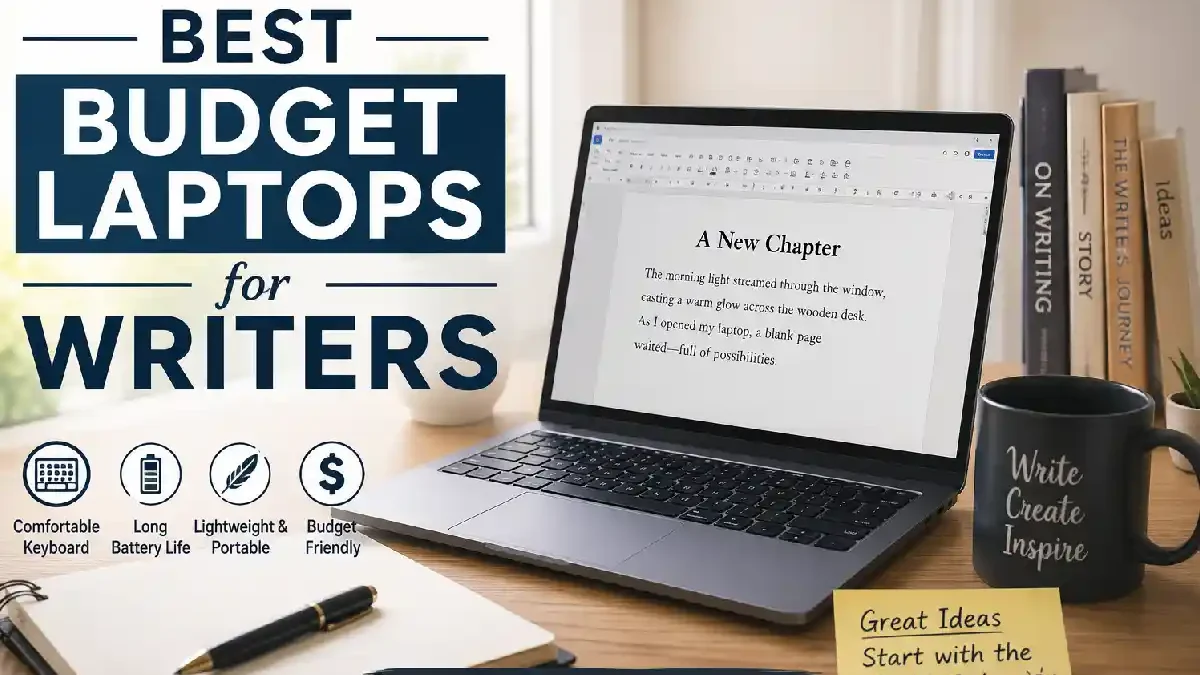
When writing you‘re not trying to write on the most expensive laptop but selecting the Best Budget Laptops for Writers can mean the difference between comfort, productivity, and reliability. A responsive keyboard, long battery life, lightweight design and fast SSD storage are far more important than a ripped-out gaming GPU.
No matter what profession you are in, be it blogger, novelist, student, journalist, freelancer or content creator, you‘re in the right place. In this article we will compare most affordable writing laptops of 2026 and help to select the best for your budget.
 This article is part of
Laptops Resources
Table of Contents
What Makes a Good Budget Writing Laptop?
A decent budget writing laptop does not require high-end hardware or a dedicated graphics card. All you need is a comfortable typing experience, rock solid performance, great battery life and a lightweight package that allows you to write comfortably from anywhere.
Blogger, freelance writer, student, novelist, journalist, the right laptop makes writing easy and you budget. Some of the most significant aspects to consider when buying a writing laptop on a budget.
If you’re open to spending a bit more or want to compare premium options, explore our complete guide to the best laptops for writers before making your final decision.
Comfortable Keyboard
Since writers spend hours typing, the keyboard is the most important feature. Look for a laptop with:
- Well-spaced keys
- Good key travel (around 1.3–1.5 mm)
- Responsive and quiet typing
- Optional backlit keyboard for low-light environments
These comfortable keyboards are common to some brands, such as based some models in there; Lenovo ThinkPad, Lenovo IdeaPad, ASUS Zenbook or Apple Mac Book.
Fast Processor
You don‘t need “state-of-the-art” CPU to write, but more up to date CPU means no issues with multitasking using web browsers, MS Word, Google docs or other writing software.
Recommended processors in 2026 include:
| Processor | Suitable For |
| Intel Core i3 (13th Gen or newer) | Basic writing and web browsing |
| Intel Core i5/Core Ultra 5 | Most writers and students |
| AMD Ryzen 5 | Excellent all-around performance |
| Apple M2 | Professional writers and content creators |
At Least 16GB of RAM
8GB is okay for everyday use but 16GB makes handling several tabs, reference files and note programs at the same time much more comfortable.
| RAM | Best For |
| 8GB | Casual writers and students |
| 16GB | Bloggers, freelancers, professionals |
| 32GB | Heavy multitasking and creative work |
SSD Storage
Solid State Drives (SSDs) help computers start up faster, open programmes faster and save documents in a flash.
A 512GB SSD would store everything I need, documents, photos, writing program, cloud sync. it adds significantly to the cost of the system.
Need something easy to carry? See our recommendations for the best lightweight laptops for writers, ideal for travel and remote work.
Long Battery Life
Authors do their writing in various places at cafes, in classrooms, on planes, in their home offices. A long-lasting battery means you won‘t be always hunting for an outlet.
Full HD Display
A sharp screen is good for reducing eye fatigue during long writing sessions.
Look for:
- 13 to 15.6-inch display
- Full HD (1920×1080) resolution
- IPS panel for better viewing angles
- Anti-glare coating if possible
Lightweight and Portable Design
For those who constantly bring their laptop, portability ranks high.
| Weight | Portability |
| Under 1.3 kg | Excellent for travel |
| 1.3–1.6 kg | Ideal balance |
| Above 2 kg | Less convenient for daily commuting |
LED lights and film displays make laptops increasingly thin and light, and even more portable.
Reliable Connectivity
A good budget writing laptop should include:
- USB-C port
- USB-A ports
- HDMI output
- Wi-Fi 6 or Wi-Fi 7
- Bluetooth 5.3 or newer
- Headphone jack
Connect external Monitors, keyboards, storage and accessories, with ease.
Build Quality and Durability
When you are on a budget, buy a laptop that has a solid chassis and resilient hinge. Aluminum or high-impact plastics usually have longer life span than the cheap plastics.
Writers who prefer macOS should also check our roundup of the best MacBooks for writers to compare Apple models with these budget-friendly Windows laptops.
Best Picks Under $500

For students and novice writers, they provide great value.
| Laptop | CPU | RAM | Battery | Approx. Price (2026) | Official Resource |
| Acer Aspire Go 15 | Intel Core i3 | 8GB | 10 hrs | ~$399 | https://www.acer.com |
| Lenovo IdeaPad Slim 3 | Ryzen 3 | 8GB | 9 hrs | ~$449 | https://www.lenovo.com |
| ASUS Vivobook Go 15 | Ryzen 5 | 8GB | 10 hrs | ~$499 | https://www.asus.com |
Best Choice
ASUS Vivobook Go 15
Pros
- Comfortable keyboard
- Good battery
- Fast SSD
- Excellent value
Cons
- Basic display brightness
If Windows is your preferred operating system, our guide to the best Windows laptops for writers covers more options across every price range.
Best Picks Under $700
This range provides the most optimal combination of usability and price.
| Laptop | Processor | RAM | Storage | Battery |
| Acer Swift Go 14 | Intel Core Ultra 5 | 16 GB | 512 GB SSD | 12 hrs |
| Lenovo IdeaPad Slim 5 | Ryzen 5 8640HS | 16 GB | 512 GB SSD | 13 hrs |
| ASUS Zenbook 14 | Ryzen 7 | 16 GB | 512 GB SSD | 14 hrs |
Best Overall
Lenovo IdeaPad Slim 5
Reasons:
- Premium keyboard
- Excellent battery
- Quiet operation
- Bright display
Best Picks Under $1,000
Certain laptop computers aimed at professional journalists, writers and authors include these features.
| Laptop | Processor | RAM | Weight | Battery |
| Apple MacBook Air M2 | Apple M2 | 16GB | 1.24kg | 18 hrs |
| Dell XPS 13 | Intel Core Ultra 7 | 16GB | 1.19kg | 16 hrs |
| HP Pavilion Plus 14 | Intel Core Ultra 5 | 16GB | 1.4kg | 13 hrs |
Editor’s Pick
MacBook Air M2
Ideal for:
- Novelists
- Bloggers
- Copywriters
- Students
- Freelancers
If your budget is flexible, our list of the best writing laptops under $1000 includes faster processors, brighter displays, and longer battery life.
Performance vs Price
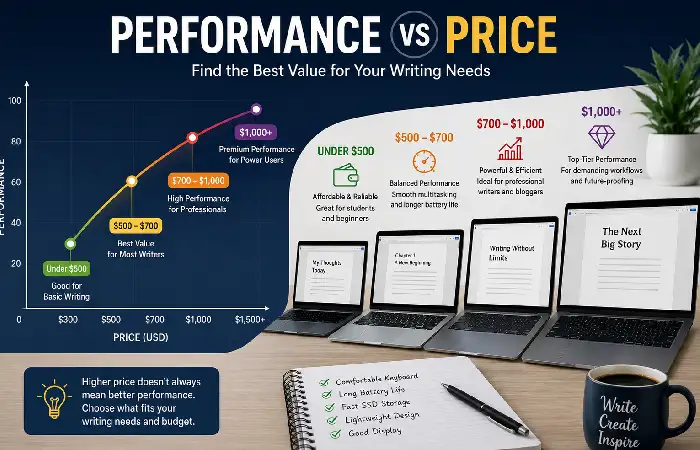
If there‘s a ‘best Budget Laptops for Writers’ list to be made, then you should ideally look no further than what money can buy. Sometimes you can spend a little more and get a lot more. But for the majority of writers, a laptop with a comfortable keyboard, a lot of RAM and good battery life offers more value than trying to find a gaming spec.
Below is a comparison of what you can expect at various cost points in 2026.
Performance vs Price Comparison (2026)
| Price Range | Typical Specifications | Performance Rating | Value for Money | Best For |
| Under $500 | Intel Core i3 / AMD Ryzen 3, 8GB RAM, 256–512GB SSD | Good | Excellent | Students, casual writers, note-taking |
| $500–$700 | Intel Core i5/Core Ultra 5, AMD Ryzen 5, 16GB RAM, 512GB SSD | Very Good | Excellent | Bloggers, freelancers, office work |
| $700–$1,000 | Intel Core Ultra 7, AMD Ryzen 7, Apple M2, 16GB RAM | Excellent | Very Good | Professional writers, journalists, authors |
| Above $1,000 | Premium processors, OLED displays, larger SSDs | Excellent | Good | Power users and content creators |
Buying Tips
Before purchasing, consider:
- Prioritize keyboard quality over processor speed.
- Choose at least 16GB RAM if your budget allows.
- Prefer SSD storage over HDD.
- Select a Full HD IPS display for comfortable reading.
- Aim for 10+ hours of battery life.
- Ensure the laptop has USB-C charging.
- Look for upgrade options if buying a Windows laptop.
Content creators should also read our guide to the best laptops for bloggers, featuring models optimized for writing, editing, and publishing online.
Frequently Asked Questions
What is the best budget laptop for writers in 2026?
Over all, the Lenovo‘s IdeaPad Slim 5 provides the ideal balance of keyboard experience, performance, battery life, and price for most writers.
How much RAM writers use?
16GB RAM recommended for current writing workflows (set of browser tabs, apps to boost our productivity).
It is worth wondering Is a Chromebook a writer‘s dream?
Chromebooks are sufficient for minimal writing tasks that are performed on a web-based word processor, however, Windows and Mac OS laptops are more flexible for professional workflows.
How important is SSD storage?
Yes. In general, Yes. SSDs provide much faster times for boot up, accessing files and for a similar experience than an HDD.
Conclusion
The Best Budget Laptops for Writers in 2026 show you do not have to spend a lot of money to get a productive writing machine. Budget models below 500USD will work great for students and lighter users, and if you have a budget closer to 700USD then this is where you will get the most value with an improved keyboard and display and better battery life.
For those with a budget of 1000USD then the premium offerings such as the MacBook Air M2 are recommended with its light weight, huge battery life and durability for years to come. Paying attention to keyboard comfort, screen resolution, storage and battery life will allow writers to select a machine that meets their needs.
Kashifa Jafar is a technology writer and contributor at FutureTechExpert with 4+ years of experience in technology writing and content creation.
Read Full Bio of Author →Sameena reviews selected health, wellness, technology, and digital content for clarity, factual presentation, and reader usefulness.
Read Full Bio of Reviewer →