
 Kashifa Jafar
Technology Writer & Contributor
Kashifa Jafar is a technology writer and contributor at FutureTechExpert with 4+ years of experience in technology writing and content creation.
Read Full Bio of Author →
Kashifa Jafar
Technology Writer & Contributor
Kashifa Jafar is a technology writer and contributor at FutureTechExpert with 4+ years of experience in technology writing and content creation.
Read Full Bio of Author →
 Sameena Begum
Health, Technology & Digital Content Reviewer
Sameena reviews selected health, wellness, technology, and digital content for clarity, factual presentation, and reader usefulness.
Read Full Bio of Reviewer →
Sameena Begum
Health, Technology & Digital Content Reviewer
Sameena reviews selected health, wellness, technology, and digital content for clarity, factual presentation, and reader usefulness.
Read Full Bio of Reviewer →
Business apps have an important role in your organization – whether you’re a startup, small business, freelancer, or corporation. In fact, the right business apps can be powerful tools to help you automate, optimize, and automate to optimize your productivity, time, and decision making.
In 2026, I Business cannot function without Cloud computing applications, such as time-tracking and enterprise apps, productivity tools with AI, CRM, project management tools, and Collaboration tools.
A complete beginner’s guide to business apps what they are, the various types, the advantages, the security aspects, how to find the right ones for you and much more.
Table of Contents
What Are Business Apps?
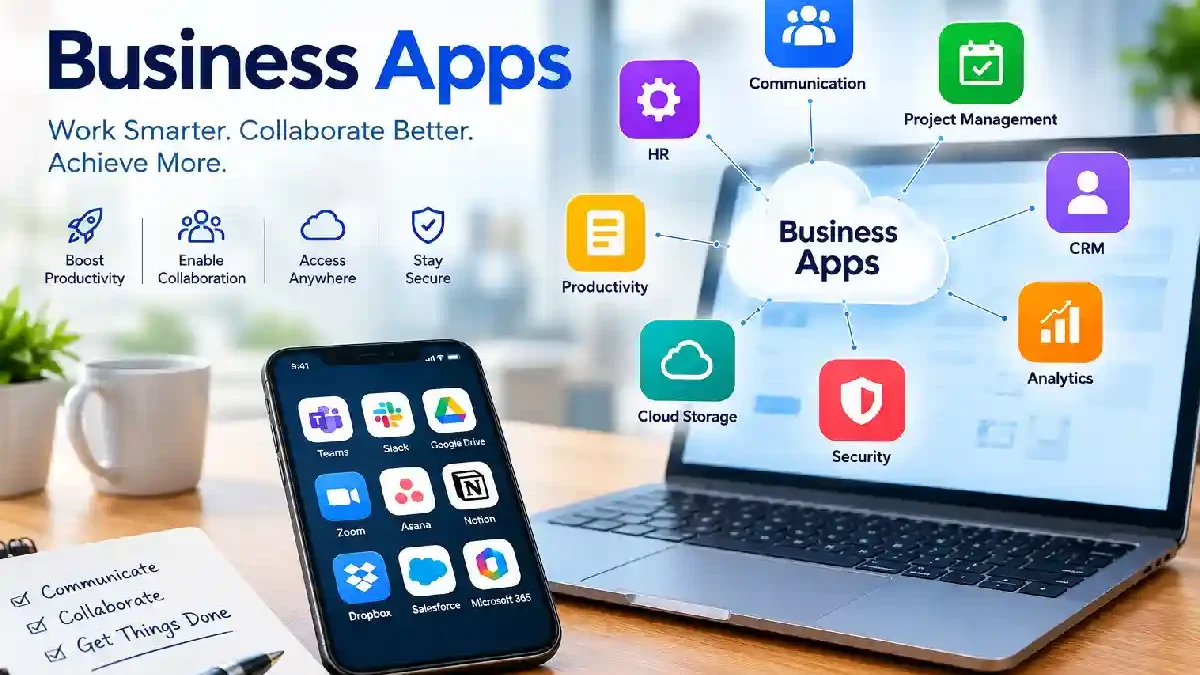
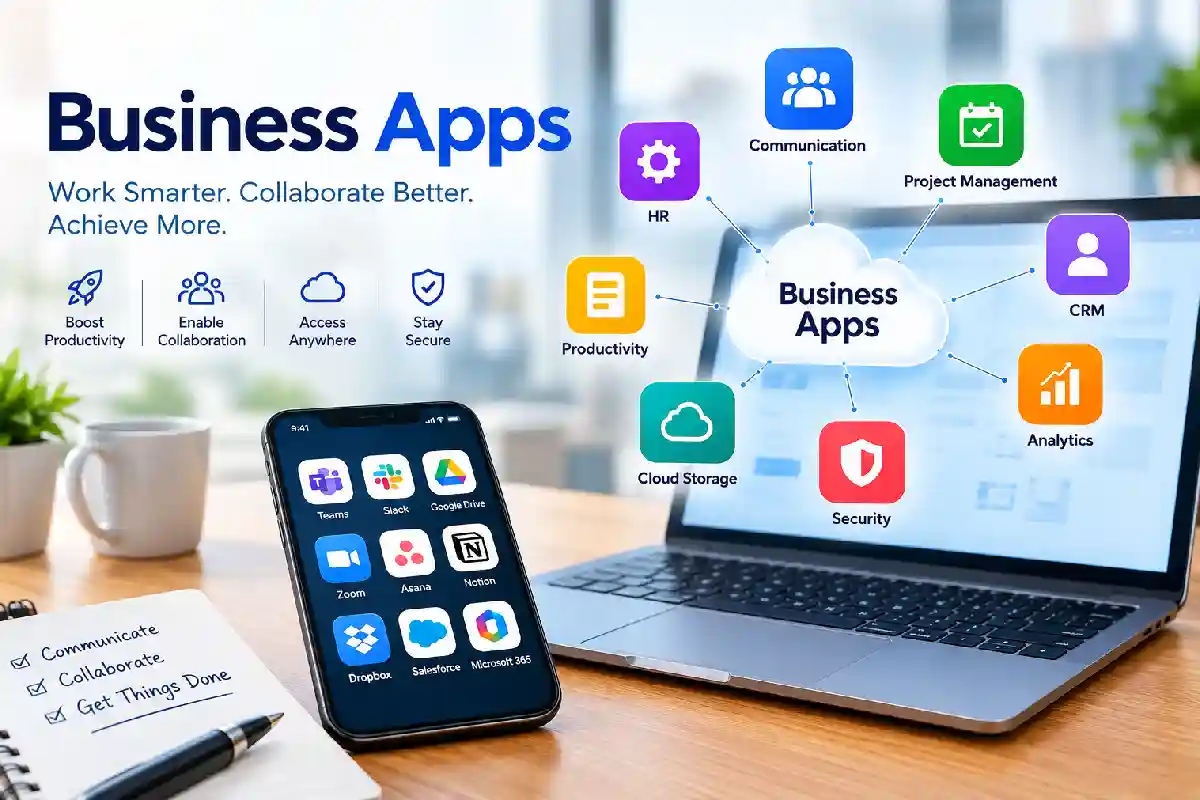
Business applications are a kind of software that can support, automate and enhance the efficiency of different business processes. It aims at providing support in areas like communication, project management, customer relationship management (CRM), accounting, human resource management, marketing, teamwork, and so on. These business applications can be run on smart phones, tablets, personal computers, or Internet browsers.
Business applications are used by businesses of all sizes, today in a digital first business environment to automate workflows reduce manual processes, improve productivity, and make data-driven decisions. Today‘s business applications are built with cloud enabled technology, AI, automation, and real time collaboration to enable teams to work faster and better.
These applications can run on:
- Smartphones
- Tablets
- Desktop computers
- Web browsers
- Cloud platforms
Business apps support numerous functions including:
- Communication
- Project management
- Customer relationship management (CRM)
- Accounting
- Marketing
- Human resources
- Collaboration
- Data analytics
Business applications differ from consumer applications in that they are designed to enhance efficiency, increase productivity and raise the profit margin.
Examples of Business Apps
| Category | Example Apps |
| CRM | Salesforce, HubSpot, Zoho CRM |
| Communication | Microsoft Teams, Slack, Zoom |
| Productivity | Microsoft 365, Google Workspace |
| Project Management | Asana, Trello, Monday.com |
| Accounting | QuickBooks, Xero, FreshBooks |
| Marketing | Mailchimp, Semrush, HubSpot |
| HR | BambooHR, Rippling |
| ERP | Odoo, ERPNext, Zoho One |
How Do Business Apps Help Businesses?
Business apps enable organizations to work smarter by streamlining their everyday activities, enhancing employee collaboration and automating processes and by providing actionable business insights. Regardless of size, a business can benefit from business applications by doing away with unproductive manual work and empowering people to pursue high-value activities.
By 2026, more and more business applications will be running entirely in the Cloud and powered by AI to help organizations run their business, collaborate across teams, and deliver better service to customers. In this highly integrated digital world, business apps will enable companies to have all their data and various functions run on a single platform.
Modern businesses face challenges such as:
- Remote work
- Team collaboration
- Customer management
- Data security
- Workflow automation
Business apps work to solve those issues. They help make all information in one place and everyday tasks automated.
Key Ways Business Apps Help
Improve Productivity
Employees just spend less time on manual process.
Enhance Communication
The team would work together immediately, wherever they may be from.
Automate Workflows
Procedures perform by themselves.
Better Customer Management
CRM apps track leads and customer interactions.
Improve Decision-Making
Analytics tools provide real-time insights.
Reduce Costs
Automation reduces operational expenses.
Types of Business Apps
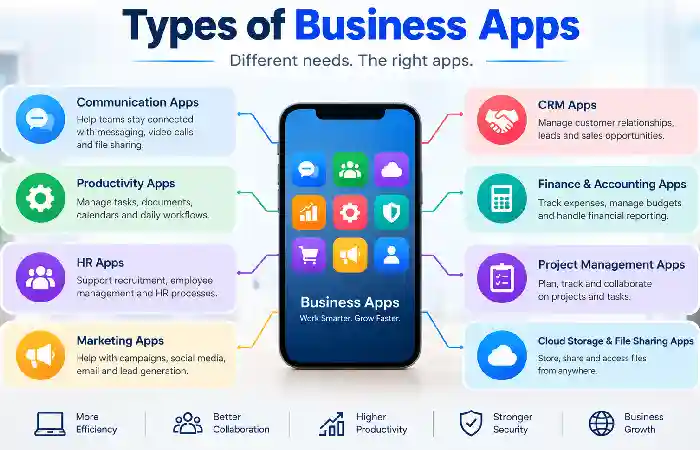
Business Apps are diverse, with each type supporting a specific business activity. There are numerous varieties of business applications available to help organizations optimize business activities such as customer relationship management, workflow integration and financial management. Learn about different business applications to create an efficient digital workplace.
- Productivity Apps
It assist employees and groups in planning tasks, getting calender, file docs, and generally maximize their efficiency. Used in all departments.
Examples:
- Microsoft 365
- Google Workspace
- Notion
- Evernote
- Communication Apps
These tools allow the employees, customers and all the associated investors to stay connected to each other by means of text messaging, voice calling and video conferencing.
Examples:
- Slack
- Zoom
- Microsoft Teams
- Webex
- Project Management Apps
Project management applications enable teams to plan, execute, and control projects throughout their lifecycle.
Examples:
- Asana
- Trello
- ClickUp
- Monday.com
- CRM Apps
CRM apps enable businesses to orchestrate customer interactions, sales and marketing activities from a single comprehensive platform.
Examples:
- Salesforce
- HubSpot CRM
- Zoho CRM
- Accounting Apps
Finance and accounting/ Accounting apps automate bookkeeping, invoices, payroll, expenses.
Examples:
- QuickBooks
- Xero
- FreshBooks
- ERP Apps
The HR applications are responsible for affecting how the employee is managed in the organization, whether it is about payroll, recruitment, performance review, legal concerns.
Examples:
- Odoo
- ERPNext
- SAP Business One
- HR Management Apps
Manage employees and payroll.
Examples:
- BambooHR
- Rippling
- Gusto
- Marketing Apps
Support marketing campaigns.
Examples:
- Semrush
- Mailchimp
- HubSpot
Benefits of Using Business Applications
Business applications are remarkably useful tools for business in today’s competitive environment. The applications help in business growth by increasing productivity, reducing operational costs and providing business with a competitive edge at the same time.
Business applications are used by startups, small businesses and large corporations to automate business processes, improve communication and performance. With businesses implementing digital transformation strategies in 2026, business applications will remain important tools.
Increased Efficiency
Business applications make for a more productive work environment.One of the greatest advantages of using business applications is everyone being more productive. Employees can do their work more efficiently thanks to the ability to automate some processes, having a central place for information and collaborative tools.
Better Collaboration
Business applications facilitate a seamless communication and collaboration, even if you are remote from your fellow team members. The cloud-based environment enables co-workers to freely exchange information on daily assignments, files, and processes.
Reduced Operational Costs
Customer Relationship Management (CRM) helps in managing your prospect and customer relationships from end to end of the sales cycle.
Improved Customer Experience
Many monotonous tasks that you would have to do manually can be automated by business applications.
Enhanced Data Accuracy
Human processes may result in Errors, which may negatively influence business operations and decision-making. Business applications enhance accuracy of data through standardization and or minimization of duplicate entries.
Business Scalability
Applications will expand along with the business.
Essential Business Apps for Small Businesses
Small businesses often operate with limited resources.
The following apps provide maximum value.
| Business Need | Recommended App | Best For |
| Communication | Slack | Team messaging |
| Video Meetings | Zoom | Remote meetings |
| CRM | HubSpot CRM | Customer management |
| Accounting | QuickBooks | Finance tracking |
| Productivity | Google Workspace | Collaboration |
| Project Management | Trello | Task management |
| Marketing | Mailchimp | Email campaigns |
| ERP | Zoho One | Business management |
Numerous software comparison sites have Zoho One, Odoo and ERPNext listed as some of the best business management tools for SMBs and SMEs.
Business Apps for Productivity and Collaboration
Productivity and collaboration become more important than ever, as companies turn to remote, hybrid and distributed work models. This is where business apps for productivity and collaboration come in.
With these apps, your teams can coordinate projects and agendas, exchange updates, collaborate in real time, and communicate seamlessly. They remove barriers to communication, prevent woeful inefficiencies, and keep your workforce on the same page.
In 2026, the majority of collaboration tools have become single comprehensive platforms that integrate document storage, task and project management, team messaging and video meetings, automation, and ChatGPT-powered user support. These tools enable companies to work smarter and more collaborative.
Why Productivity and Collaboration Apps Matter
Without the right tools, teams often struggle with:
- Missed deadlines
- Poor communication
- Information silos
- Duplicate work
- Reduced accountability
- Inefficient workflows
Productivity and collaboration applications address these issues by providing a single place for working and communicating regardless of department or location.
Popular Productivity Apps
| App | Key Features |
| Microsoft 365 | Documents, Teams, AI tools |
| Google Workspace | Docs, Sheets, Meet |
| Notion | Knowledge management |
| ClickUp | Productivity platform |
| Todoist | Task management |
Benefits
- Centralized workspaces
- Real-time collaboration
- Cloud storage
- AI-assisted workflows
Business Apps for Project Management
Project management is an important aspect of operating a successful business. Be it the launching of a new product, running a marketing campaign, developing a software product or managing the daily operational activities within the organization, businesses require tools that help them plan activities, assign and allocate resources, monitor progress and keep to deadlines. Business applications that help manage projects are becoming increasingly popular.
As of 2026, project management software applications have become much more sophisticated than mere task management tools. Now they offer comprehensive solution that converges project scheduling and planning, team communication and collaboration, workflow automation, time-tracking, analytics and reports, and business-optimized intelligent automation.
Why Businesses Need Project Management Apps
Managing projects through spreadsheets, emails, and manual processes often leads to:
- Missed deadlines
- Poor communication
- Resource conflicts
- Lack of accountability
- Reduced productivity
- Budget overruns
Project management applications offer a single space where teams can plan, organize work, track progress and work together efficiently.
Leading Project Management Apps
| App | Best For |
| Asana | Team coordination |
| Trello | Visual workflows |
| Monday.com | Enterprise projects |
| ClickUp | All-in-one productivity |
| Jira | Software development |
Key Features
- Task assignment
- Deadline tracking
- Progress monitoring
- Team collaboration
- Reporting dashboards
Business Apps for Customer Relationship Management
Customer Relationship Management is one of most valuable business apps at this time. These apps will include various tools and features which help business organization to handle customer records and interactions, monitor sales opportunities, enhance customer service, and develop a long-term relationship with their new and existing customers.
With all customers information from different sources available in one stored application, it is easier to develop more personalized service, ease of sales process, and tend to keep the customers forever.
By 2026,CRM applications were integrated powerful business solutions, leveraging elements of sales automation, customer service, marketing applications, analytics, and artificial intelligence. If you are a small business managing just a few hundred customer records or a multinational orchestrating thousands of customer interactions,CRM applications are the foundation for customer centric growth.
Benefits of CRM Software
- Track leads
- Manage sales pipelines
- Improve customer retention
- Automate follow-ups
CRM Comparison Table
| CRM | Best For | Free Plan |
| HubSpot CRM | Small businesses | Yes |
| Zoho CRM | Growing companies | Yes |
| Salesforce | Enterprises | Limited |
| Freshsales | SMBs | Yes |
Business Apps for Communication and Teamwork
Communication and teamwork are two of the most important elements behind every successful business. No matter if your workforce is located remotely, at home or in the same office, communication applications allow teams to stay in touch, transmitting information, working on projects together, and making decisions in a swift and efficient manner. Today‘s business communication and teamwork apps break down all existing barriers among departments, increasing productivity and facilitating cooperation.
Communicating beyond ‘chat’ platforms (2026)Chat-based communication doesn‘t cut it anymore. Today‘s business apps integrate chat, web conferencing, document sharing, project management, task automation, and AI-based work agility into a unified digital workspace. They enable smarter, more seamless teamwork, and help organizations to accelerate, avoid delays, and promote flexible work styles.
Popular Communication Apps
| App | Main Purpose |
| Slack | Team messaging |
| Microsoft Teams | Collaboration |
| Zoom | Video meetings |
| Google Meet | Video conferencing |
| WhatsApp Business | Customer communication |
Benefits
- Faster communication
- Reduced email dependency
- Better remote collaboration
- Improved productivity
How to Choose the Right Business App
Deciding on the correct Business Application is arguably the most critical decision an Organization will undertake. The application selected can have a dramatic impact on the productivity of an organization, its efficiencies, the experience of its Customers and ultimately its growth. However, with over 3000 Business Applications available to select from in 2026 the task of five simple steps to select the app best suited to your needs is a challenge
A business application needs to cater for the present enterprise as well as the future enterprise. It must also be compatible with existing business systems and be easy to use. Through a systematic selection process expensive errors in purchase can be eliminated and return on investment improved.
Why Choosing the Right Business App Matters
The wrong software can lead to:
- Low employee adoption
- Poor productivity improvements
- Integration challenges
- Increased operational costs
- Security risks
- Limited scalability
The enterprise business app is designed to: increase business productivity, reduce manual effort, improve business, achieve business goals over time.
Step 1: Identify Business Needs
Ask:
- What problem are we solving?
- Which teams will use it?
Step 2: Define Budget
Calculate:
- Subscription costs
- Setup expenses
- Training requirements
Step 3: Evaluate Integrations
Ensure compatibility with existing tools.
Step 4: Test Free Trials
Most leading providers offer free plans or trial versions.
Step 5: Assess Scalability
Choose solutions that grow with your business.
Business App Security and Data Privacy
Businesses now adopt cloud systems running office applications and mobile applications that are becoming a part of everyday life where security of data and privacy matter most.
Business applications store sensitive data, including customer data, financial data, employee information, intellectual property, business data etc. Any inability in securing the data would consequently lead to data breaches, monetary losses, sanctions and damage to the reputation of the organization.
By 2026, cyber risk is more prevalent than ever, so before businesses deploy an application, they must weigh up the security and privacy capabilities of the application. Securing enterprise applications reduces data risks and ensures the application meets policy and regulations requirements.
Why Security and Data Privacy Matter
Business applications process sensitive data on a daily basis. One security breach can affect the customers, the employees and the success of the business.
Potential Risks Include:
- Unauthorized data access
- Data breaches
- Ransomware attacks
- Identity theft
- Financial fraud
- Intellectual property theft
- Regulatory compliance violations
Security should be strong and robust so that the above risks do not occur and the trust among the customers and stakeholders is maintained.
Security Features to Look For
Multi-Factor Authentication
Adds extra protection.
Data Encryption
Protects sensitive information.
Role-Based Access Control
Limits access based on user roles.
Audit Logs
Tracks system activities.
Regular Backups
Protects against data loss.
Security Checklist
| Security Feature | Importance |
| MFA | Critical |
| Encryption | Critical |
| Backups | High |
| Access Controls | High |
| Compliance Certifications | High |
Free vs. Paid Business Apps
Free Business Apps
Advantages:
- No upfront costs
- Easy testing
- Suitable for startups
Disadvantages:
- Feature limitations
- User restrictions
- Limited support
Paid Business Apps
Advantages:
- Advanced functionality
- Better security
- Dedicated support
Disadvantages:
- Subscription fees
- Higher implementation costs
Comparison Table
| Feature | Free Apps | Paid Apps |
| Cost | Low | Higher |
| Support | Limited | Priority |
| Features | Basic | Advanced |
| Security | Standard | Enhanced |
| Scalability | Limited | High |
Business Apps for Remote and Hybrid Work
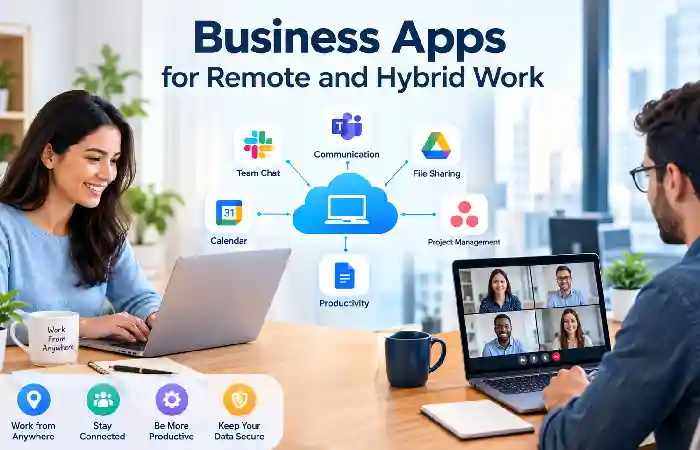
Remote and hybrid workplaces have been prevalent in many institutions. For the most part, people want and demand to be able to work remotely at the home, office or any other location with internet connectivity. To facilitate this as easily as possible, the companies rely on certain computers applications that network employees with one another and remotely collaborate on work.
Applications online for remote and hybrid work keep teams connected and productive. What’s new: In 2026, systems that leverage cloud, AI, and mobile are making these business apps for remote and hybrid work even better.
What Is Remote and Hybrid Work?
Remote and hybrid work are contemporary ways of working that enable an individual to complete their work outside the confines of a physical office. Today, as digital transformation accelerates, cloud collaboration technologies and various other communication platforms are enabling a more flexible, remote or hybrid way of working.
What Is Remote Work?
It is the structure of the work in which the employee is in charge of delivering his work anywhere outside the premises of the business and would be able to do it from home, or any public place like a coffee shop or a library at any area having internet access.
Business applications including video conferencing, messaging tools, cloud storage, project management tools, etc are used among remote staff to connect with coworkers and work.
What Is Hybrid Work?
Hybrid work is a flexible work model that combines remote work and work based in an office. It allows employees to split their time working remotely and working at a physical office.
For instance, employees could be working remotely 3 days a week and be in the office 2 days a week. Hybrid schedules could be tailored to fit organizations’ and employees’ needs.
Essential Remote Work Apps
| Function | App Examples |
| Video Meetings | Zoom, Teams |
| Messaging | Slack |
| Project Management | Asana |
| Document Collaboration | Google Workspace |
| File Storage | OneDrive, Google Drive |
Benefits
- Flexible work environments
- Better employee satisfaction
- Reduced office costs
- Global talent access
How Business Apps Are Changing Modern Workplaces
Business applications are changing the way companies,communicate and grow. Business apps automate simple process that previously were performed by many workers. They also enable companies to talk to clients and employees all over the world. By the year 2026, business of all sizes will be running on cloud computing, AI, mobile application and integrated digital platforms in the year 2026.
Modern workplaces have now moved well beyond the traditional office space. Today‘s employees are used to having flexibility with their working hours, come to expect immediate access to information, and anticipate communications tools that work just as well from anywhere in the world. Business apps help achieve this vision by linking people, processes and information across a single integrated digital enterprise.
Driving Digital Transformation
Arguably, the greatest impact of business apps on workplaces will be our accelerated digital transformation.
Companies, applying digital workflow instead of tedious paper processes are aiming to increase performance, efficiency, as well as accuracy.
Increasing Employee Productivity
Today’s business applications are empowering employees to work smarter, reducing the amount of repetitive work they do and streamlining complex processes.
Productivity Improvements Include
- Automated task management
- Workflow automation
- Smart scheduling
- Centralized information access
- AI-powered assistance
It saves your employees time on administrative activities and away from strategic or high value activities.
Enabling Remote and Hybrid Work
Business apps are enabling remote and hybrid working to be viable and sustainable.
Cloud platform enable members of staff to work together, communicate, and access business resources virtually from any location.
Key Technologies Supporting Remote Work
- Video conferencing platforms
- Team messaging apps
- Cloud storage systems
- Project management software
- Virtual collaboration tools
Businesses can therefore employ the best talent regardless of geo location without affecting performance or disrupt business operations.
Improving Communication and Collaboration
Communication apps have revolutionized team interaction.
The worker is no longer only communicating using email. The worker is using integrated platforms for communicating using video, sharing file, workspaces and instant messages.
Benefits Include
- Faster communication
- Better teamwork
- Improved project coordination
- Reduced information silos
- Greater transparency
Helps teams to work in real-time with each other on various projects. Faster decisions making and by working more effectively across the departments and locations.
Automating Routine Business Processes
The most significant of all the workplace transformations enabled by business apps is ‘Automation’.
Few of the highly repetitive tasks can not be computerized today.
Common Automated Processes
- Invoice generation
- Employee onboarding
- Customer follow-up emails
- Payroll processing
- Inventory updates
- Appointment scheduling
Automation can eliminate human error and enhance efficiency.
Enhancing Customer Experiences
Business apps enable organizations to provide increased responsiveness and individualization to customers.
Customer-Focused Applications Include
- CRM systems
- Help desk software
- Live chat platforms
- Marketing automation tools
- Customer feedback systems
These tools allow companies to better understand what their customers need and to respond swiftly.
Frequently Asked Questions About Business Apps
What are Business Apps?
Business applications aid businesses in handling operations, sales, customer relations, productivity, communication, and finance.
How safe are business apps?
Access controls, MFA, compliance certifications, and encryption are available through nearly all of the more established providers.
Is it free to do business with small companies?
Yes. Quite a few systems have free versions for startups and small teams.
What is the distinction between applications for business use and those for productivity?
While productivity applications target task completion, business applications also support overall company functions, such as CRM, accounting, HR, and ERP.
Do business apps run on mobile?
Yes. Most of the new 21 st-century enterprise applications run on Android, iOS, Web browsers and desktops.
Conclusion
Business Apps are the Building Blocks of the Contemporary Digital Workplace The scope of applications in a modern digital workplace There are scores of business apps available today that span everything from core communication and project management to marketing CRM, Accounting and AI-based automation. These applications enable organizations to boost productivity, lower costs and grow at scale. Success for any business relies on selecting the right application mixture, as it’ll benefit from greater visibility into operations, cohesiveness within teams, best-practice customer interactions and apter use of information in the decision making process.
Kashifa Jafar is a technology writer and contributor at FutureTechExpert with 4+ years of experience in technology writing and content creation.
Read Full Bio of Author →Sameena reviews selected health, wellness, technology, and digital content for clarity, factual presentation, and reader usefulness.
Read Full Bio of Reviewer →