
 Kashifa Jafar
Technology Writer & Contributor
Kashifa Jafar is a technology writer and contributor at FutureTechExpert with 4+ years of experience in technology writing and content creation.
Read Full Bio of Author →
Kashifa Jafar
Technology Writer & Contributor
Kashifa Jafar is a technology writer and contributor at FutureTechExpert with 4+ years of experience in technology writing and content creation.
Read Full Bio of Author →
 Sameena Begum
Health, Technology & Digital Content Reviewer
Sameena reviews selected health, wellness, technology, and digital content for clarity, factual presentation, and reader usefulness.
Read Full Bio of Reviewer →
Sameena Begum
Health, Technology & Digital Content Reviewer
Sameena reviews selected health, wellness, technology, and digital content for clarity, factual presentation, and reader usefulness.
Read Full Bio of Reviewer →
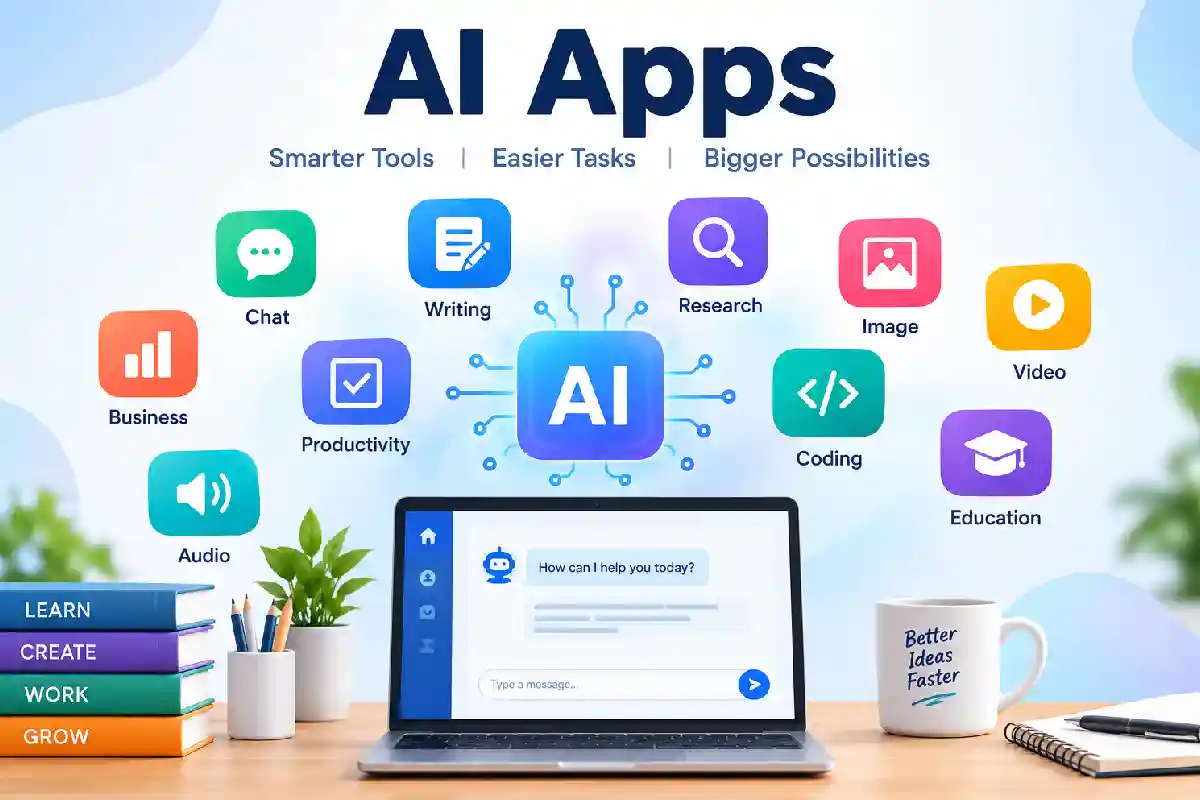
Artificial Intelligence has revolutionised the way humans function, study, develop, produce, and take control of their normal activities. AI Applications are used by students, working professionals, enterprises, marketers, developers, design experts, content aggregators globally.
By 2026, AI productivity tools help users do the work from virtual assistants and A I chatbots to image generators and coding tools. The majority of organizations are using AI within their workflows, as consumers use AI apps to write, research, learn, plan, and automate.
A one-stop-shop for all there is to learn about AI apps. It covers what AI apps are, how you can benefit from them, the different types of AI apps, the most popular applications of AI apps, some comparisons, security issues and what the future has in store.
Table of Contents
What Are AI Apps?
AI applications are software applications that apply AI (artificial intelligence) to do things that normally would require human input or other kinds of interaction (e.g., analyze language, interpret data, identify images, create content, make inferences, automate processes).
Instead of relying on predefined instructions as most traditional applications do, AI-based apps can leverage machine learning and other forms of AI technologies to identify the pattern of information, understand the requirements of a user, and provide an output or recommendation accordingly.
AI apps are now located everywhere in our daily lives, business, education, content creation, research, health, software building, and more.
AI Apps are software applications that use Artificial Intelligence technologies such as:
- Machine Learning (ML)
- Natural Language Processing (NLP)
- Computer Vision
- Deep Learning
- Generative AI
- Predictive Analytics
The fact that these recent technologies allow technology to do things that would previously require human intelligence.
Examples include:
| AI App Type | Example |
| AI Chatbot | ChatGPT |
| AI Research Tool | Perplexity |
| AI Assistant | Gemini |
| AI Coding Tool | GitHub Copilot |
| AI Image Generator | Midjourney |
| AI Design Tool | Canva AI |
| AI Writing Tool | Grammarly |
| AI Video Generator | Runway |
AI apps have the ability to identify patterns, disambiguate language, generate content, automate repetitive processes, and offer informed suggestions, which differentiate them from conventional software.
How Do AI Apps Work?
An AI application is the operation of an AI model, interacting with data, algorithms, and a human-to-computer software interface, to: interpret user input and carry out some task. For instance, in some AI applications, the data could be text, images, audio, video, documents, etc.
For instance, if you use an app (like an AI) to summarize a paper: you give it the paper, and it reads the paper, finds the right information, and creates a shorter version for you with the guidelines you give.
AI applications typically follow a four-step process:
- Data Collection
The app gathers information from:
- User inputs
- Documents
- Databases
- Internet sources
- Images
- Audio files
- AI Processing
Machine learning models analyze the data to:
- Recognize patterns
- Understand context
- Predict outcomes
- Generate responses
- Decision Making
The AI system chooses the most appropriate output based on training and user intent.
- Continuous Learning
Many AI systems improve over time using feedback and new data.
Simplified Workflow
Input → AI Model → Analysis → Output → Improvement
Types of AI Apps
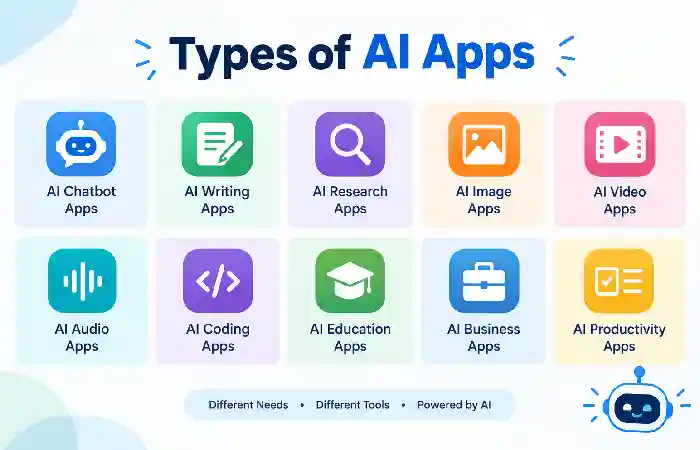
AI apps are varied. Many have been developed to provide assistance in various aspects of life, but a huge number have been made that handle writing, research, the generation of images, scripting, education, productivity improvements, business automation, and more.
Making sense of the various kinds of AI apps will help you to select an app that is right for you, instead of just picking an app because it uses AI.
AI Chat Apps
Examples:
- ChatGPT
- Claude
- Gemini
- Microsoft Copilot
Uses:
- Writing
- Research
- Brainstorming
- Customer support
AI Productivity Apps
Examples:
- Notion AI
- ClickUp AI
- Motion
- Reclaim AI
Uses:
- Task management
- Meeting summaries
- Workflow automation
AI Design Apps
Examples:
- Canva AI
- Adobe Firefly
- Midjourney
Uses:
- Graphics
- Marketing assets
- Presentations
AI Coding Apps
Examples:
- Cursor
- GitHub Copilot
- Replit AI
Uses:
- Code generation
- Debugging
- Documentation
AI Education Apps
Examples:
- NotebookLM
- Khanmigo
- Duolingo Max
Uses:
- Learning assistance
- Personalized tutoring
- Exam preparation
Benefits of Using AI Apps
AI apps can improve efficiencies for users, by enabling them to do things quicker, structure data, perform mundane tasks, and perform better on tasks. AI apps can be used on writing and research, images, programming, school work, or running a business.
The most important advantage of AI applications is not only automation. These applications can also help with simplification of the complicated. They do not only organize a filing system but also suggest, summarize, analyze data, come up with ideas and support users to deal with a huge or fuzzy amount of information more comfortably.
Increased Productivity
AI of course alleviate the routine work as assisting users to early accomplish a task.
Research and industry reports indicate that use of AI in the workplace is increasing, especially for research, authoring, coding, and streamlining work processes.
Better Decision Making
AI analyzes large datasets and identifies patterns humans might miss.
Time Savings
Tasks that once took hours can often be completed in minutes.
Enhanced Creativity
AI can assist with:
- Writing ideas
- Design concepts
- Marketing campaigns
- Video creation
Cost Reduction
Businesses frequently lower cost of operation by implementing automation and AI enabled workflows.
Best AI Apps for Everyday Use
AI Apps Comparison Table (2026)
| AI App | Best For | Free Plan | Platforms | Official Resource |
| ChatGPT | General AI Assistant | Yes | Web, iOS, Android | OpenAI ChatGPT |
| Claude | Writing & Analysis | Yes | Web, Mobile | Anthropic Claude |
| Gemini | Google Ecosystem | Yes | Web, Android | Google Gemini |
| Perplexity | Research | Yes | Web, Mobile | Perplexity AI |
| Microsoft Copilot | Office Productivity | Yes | Web, Windows | Microsoft Copilot |
| Canva AI | Design | Yes | Web, Mobile | Canva AI |
| Cursor | Coding | Limited | Desktop | Cursor AI |
These are among the most recommended AI tools for 2026 by various industry reviews including ChatGPT, Claude, Gemini, Perplexity, Canva AI, and Cursor.
AI Apps for Productivity
AI applications designed to boost productivity assist users in streamlining work, managing tasks, analyzing data, collaborating more effectively, and automating common tasks. With AI, the user does not have to deal with every part of a workflow personally, but can trust it to give summations, generate task papers, write messages, keep schedules and guide decision-making.
AI productivity applications can help students, workers, freelancers, entrepreneurs, and teams. The most appropriate tool will depend whether the goal is: task management, note taking, scheduling, communication, research, or workflow automation.
Popular Productivity AI Apps
| App | Primary Function |
| Notion AI | Knowledge management |
| ClickUp AI | Project management |
| Motion | Scheduling |
| Reclaim AI | Calendar optimization |
| Copilot | Workplace productivity |
Common Productivity Features
- Task prioritization
- Meeting summaries
- Email drafting
- Smart scheduling
- Workflow automation
AI Apps for Business
AI applications for business capabilities include: automating mundane tasks; recording, analyzing and interpreting data; enhancing customer service, providing decision support; and optimizing overall business processes. Some of the areas in which AI can be implemented are marketing, sales, customer service, finance, human resources, operations, and software development.
Instead of superseding every business process, the perfect fits for ASIs seem to be those where applications are used to perform repetitive activities, while people focus on decision making, customer relationships, strategy and other activities that involve human thinking.
Businesses increasingly use AI for:
Customer Support
- AI chatbots
- Automated ticketing
- Virtual assistants
Sales
- Lead scoring
- Customer insights
- Forecasting
Marketing
- Content generation
- SEO optimization
- Campaign automation
Analytics
- Business intelligence
- Trend analysis
- Predictive forecasting
AI Apps for Education
These are the technological tools powered by the artificial intelligence that assist in teaching, learning, evaluation, research and managing the colleges. They are beneficial for students to get understanding on complex topics, generate customized study and examination material, learn new skills and get real-time feedback. Teachers/educators may use AI to design lectures, develop activities and tests, provide study guidance and utilize educational resources.
The most powerful implementation of AI in education is not to replace traditional learning. Rather, AI could be an effective supplement to teachers, providing learners with extra opportunities to practice, experiment, and progress, with individual support.
Benefits
- Adaptive learning
- Instant tutoring
- Language learning
- Study assistance
Top Educational AI Apps
| App | Use Case |
| NotebookLM | Research |
| Khanmigo | Tutoring |
| Duolingo Max | Language Learning |
| ChatGPT | Homework Support |
| Gemini | Research Assistance |
AI Apps for Content Creation
Many AI apps for writing and research are useful for a variety of tasks. These include assisting users in the creation, editing, summarization, analysis, and organization of information. Specific users who use these apps include: students, researchers, marketers, professionals, and authors.
Today‘s AI writing tools and research assistants accept natural language commands, file uploads, web sources, and data in structured formats. They can be useful, but always double-check what they produce, especially where it may be critical to have accurate, high-quality sources.
Content creators use AI to produce:
- Blog posts
- Social media content
- Marketing copy
- Product descriptions
- Newsletters
Leading Content Creation Apps
| Tool | Content Type |
| ChatGPT | Articles |
| Claude | Long-form writing |
| Jasper | Marketing copy |
| Copy.ai | Sales content |
| Grammarly | Editing |
AI Apps for Writing and Research
Research-focused AI tools help users:
- Summarize documents
- Find sources
- Analyze information
- Generate reports
Best Research Apps
| App | Strength |
| Perplexity | Source citations |
| ChatGPT | Multi-purpose research |
| Gemini | Google integration |
| Claude | Deep analysis |
Relately popular among the best research-oriented AI like: Perplexity, ChatGPT, Gemini, and Claude.
AI Apps for Images and Design
The AI apps for images and design use artificial intelligence to produce visual content for editing, enhancement, movement and organizing. They have opened up high-end design tools for marketers, content creators, business organizations, students and even designers.
Current AI creative tools can generate images from text prompt, have the background removed, extend images, generate composition, alter existing images, generate marketing images, etc. speed up the production process however expert review for accuracy, brand, originality and visual quality might still be required.
Popular Design Apps
| Tool | Best For |
| Canva AI | Marketing graphics |
| Midjourney | Art generation |
| Adobe Firefly | Commercial design |
| Ideogram | Text-based images |
Common Features
- Text-to-image generation
- Background removal
- Image enhancement
- Brand asset creation
AI Apps for Video and Audio
Video and Audio AI apps are reshaping the way creators, marketers, teachers, businesses, and professionals generate multimedia content. These tools allow from generating videos, to generating voiceovers, editing recordings, eliminating background noise, generating music, creating subtitles, or converting a text script into the final content.
We no longer need to force the user into learning a number of pro-centric editing tools. Instead AI-driven applications now can automatically do part of the production with simple text command and automated workflow.
Top Video AI Apps
| App | Use |
| Runway | Video generation |
| Synthesia | AI avatars |
| Pika | Short-form videos |
| Veo | Advanced video generation |
Top Audio AI Apps
| App | Use |
| ElevenLabs | Voice generation |
| Murf AI | Voiceovers |
| Suno | Music generation |
Recent reviews highlight Veo, ElevenLabs, and Suno among notable AI tools for video, voice, and music generation.
AI Apps for Coding and Software Development
Artificial intelligence (AI) applications for coding and software development enable programmers to write, understand, test, debug, and maintain software more efficiently. The current generation of coding assistant can do more than just autocomplete: scan code repositories, explain new code, generate tests, suggest solutions, and assist programmers in working on challenging programming problems.
In 2026, AI programming tools are being built directly into development environments and software-development processes. Generated code still needs to be reviewed by humans, since the AI can still insert bugs, security flaws, false assumptions, or inappropriate architectural choices.
Developers use AI apps to:
- Write code
- Review code
- Debug applications
- Generate documentation
Leading Coding AI Tools
| Tool | Best For |
| GitHub Copilot | Coding assistance |
| Cursor | AI development |
| Claude | Code review |
| Replit AI | App development |
AI Apps for Students
AI apps for students can facilitate learning, researching, writing, finding their way around, practicing languages, and prepping for their exams, students shouldn‘t rely on just the AI to spit out solutions. Instead, they should feel free to use these applications as their study mate, that would give them advice on tricky issues, summarize their notes, generate exam questions, and organize their assignments.
Best AI app will vary depending on age of student, subject, learning requirements, rules of school or university and type of support needed.
Students benefit from AI through:
Research Support
- Literature reviews
- Source discovery
- Note generation
Writing Assistance
- Essays
- Reports
- Assignments
Study Help
- Flashcards
- Practice tests
- Summaries
Organization
- Calendar management
- Assignment tracking
AI Apps for Professionals
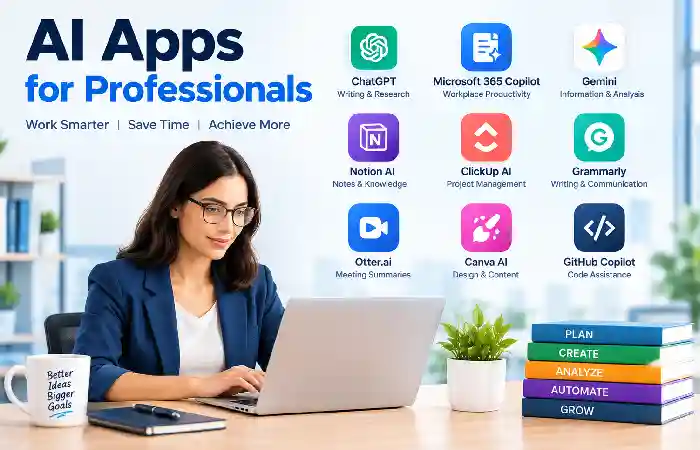
This is where applications for working out humans comes to play, with AI apps for the professionals they are an aid in keeping up the speed and also being able to get a better overview of things. As 2026 far the society will use the AI apps for working out the mails and documents, but also for managing projects and answering them for the research and preparing the presentation also build the software.
The best AI app varies based on the person‘s work, work processes, industry, and security needs. Choosing an AI app based solely on popularity isn‘t useful; a professional should evaluate whether it will address the workplace challenge.
Professionals use AI for:
- Email management
- Project planning
- Market research
- Data analysis
- Presentation creation
Popular Professional AI Stack
| Need | Tool |
| Research | Perplexity |
| Writing | ChatGPT |
| Analysis | Claude |
| Meetings | Copilot |
| Design | Canva AI |
Free vs. Paid AI Apps
For free vs paid AI apps, most of the key distinctions are by: number of tasks/time limits; premium models; additional features; speed; integrations; storage; help/support. While free AI apps suffice the occasional user/novice, paid subscriptions deliver further functionalities to those who employ AI daily for work, research, material, publishing or commerce.
But, a more expensive/advanced plan is not necessarily the right one for everyone, which option is the right one for you depends on your regular AI usage and your specific needs.
Free AI Apps
Free AI apps or free tiers offer the possibility for users to use AI without paying a monthly subscription. They are good for testing AI and for occasional use.
Typical free-plan features can include:
- Basic AI conversations
- Limited access to advanced models
- Text generation and editing
- Basic image generation
- Limited file uploads
- Basic research capabilities
- Standard response speeds
Free plans might also set restrictions on how much you can use each day, week or month.
Paid AI Apps
Paid Ai apps more than often provide higher limits and/or extra features for a fee based on usage or a subscription.
Depending on the application, premium plans may include:
- Higher usage limits
- Access to more capable models
- Faster responses
- Larger file uploads
- Advanced research features
- Image, video, or audio generation
- Automation
- Advanced integrations
- Collaboration features
- Priority access to new capabilities
Business and enterprise plans additionally offer administrative features, centralized billing, security, and organization-level administration.
Comparison Table
| Feature | Free AI Apps | Paid AI Apps |
| Cost | Free | Monthly subscription |
| Usage Limits | Restricted | Higher limits |
| Advanced Models | Limited | Full access |
| Team Features | Rare | Common |
| Priority Support | No | Yes |
When Free Plans Are Enough
- Students
- Casual users
- Beginners
When Paid Plans Make Sense
- Businesses
- Agencies
- Content creators
- Developers
How to Choose the Right AI App
The best AI app for you will be based on the results you want, how frequently you will use it, the amount you are willing to spend, and the information you need to input to use it. There are dozens of AI apps for writing, researching, creating, designing, coding, learning, and conducting business so comparing features before registering can be helpful.
Consider the following factors:
Purpose
Determine your primary goal:
- Writing
- Research
- Design
- Coding
- Automation
Ease of Use
Choose beginner-friendly tools with strong onboarding.
Pricing
Compare:
- Monthly costs
- Feature limits
- Team plans
Integrations
Look for connections with:
- Google Workspace
- Microsoft 365
- Slack
- CRM systems
Privacy Controls
Review:
- Data retention
- User permissions
- Compliance certifications
AI App Privacy and Security
The privacy and security of AI apps are more critical, as more AI apps have access personal data, memos, chatlogs, images, business data, and linked services. Prior to utilizing an AI app, it is best to understand what information the app takes in, how it is utilized, how long it is kept, and who can access it.
AI apps can also be handy for getting work done and automating tasks, but they should be considered no different to most other online services that can be collecting, processing or storing sensitive data.
What Data Do AI Apps Collect?
The information collected depends on the application and its features. Common categories include:
- Text prompts and conversations
- Uploaded documents and images
- Voice recordings
- Account information
- Device and usage information
- IP addresses and approximate location information
- Connected application data
- Payment information for paid subscriptions
For instance, an AI that is a productivity application which connects to email, cloud storage, etc. would have much more information to process than just an isolated chatbot.
Before using any AI application:
Review Data Policies
Check:
- What data is collected
- How data is stored
- Whether conversations are used for training
Enable Security Features
Use:
- Multi-factor authentication
- Strong passwords
- Access controls
Business Considerations
Organizations should evaluate:
- GDPR compliance
- Industry regulations
- Vendor security practices
Remaining privacy concerns are continuously growing, as AI companions have trigger access to emails, schedules, bank and other related services.
Future of AI Apps
The next phase of AI apps progress from just chatbots and content creations towards smart assistants that will have the ability to interpret context, interact between different data types, and perform complex multi-step task workflows. By 2026 AI applications will converge text, image, audio, video, automation, and software integrations in one continuous workflow.
AI Agents
One of the most significant advances will be the expansion of AI agents. Agentic AI can do more than just respond to a prompt; it can plan a task, leverage associated tools, make marginal decisions, and carry out multiple steps.
Multimodal AI
Systems that understand:
- Text
- Images
- Audio
- Video
Personalized AI Assistants
Subsequent applications may offer more personalized assistance through viewing information like user choices, all systems, workflows, other connected applications.
For instance, a productivity digital assistant might learn a user’s work style and then suggest task deadlines, prioritize projects, or write meeting notes accordingly.
Conversely, increased personalisation means that privacy, consent, data controls and security become more significant.
Industry-Specific AI
Specialized solutions for:
- Healthcare
- Finance
- Education
- Legal services
Industry trends focus on becoming quickly moving toward artificial intelligence agents that can act on users’ behalf, more integrated into the workspace, and an expansion of multiple modes.
Frequently Asked Questions About AI Apps
What is productivity software?
What Are AI Apps? AI apps are either software or applications that utilize the power of AI technologies to generate content, do automation, analyze the data, and help users.
What is the easiest AI app?
Commercially available general assistants, like ChatGPT, Gemini and Claude, are often interesting as jumping-off points due to their ability to handle a large number of different tasks.
How many free AI apps are there?
Some apps offer free tiers with some restrictions and paid tiers with additional features and limits.
AI Apps to Replace Employees?
The latest AI apps are more about helping and collaborating with workers, not replacing.
Are AI applications secure?
Security Most common AI apps have security, but users should check for it and read privacy policies carefully and not share anything private in spades.
What AI app is good for students?
Most learners are engaging with ChatGPT, Gemini, NotebookLM, and educational AI platforms for research and study aid.
Conclusion
These AI apps have taken a center stage for workflows, education and productivity by robots, business automation, creativity and software development. Want to write articles, learn how to generate image, do research on a topic, follow up on work progress, etc. – here’s an AI application for you.
The virtual AI companions abound. A virtual AI companion is a computer program that offers companionship, messaging, dating, virtual sex dating, and relationship management. Up-and-Coming Virtual AI Colleagues for Virtual Life The virtual AI colleagues are not yet new: the assistants, design tools, coding environments, and autonomous AI agents that are in the works can be found in many virtual life environments, incubators, and more.
Kashifa Jafar is a technology writer and contributor at FutureTechExpert with 4+ years of experience in technology writing and content creation.
Read Full Bio of Author →Sameena reviews selected health, wellness, technology, and digital content for clarity, factual presentation, and reader usefulness.
Read Full Bio of Reviewer →