
 Kashifa Jafar
Technology Writer & Contributor
Kashifa Jafar is a technology writer and contributor at FutureTechExpert with 4+ years of experience in technology writing and content creation.
Read Full Bio of Author →
Kashifa Jafar
Technology Writer & Contributor
Kashifa Jafar is a technology writer and contributor at FutureTechExpert with 4+ years of experience in technology writing and content creation.
Read Full Bio of Author →
 Sameena Begum
Health, Technology & Digital Content Reviewer
Sameena reviews selected health, wellness, technology, and digital content for clarity, factual presentation, and reader usefulness.
Read Full Bio of Reviewer →
Sameena Begum
Health, Technology & Digital Content Reviewer
Sameena reviews selected health, wellness, technology, and digital content for clarity, factual presentation, and reader usefulness.
Read Full Bio of Reviewer →
AI Video Apps are changing how creators, businesses, teachers, and marketers create videos. Rather than take hours filming, editing, adding subtitles, and voice overs, these AI tools can generate high-quality videos in minutes.
Regardless of your goals creating YouTube videos, social media reels, marketing campaigns, training materials, or business presentations AI Video Apps can make video creation quicker, cheaper, and easier even for those with no experience.
In this guide, we‘ll show you how AI video apps work, what the top tools are in 2026, and how to select the ideal platform.
Table of Contents
What Are AI Video Apps?
AI Video Apps are software programs that leverage artificial intelligence (AI) to automate and assist with creation, editing, optimization, and other aspects of video production. Moving beyond traditional video editing processes, AI Video Apps utilize advanced AI techniques including ML, computer vision, NLP, and generative AI to enable users to craft high-quality videos more efficiently.
Current AI video tools can even make a video from a plain text prompt, create realistic AIavatars, generate natural voice-overs, automatically add subtitles, remove background, enhance video quality, and cut down long-form content into bite-sized social media snippets.
This automation helps to eliminate the video production time and effort required by traditional/typical methodologies, enabling video creation for businesses, entrepreneurs, teachers, content creators and beginners.
These apps can:
- Generate videos from text prompts
- Create AI avatars
- Produce voiceovers
- Add subtitles automatically
- Edit videos using AI
- Create social media clips
- Convert articles into videos
- Translate videos into multiple languages
Today, you‘d want to use versions, which make most of the production process a lot of it automatic without demanding any high level of professional editing expertise.
Common Users
- Content creators
- YouTubers
- Marketers
- Businesses
- Educators
- Social media managers
- Agencies
How AI Video Generation Works
Modern AI video platforms combine several technologies:
- Natural Language Processing
The AI understands text prompts and scripts.
Example:
“Create a 30-second product launch video with upbeat music and modern visuals.”
- Generative AI Models
AI creates scenes, animations, transitions, and visuals based on the prompt.
- AI Voice Synthesis
Text is converted into realistic human-like narration.
- Computer Vision
The AI analyzes images, video clips, and objects to improve visual quality.
- Machine Learning
The platform continuously improves output quality based on training data and user interactions.
AI Apps for Video Generation
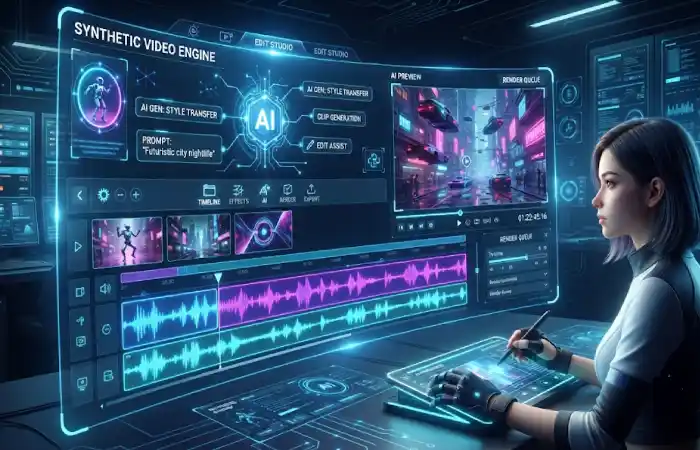
These tools create videos directly from text prompts or scripts.
Best AI Video Generation Apps in 2026
| App | Best For | Free Plan | Resource |
| Google Veo | Cinematic AI videos | Limited | https://deepmind.google |
| Runway | Professional creators | Yes | https://runwayml.com |
| Kling AI | Realistic motion videos | Yes | https://klingai.com |
| Pika | Social content creation | Yes | https://pika.art |
| InVideo AI | Marketing videos | Yes | https://invideo.io |
Google Veo and Runway are often listed as the best AI video generation tools for 2026, and creators and marketers will still find Kling and InVideo useful.
AI Apps for Video Editing
AI-enabled editing solutions empower users to faster editing existing videos.
Popular Features
- Automatic scene detection
- Smart trimming
- Background removal
- AI enhancement
- Noise reduction
- Auto reframing
Top Editing Apps
| Tool | Key Feature |
| Descript | Edit video by editing text |
| VEED | Fast online editing |
| Filmora | AI-enhanced editing |
| CapCut | Social media workflows |
| Adobe Premiere Pro AI | Professional editing |
The ability of an AI to assist in editing is also beneficial in lowering production time for the producer/creator and company; will greatly aid in the production process.
AI Apps for AI Avatars
AI avatars enable businesses and creators to produce spokesperson-style videos without having to be on camera.
Leading Avatar Platforms
| Platform | Best For |
| Synthesia | Corporate training |
| HeyGen | Marketing videos |
| Elai | Educational content |
| DeepBrain AI | Virtual presenters |
Benefits
- No camera required
- Multiple languages
- Consistent branding
- Faster production
- Global content localization
Popular among avatar based business video makers, Synthesia and HeyGen are.
AI Apps for Voiceovers
The Voice AI has made huge improvements in recent years.
Popular Voiceover Apps
| Tool | Strength |
| ElevenLabs | Natural voices |
| Murf AI | Business narration |
| PlayHT | Multiple languages |
| WellSaid Labs | Corporate voiceovers |
Common Uses
- YouTube videos
- Explainer videos
- Podcasts
- Training content
- Marketing campaigns
AI Apps for Subtitles
Captions make your content inclusive and more engaging.
Best Subtitle Tools
| Tool | Automatic Captions |
| VEED | Yes |
| Kapwing | Yes |
| Descript | Yes |
| CapCut | Yes |
| Subtitle Edit AI | Yes |
Benefits
- Better accessibility
- Higher engagement
- Improved watch time
- SEO benefits
AI Apps for Social Media Videos
Social media is largely consumed in short form.
Best Social Video Apps
| App | Ideal Platform |
| CapCut | TikTok |
| InVideo AI | |
| VEED | |
| Pika | YouTube Shorts |
| OpusClip | Repurposing long videos |
Several producers utilize AI to convert long-form texts into social media-ready short clips.
Free AI Video Apps
Many users won‘t pay for a subscription.
Top Free Options
| App | Free Version Available |
| Pika | Yes |
| Runway | Yes |
| CapCut | Yes |
| VEED | Yes |
| InVideo AI | Yes |
Limitations
- Watermarks
- Limited exports
- Restricted AI credits
- Lower resolutions
Free plans are recommended for trying out workflows before moving to a paid plan.
Choosing an AI Video App
The platform you choose will be the one that you feel best suited to.
Choose Based On:
Content Type
- Marketing videos
- Training videos
- Social media clips
- Educational content
- Product demonstrations
Budget
- Free
- Monthly subscription
- Enterprise solution
Features
Look for:
- Text-to-video generation
- AI avatars
- Voiceovers
- Subtitle support
- Video editing
- Team collaboration
Ease of Use
Beginners typically prefer:
- InVideo AI
- VEED
- CapCut
Advanced creators often choose:
- Runway
- Veo
- Descript
Frequently Asked Questions
What are AI video applications?
AI Video Apps- utilize artificial intelligence in order to create, modify, and improve video content.
Can the AI create video from the text?
Yes. A lot of modern tools are able to produce an entire video from a script or prompt.
Are they free?
Numerous platforms have a free plan, but advanced features tend to be paid subscription based.
What is the most user friendly AV Video App for novices?
All the above options are beginner friendly in this order InVideo AI, VEED and Cap Cut.
What is best AI Video App for Business Applications is?
Typically used for training, onboarding and marketing videos of Synthesia and HeyGen.
Conclusion
AI Video Apps revolutionized video creation in 2026, enabling anyone to produce professional-quality videos. For cinematic visuals, social media clips, AI avatars, subtitling, voiceover, or sophisticated editing, there‘s an AI solution for that.
In the field for beginners, InVideo AI and VEED provide ease of use and low turnaround times. Companies can do well with Synthesia and HeyGen for avatar content, as creators looking for greater generation need Veo, Runway, and Kling. Having established your objectives, budget, and content approach, selecting an appropriate software will enable you to generate stunning videos at speed.
Kashifa Jafar is a technology writer and contributor at FutureTechExpert with 4+ years of experience in technology writing and content creation.
Read Full Bio of Author →Sameena reviews selected health, wellness, technology, and digital content for clarity, factual presentation, and reader usefulness.
Read Full Bio of Reviewer →