
 Kashifa Jafar
Technology Writer & Contributor
Kashifa Jafar is a technology writer and contributor at FutureTechExpert with 4+ years of experience in technology writing and content creation.
Read Full Bio of Author →
Kashifa Jafar
Technology Writer & Contributor
Kashifa Jafar is a technology writer and contributor at FutureTechExpert with 4+ years of experience in technology writing and content creation.
Read Full Bio of Author →
 Sameena Begum
Health, Technology & Digital Content Reviewer
Sameena reviews selected health, wellness, technology, and digital content for clarity, factual presentation, and reader usefulness.
Read Full Bio of Reviewer →
Sameena Begum
Health, Technology & Digital Content Reviewer
Sameena reviews selected health, wellness, technology, and digital content for clarity, factual presentation, and reader usefulness.
Read Full Bio of Reviewer →
Personal computers have been integrated into our routine life; during our work from home, pursuing online education, playing, recording or running our business. Types of Personal Computers (PC) will enable you to identify the right PC according to your requirements, budget and performance.
In this guide, you will discover the main types of PCs, what you need to know about each one, what each is best used for, the upsides and downsides of the main ones, who they are best suited for, and what to look for in 2026.
 This article is part of
Computers Resources
Table of Contents
What Is a Personal Computer?
A Personal Computer (PC) is a standalone, general-purpose computer meant for the use of individuals. Unlike an enterprise server on which hundreds of users have simultaneous access or massive computers like supercomputers, a personal computer is configured to perform multiple functions including navigating websites, preparing documents, collaborating remotely, viewing performances, gaming and utilizing production or design applications.
Personal computers now exist in homes, schools, offices, and businesses everywhere. They are the one of the most important tools around the world for work, learning and entertainment.
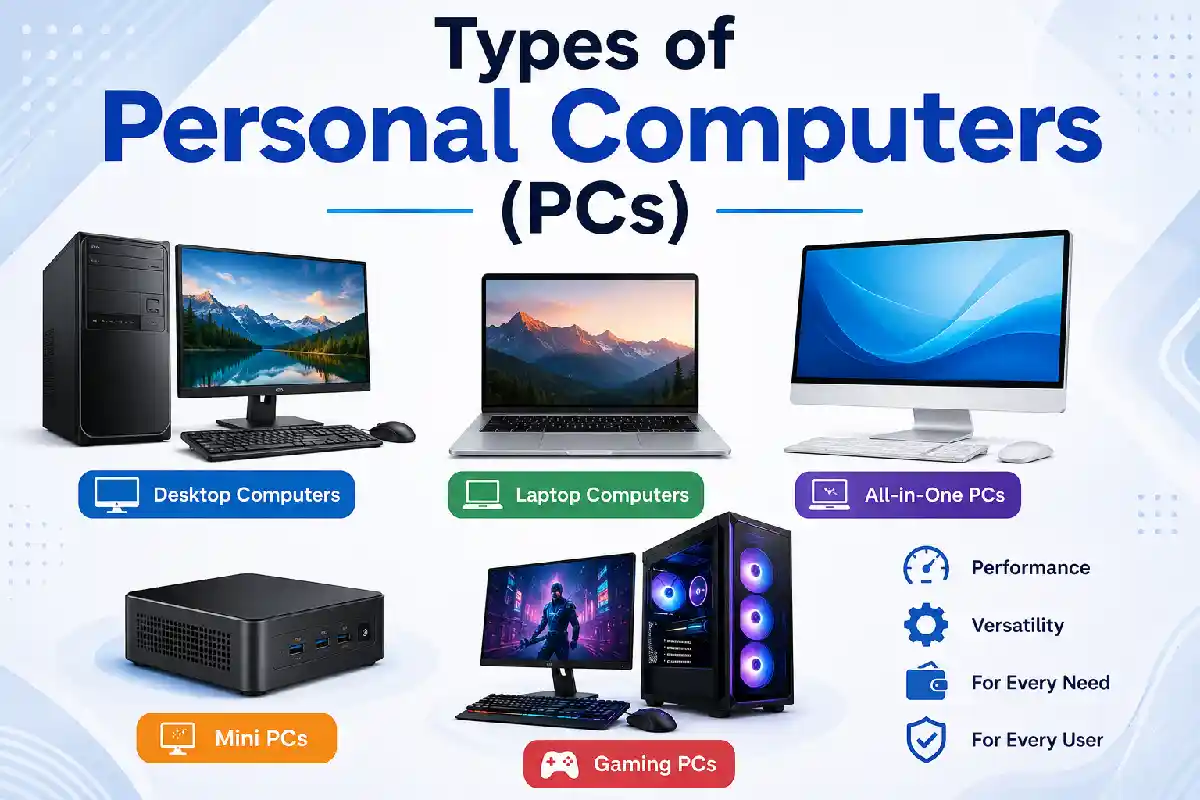
Today personal computers are available in a variety of forms, such as desktop computers, laptops, all-in-one computers, mini computers, gaming computers, work stations and portable computers.
The question is that, what all types of these computers have in common? No matter what form factor they are, they exist to be a dependable computing platform for users.
Personal computers are just one category in the broader computing landscape. To understand where PCs fit alongside servers, supercomputers, embedded systems, and other categories, explore our complete guide to types of computers.
Types of Personal Computers at a Glance
| PC Type | Portability | Performance | Best For | Average Price (2026) | Resource |
| Desktop PC | No | Very High | Office, creators | $500–$2,500 | https://www.hp.com |
| Laptop | High | High | Students, professionals | $500–$2,000 | https://www.lenovo.com |
| All-in-One PC | Limited | Medium | Home users | $700–$2,000 | https://www.dell.com |
| Mini PC | Portable | Medium | Home office | $300–$1,200 | https://www.intel.com |
| Gaming PC | Low | Extremely High | Gamers | $900–$4,000 | https://www.nvidia.com |
Desktop Computers
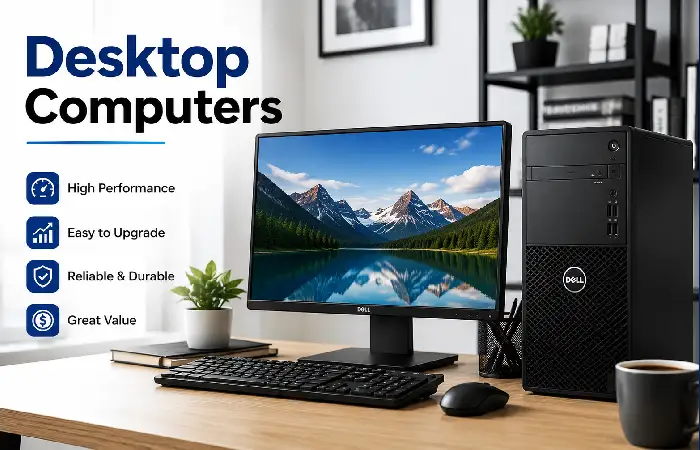
Desktops are perhaps the most common and flexible type of consumer computer. They are intended for persistent use in one place and include a monitor, keyboard, and mouse along with the main CPU unit. However unlike laptops or mobile devices they tend to be more powerful, more efficient and are easier to upgrade.
Pros
- Excellent performance for demanding tasks
- Easy to upgrade and repair
- Better cooling and long-term reliability
- More affordable than laptops with similar specifications
- Supports multiple monitors and peripherals
Cons
- Not portable and requires a dedicated workspace
- Needs separate monitor, keyboard, and mouse
- Takes up more desk space
- More cables compared to compact computer designs
- Cannot be used without a continuous power source
Designed to be used at a desk, desktop computers are perfect for serious professionals, gamers, content creators, or anyone else who cares about power, extensive configurability, and value over portability.
Laptop Computers
Laptops are arguably the most popular kind of personal computer, thanks to their high performance, portability and convenience all rolled into one device. In a laptop, the display, keyboard, touchpad, microphone, speakers, webcam, battery pack, and most of the internal computer components are all packed into a very mobile machine.
How Laptop Computers Work
A Laptop is just a small scaled down version of a desktop computer, that is intended to be carried around. All the parts and were would be in a desktop, like a CPU, RAM, SSD, GPU, battery and a Motherboard all fit inside a small chassis.
Pros of Laptop Computers
- Highly portable and lightweight
- Built-in battery for use without a power outlet
- Space-saving all-in-one design
- Ideal for remote work, travel, and online learning
- Energy-efficient with lower power consumption
- Built-in webcam, speakers, and wireless connectivity
Cons of Laptop Computers
- Limited hardware upgrade options
- More expensive than desktops with similar performance
- Smaller screen compared to desktop monitors
- Battery life decreases over time
- Repairs can be costly due to compact internal components
- Cooling is less effective during heavy workloads
If you’re planning to buy a personal computer, one of the biggest decisions is choosing between a desktop vs laptop based on your budget, portability, and performance needs.
All-in-One PCs
All-in-One PCs (AIO PC) is a personal computer that integrates the inside hardware of the computer and the monitor into one compact unit. The PCTower that sits beside the monitor, often found with many desktop PCs is eliminated, the CPU, RAM, speakers, webcam, graphics, storage, and the monitor are all part of the one user-friendly computer.
Advantages of All-in-One PCs
Clean and Modern Workspace
The design of the All-in-One PC itself is one of the most appealing benefits. As the computer is contained within the monitor it is much easier to keep everything well organized with significantly less wires to contend with than a regular desktop.
Easy Setup
Most All-in-One computers need minimal assembly; plug in the power, pair the keyboard and mouse and they are operational within minutes.
Space Saving
Thanks to their single compact box there is no computer tower when it comes to desk space All-in-One PCs are a winner. Your customers will be very happy to have the extra room for their apartments, reception areas, classrooms, libraries and small offices.
Integrated Features
No need to buy a webcam as well as speakers and a microphone because these functions are incorporated into most All-in-One desktops.
Disadvantages of All-in-One PCs
Although there are many advantages to having an All-in-One computer there are also some disadvantages.
- Limited hardware upgrade options
- Repairs can be more expensive because components are integrated into the display
- Graphics performance may not match high-end desktop or gaming PCs
- Smaller internal cooling systems compared to tower desktops
- Higher purchase price than similarly equipped desktop computers
For users who upgrade their hardware often or need maximum graphics performance this will be a more suitable machine.
While personal computers are designed for everyday tasks, enterprise and scientific organizations rely on far more powerful machines. Read our supercomputer vs mainframe comparison to understand how these systems differ from standard PCs.
Mini PCs
The mini-PC is a scaled down version of a desktop computer providing the same power as a personal computer. The Mini PC of today is no longer a low powered PC, it is now a high-performance CPU, speedy SSD disk system and sufficient memory to efficiently run most jobs including a good workload of work, web browsing, movies and online school and programming without too much hassle.
Pros of Mini PCs
- Compact and space-saving design
- Energy-efficient with low power consumption
- Quiet operation due to efficient cooling
- Easy to transport and install
- Supports multiple displays and modern connectivity
- Affordable compared to many desktop PCs
- Ideal for home offices and business environments
Cons of Mini PCs
- Limited hardware upgradeability
- Less powerful than high-end desktop PCs
- Not suitable for intensive gaming or heavy creative workloads
- Fewer internal storage expansion options
- Smaller cooling systems may limit sustained peak performance
In general, Mini PCs seem to be a good solution for those who want a low cost and small-form-factor computer to be used for general purpose work and play.
Personal computers are widely used in homes, schools, and offices, but every computer category serves a unique purpose. Learn more about the applications of different computer types across industries.
Gaming PCs
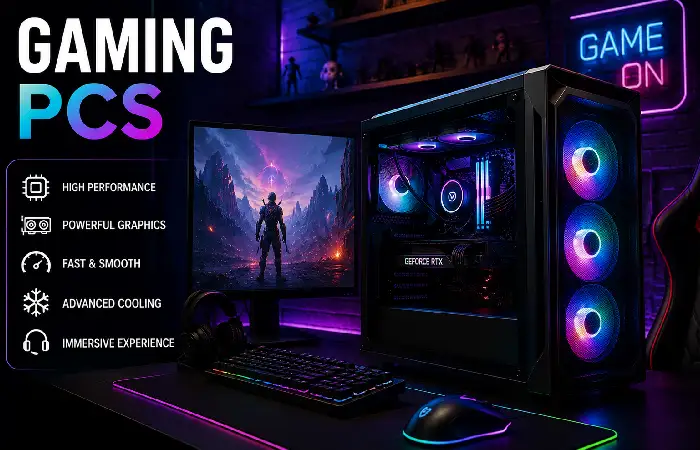
Gaming PCs are a type of high-performance PC. Built for playing the latest computer games at high settings, they are equipped with high framerates and resolution. Gaming PCs tend to have the most powerful multi-core CPU‘s, a dedicated Graphics Card (GPU), high speed RAM and high performance NVMe SSD storage.
PC gaming has applications in video editing, 3D graphics and rendering and to some extent in software development, AI and content creation.
Pros of Gaming PCs
- Exceptional performance for gaming and demanding software.
- Dedicated graphics cards deliver realistic visuals and smooth gameplay.
- Easy to upgrade components like RAM, storage, and GPU.
- Suitable for multitasking, streaming, video editing, and AI workloads.
- Better cooling systems improve stability during intensive tasks.
- Longer lifespan due to upgradeability.
Cons of Gaming PCs
- More expensive than standard desktop computers.
- Larger size requires additional desk space.
- Higher power consumption increases electricity usage.
- Cooling fans may generate noticeable noise under heavy loads.
- Premium components can significantly increase the overall cost.
Gaming PC is Ideal for gamers, designers and professional who demand the best computing power and who need the option to upgrade as technology develops.
AI-powered hardware, quantum computing, and edge devices are reshaping personal computing. Discover the future of computers and the technologies expected to define the next generation of PCs.
Frequently Asked Questions
What are the five most popular personal computer types?
Main types are Desktop PC, Laptop, All-in-One PC, Mini PC, and Gaming PC.
Which PC is most ideal for students?
Laptops tend to be the most suitable as they are portable, have batteries that last long enough for study and are capable enough for things like studying online.
Are the best gaming PCs suitable for work?
Indeed. Besides gaming, you can use high-end gaming PCs for video editing, 3D Design, programming, AI development etc.
How do a desktop and an all-in-one differ?
While a desktop remains the computer separate from the equipment (array, monitor, keyboard), an all-in-one main has the computer contained within the monitor.
Mini PC a powerful enough to use with everyday function?
Yes. Today‘s Mini PCs are powerful enough to do browsing, some office applications, streaming media and some light creative work.
Conclusion
The right type of PC in 2026 will be down to the intended use of the PC. For example, a desktop will give you the most power and the best upgradeability whereas a laptop would be more suitable for people always on the go. An all-in-one computer would be the best choice if a clean and simple PC was desired, while a mini PC is small and relatively cheap to run.
For the top of the range performance, perhaps for Gaming, a Gaming PC would be suitable. The best choice would therefore be a combination of feature comparison, requirements and future needs. This webguide will provide all the information required for professionals and novices looking for the perfect PC in 2026, and those wanting to experience some of the most up-to-date technology.
Unlike personal computers, embedded computers are built into devices such as cars, medical equipment, smart appliances, and industrial machines to perform dedicated tasks.
Kashifa Jafar is a technology writer and contributor at FutureTechExpert with 4+ years of experience in technology writing and content creation.
Read Full Bio of Author →Sameena reviews selected health, wellness, technology, and digital content for clarity, factual presentation, and reader usefulness.
Read Full Bio of Reviewer →