
 Kashifa Jafar
Technology Writer & Contributor
Kashifa Jafar is a technology writer and contributor at FutureTechExpert with 4+ years of experience in technology writing and content creation.
Read Full Bio of Author →
Kashifa Jafar
Technology Writer & Contributor
Kashifa Jafar is a technology writer and contributor at FutureTechExpert with 4+ years of experience in technology writing and content creation.
Read Full Bio of Author →
 Sameena Begum
Health, Technology & Digital Content Reviewer
Sameena reviews selected health, wellness, technology, and digital content for clarity, factual presentation, and reader usefulness.
Read Full Bio of Reviewer →
Sameena Begum
Health, Technology & Digital Content Reviewer
Sameena reviews selected health, wellness, technology, and digital content for clarity, factual presentation, and reader usefulness.
Read Full Bio of Reviewer →
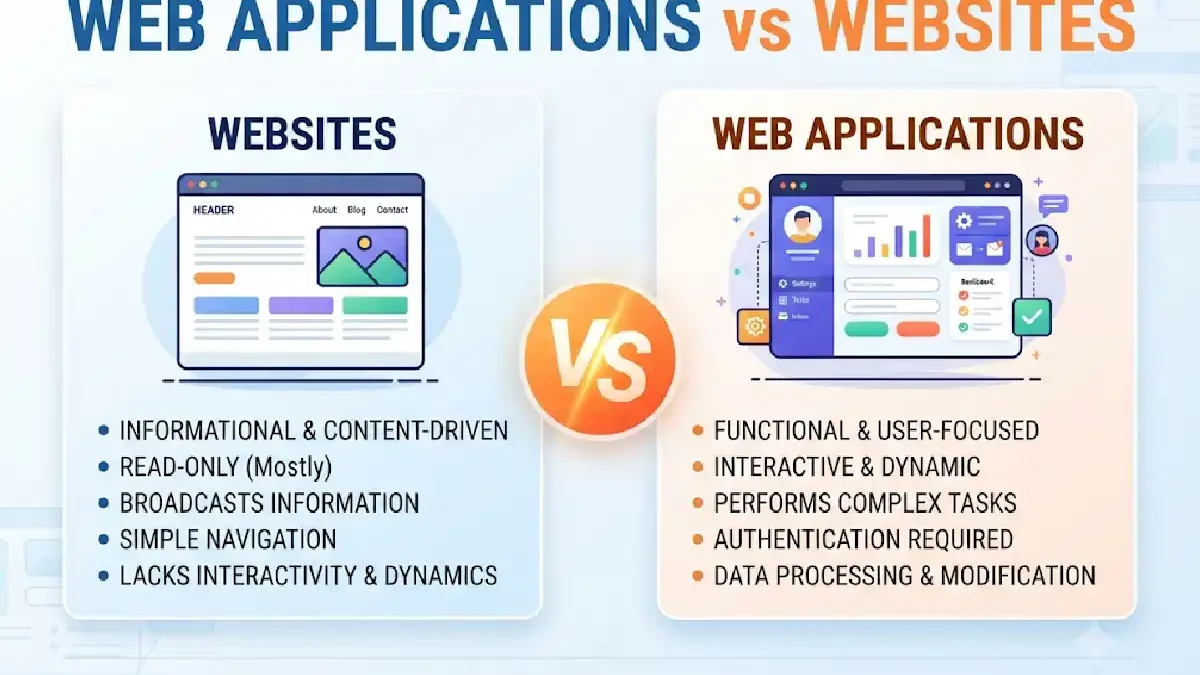
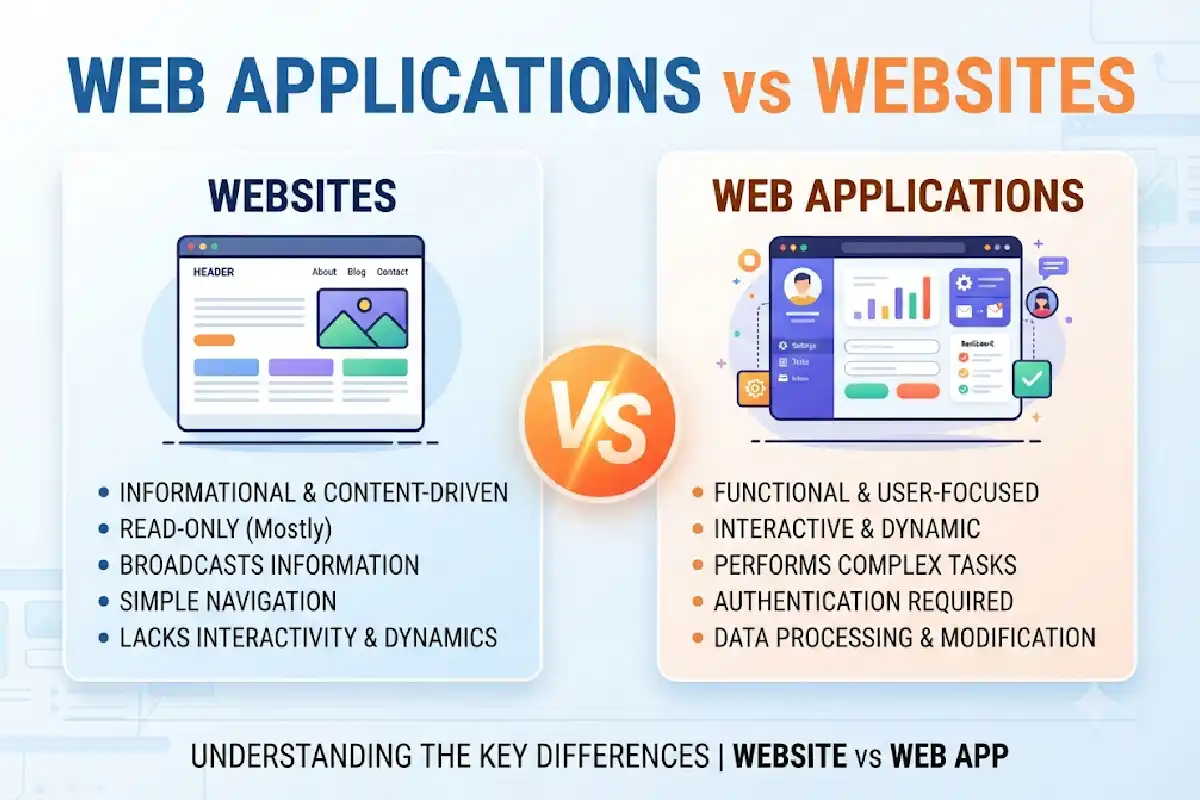
Companies generally interchangeable Web Applications vs Websites, however they differ significantly. Choosing the appropriate method affects user experience, development cost, scalability, and company expansion.
A website primary purpose is to convey information. As for a web application, its mission is to allow its user to manipulate data, do jobs and organize a custom experience. Knowing the key differences enable businesses to select the most appropriate tool and choose wisely where they invest.
 This article is part of
Web Apps Resources
Table of Contents
What Is a Website?
A website consists of a series of related web pages that can be accessed via the internet using a web browser. The role of any website is to disseminate information, advertise a product or service, deliver content or assist the user with the answers to their questions. All websites are hosted from a web server and can be accessed through a recognizable domain name such as a corporate website, blog, newspaper website or an online shopping website.
Websites are used to help create presence of an individual, business, organization and government agencies on the Internet. Websites may include a variety of contents such as text, images, video, files that can be downloaded, contact forms and many other interactive elements. Most of the modern website also optimized for search engines, mobile devices and UX (user experience).
Examples include:
- Business websites
- Blogs
- News portals
- Portfolio websites
- Educational websites
But a website design’s core aim is to enable users to consume data more than to interact with it. Interactive elements and basic contact forms are often present on current websites, but otherwise, their main purpose is simply to present information.
Key Characteristics of Websites
- Publicly accessible
- SEO-focused
- Content-driven
- Limited interactivity
- Faster development process
- Lower maintenance requirements
While traditional websites are designed primarily to present information, modern web applications enable users to interact with data, complete tasks, and access personalized experiences through a browser.
What Is a Web Application?
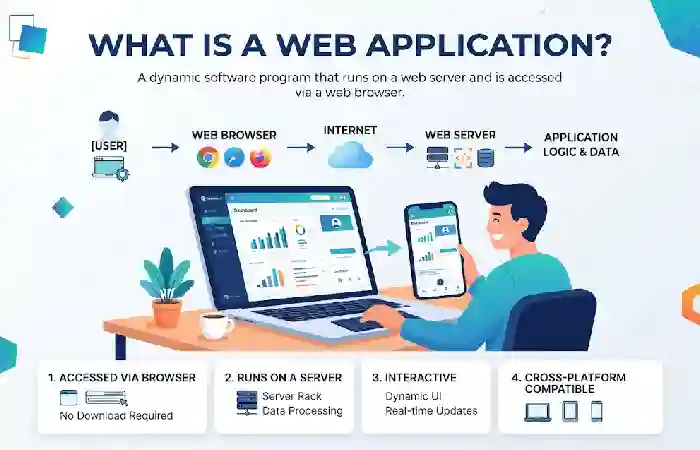
A web application (or web app) is a software program that operates in a web browser, offering users the opportunity to complete certain tasks. Where websites merely present information, web applications allow users to manipulate data, handle accounts, and carry out workflows.
Examples include:
- Gmail
- Google Docs
- Trello
- Salesforce
- Online banking platforms
- Customer portals
Require login, database, API, and the most advanced backends.
Key Characteristics of Web Applications
- User authentication
- Real-time interactions
- Data processing
- Personalized experiences
- Complex business logic
- Database integration
The difference in functionality often comes down to the underlying web application architecture, which determines how data, servers, and user interfaces work together.
Key Differences Between Websites and Web Applications
2026 Comparison Table
| Feature | Website | Web Application |
| Primary Purpose | Information delivery | Task completion |
| User Interaction | Low | High |
| Authentication | Usually optional | Usually required |
| Database Usage | Minimal | Extensive |
| Data Processing | Limited | Advanced |
| Personalization | Basic | Extensive |
| Development Complexity | Low to Medium | Medium to High |
| Maintenance | Content updates | Continuous feature updates |
| Security Requirements | Standard | Advanced |
| Examples | Blogs, company sites | CRM, SaaS, banking platforms |
All sources agree that interaction, authentication, and data processing are the most significant differences.
User Interaction
It is User Interaction that usually sets apart a website from a web application.
Website Interaction
Users typically:
- Read content
- Browse pages
- Watch videos
- Submit contact forms
Web Application Interaction
Users typically:
- Log in
- Create content
- Manage accounts
- Process transactions
- Collaborate with others
For example:
| Platform | Type |
| Company Blog | Website |
| Customer Dashboard | Web Application |
| News Portal | Website |
| Project Management Tool | Web Application |
Web applications are more probable when user participation and customized service is high.
Many advanced applications use modern web application technologies such as React, Angular, APIs, and cloud computing services to deliver responsive user experiences.
Functionality and Features
The role of functionality is hugely influential in decision making about the development.
Website Features
- Content pages
- Contact forms
- Search functionality
- Blogs
- Landing pages
- SEO optimization
Web Application Features
- User accounts
- Dashboards
- Notifications
- Payment processing
- Real-time updates
- File management
- Workflow automation
A web application development will are usually needed in the case of more sophisticated workflows.
Because applications frequently handle user accounts and sensitive information, implementing strong web application security practices is critical for protecting data and maintaining user trust.
Data Processing
Data processing is among the largest technical distinctions.
Websites
Typically process:
- Form submissions
- Newsletter signups
- Analytics data
Web Applications
Handle:
- User records
- Transactions
- Reports
- Customer data
- Business operations
- Real-time updates
A website can simply show data, while a web application dynamically operates on the data.
Development Complexity
Website Development
Common technologies:
- HTML
- CSS
- JavaScript
- WordPress
- CMS platforms
Web Application Development
Common technologies:
- React
- Angular
- Vue.js
- Node.js
- Python
- PHP
- APIs
- Databases
Web applications require authentication, databases, integrations, and business logic, so they normally are associated with bigger budgets and longer engineering time.
The rise of Progressive Web Applications (PWAs) has blurred the line between websites and applications by offering app-like functionality directly within a web browser.
Typical 2026 Development Comparison
| Factor | Website | Web Application |
| Development Time | 2–12 weeks | 2–12+ months |
| Cost | Lower | Higher |
| Maintenance | Moderate | Extensive |
| Security Requirements | Standard | Advanced |
| Scalability Needs | Moderate | High |
Examples of Websites and Web Applications
Common Website Examples
- Corporate websites
- News websites
- Blogs
- Portfolios
- Landing pages
Common Web Application Examples
- Google Docs
- Gmail
- Slack
- Trello
- HubSpot
- Shopify Admin
- Banking portals
It is easy to see the distinction between reading information and doing things.
When Should You Build a Website?
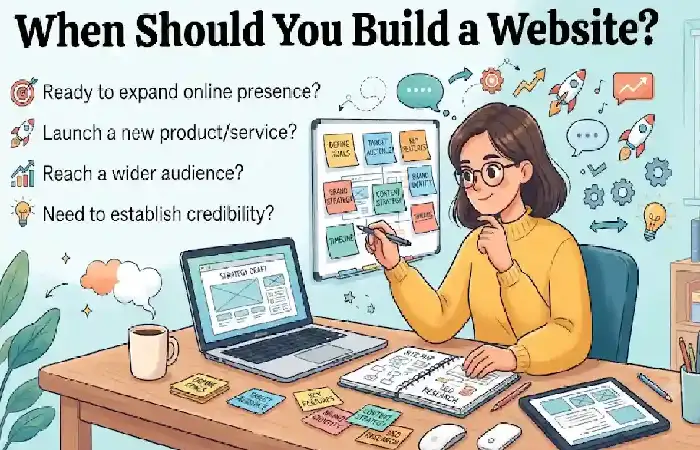
A website is often the best choice when your goals include:
- Building brand awareness
- Generating leads
- Publishing content
- Improving SEO visibility
- Showcasing products or services
- Providing company information
Ideal For
- Small businesses
- Local service providers
- Bloggers
- Personal brands
- Marketing campaigns
When Should You Build a Web Application?
Choose a web application when users need to:
- Create accounts
- Access dashboards
- Process transactions
- Manage data
- Collaborate online
- Use custom workflows
Ideal For
- SaaS companies
- Fintech platforms
- Healthcare systems
- Educational platforms
- Customer portals
- Enterprise software
Most contemporary organisations find they require both in the end: a web presence for marketing, and a web application for the customer.
Reviewing real-world web application examples can help illustrate how businesses use browser-based software to deliver services, manage workflows, and improve customer engagement.
FAQ
Can a website become a web application?
Yes, a business may begin as just a website and then include other features on top of that. For example, you can set up a website with login, dashboards, and customer portals.
Is an eCommerce store a website or a web application?
Conveniently, much of eCommerce today combines these two. Products pages are similar to websites, but product carts, checkouts, account management are similar to web applications.
Which is better for SEO?
Today we can say that traditional websites are (comparatively) easier to optimize for search engines since their content is publicly available and indexible.
Are web applications more expensive?
Certainly. Additional needs would be authentication, databases, API‘s security, additional maintenance costs.
Conclusion
Web Applications v Websites: Before starting any project it is necessary to understand Web Applications vs Websites. Websites are best used for providing information, establishing a brand identity and increasing search rankings; Web Applications are more data focused, communicative and business process based.
For the majority of businesses in 2026, the optimal approach will be to employ both: build a website optimized for SEO to pull in traffic and develop a superior web application to serve customers, automate processes and guarantee sustained growth. Putting your platform in line with the user and the business objectives will enable you to put your investment into the solution which will grow properly.
Kashifa Jafar is a technology writer and contributor at FutureTechExpert with 4+ years of experience in technology writing and content creation.
Read Full Bio of Author →Sameena reviews selected health, wellness, technology, and digital content for clarity, factual presentation, and reader usefulness.
Read Full Bio of Reviewer →