
 Kashifa Jafar
Technology Writer & Contributor
Kashifa Jafar is a technology writer and contributor at FutureTechExpert with 4+ years of experience in technology writing and content creation.
Read Full Bio of Author →
Kashifa Jafar
Technology Writer & Contributor
Kashifa Jafar is a technology writer and contributor at FutureTechExpert with 4+ years of experience in technology writing and content creation.
Read Full Bio of Author →
 Sameena Begum
Health, Technology & Digital Content Reviewer
Sameena reviews selected health, wellness, technology, and digital content for clarity, factual presentation, and reader usefulness.
Read Full Bio of Reviewer →
Sameena Begum
Health, Technology & Digital Content Reviewer
Sameena reviews selected health, wellness, technology, and digital content for clarity, factual presentation, and reader usefulness.
Read Full Bio of Reviewer →
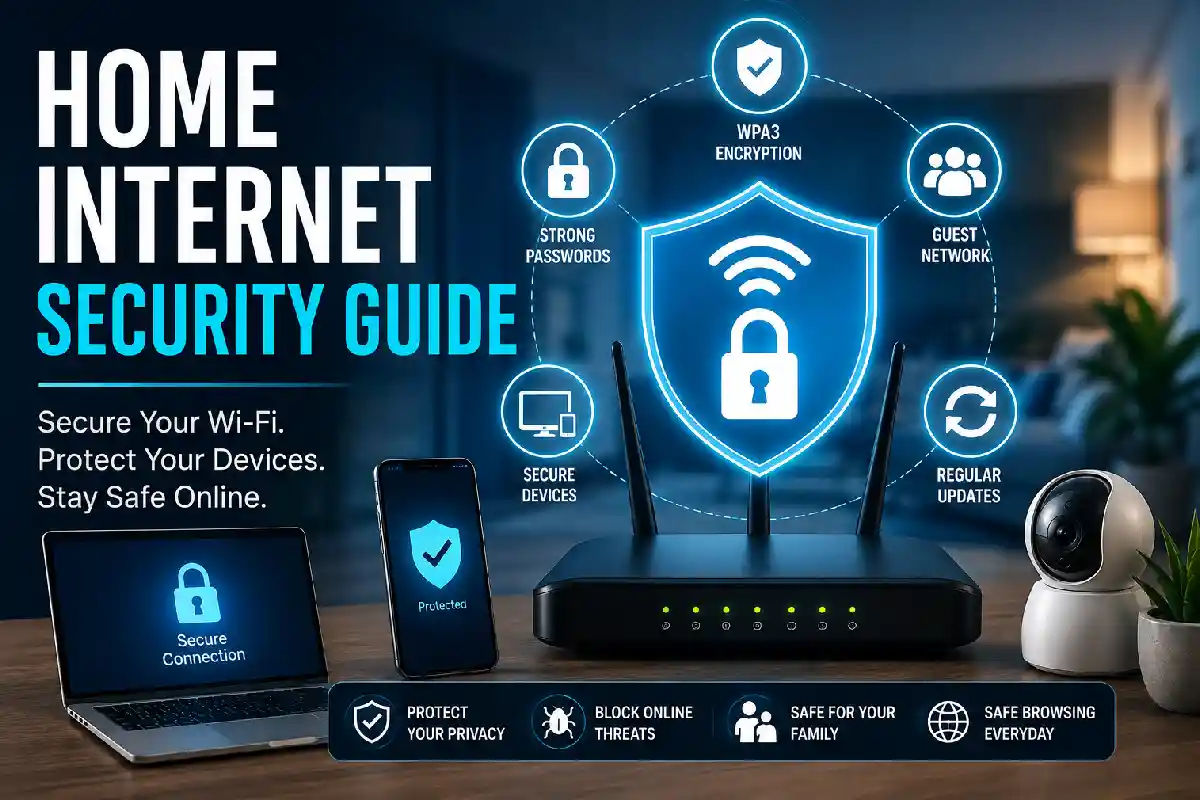
Home Internet Security Guide is a must-have for 2026 home. Because of the increased number of working at home, streaming movies, online shopping, and connected home devices, home computer networks have become the favorite targets of cybercriminals. Having a weak Wi-Fi router can compromise your personally identifiable information, banking information, security cameras, and even your smart locks.
New to the world of Wi-Fi networking? Here‘s an easy walkthrough on securing your Wi-Fi network, updating your password, enabling WPA3 encryption, separating guest access, and securing Internet of Things devices. Even if you‘we just learned about your new Wi-Fi installation, or are hoping to upgrade an existing one, these home Wi-Fi best practices will significantly improve your safety.
A secure network starts with understanding the different types of home internet connections and network setups.
 This article is part of
Internet Resources
Table of Contents
Secure Your Wi-Fi Network
Imagine your Wi-Fi router as the gateway to: All these devices have a back-door into your life.
Best Practices
Change the Default Router Password
Never, under any circumstances, let the Factory username and password remain as they are.
Instead:
- Use at least 16 characters
- Include symbols
- Include uppercase and lowercase letters
- Never reuse passwords
Example:
admin123
Hm#2026!Router@Safe89
Rename Your Wi-Fi Network (SSID)
Access to personal data cannot be disclosed.
Instead of:
JohnSmithHome
Choose:
BlueOakNetwork
This means that attackers cannot determine the owner.
Disable WPS
Wi-Fi Protected Setup (WPS) is very convenient but give s less security.
The most advised suggestion from the majority of the security specialists is to completely turn off WPS.
The security features available on your modem and gateway can vary depending on whether you use fiber, cable, or DSL service, so it helps to compare fiber, cable, and DSL internet options.
Strong Password Practices
Password which is the first security control measure in youronline presenceandhome networkat the moment. Unfortunately, weak password and the use of the same password multiple times are one of the most common reason of security breaches. Strong passwords can reduce the likelihood of integrity violation, data loss and theft.
Password Best Practices
| Good Practice | Benefit |
| 16–20 characters | Harder to crack |
| Unique password for every account | Prevents credential reuse |
| Password manager | Stores secure passwords safely |
| Enable Multi-Factor Authentication (MFA) | Adds another security layer |
Recommended Password Formula
Use:
Random words + numbers + symbols
Example:
Coffee!River72$Planet
The “a” and “b” ones are easier to remember but should be harder for someone to guess.
Weak coverage often encourages users to disable security features or connect through less secure networks, making improving your Wi Fi signal strength and coverage an important part of home network protection.
WPA3 Encryption
Wi-Fi Protected Access 3 is the newest version of Wi-Fi security to enhance security for home and business wireless networks. WPA3 builds on the previous Wi-Fi security standard, WPA2 in many ways, offering improved encryption, improved protection against password-guessing and increased privacy for the devices connected to the network. WPA3 is one of the easier places to take your home internet security to the next level if your router and devices are compatible.
WPA2 vs WPA3
| Feature | WPA2 | WPA3 |
| Encryption | Strong | Stronger |
| Brute-force protection | Limited | Improved |
| Public Wi-Fi protection | Basic | Enhanced |
| Password security | Standard | Better |
Your router is the first line of defense against unauthorized access, so choosing a secure Wi Fi router with modern encryption features is essential.
Guest Networks
A guest network is an additional Wi-Fi network that is setup solely for visitors, and in many cases, for your smart home (IoT) devices as well. It allows you to give visitors the number to a separate network rather than your main Wi-Fi password. This is one of the easiest steps to take to ensure home internet security.
Benefits include:
- Protects laptops
- Protects NAS storage
- Protects printers
- Protects smart TVs
- Limits malware spread
Ideal for:
- Friends
- Family
- Temporary visitors
- Contractors
Guest Network Security Checklist
| Security Measure | Recommended |
| Enable guest network | Yes |
| Use WPA3 encryption | Yes |
| Set a unique password | Yes |
| Block access to local devices | Yes |
| Limit connected devices | If available |
| Disable when not in use | Recommended |
Utilizing a guest network policy is another way to help strengthen the security of your home connection. If configured correctly, the guest network policy will act as a safeguard for your house Wi-Fi by separating any external users or smart home devices from your regular Wi-Fi. When combined with a strong Wi-Fi password, WPA3 encryption and upgrading your router regularly, using a guest network policy is a smart security measure.
If you are expanding coverage to multiple rooms or floors, understanding the differences between mesh Wi Fi systems and range extenders can help you avoid creating weak points in your network.
Protecting Smart Home Devices
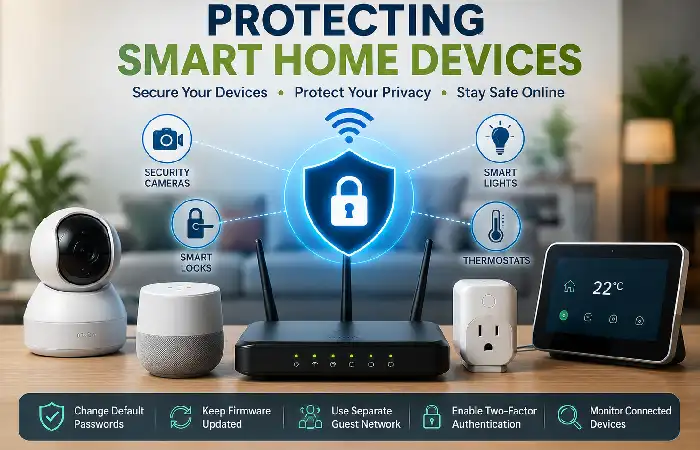
Today, many smart home devices are integrated into our life. Whether it‘s a security camera, a smart speaker, thermostat, doorbell, or lights, these devices can make us life more convenient and automatic. However, if not configure correctly, the increasing number of these devices could also lead to new security risks. Due to limited security features with many IoT devices, protecting them should also be a fundamental step to your home internet security plan.
Unfortunately, hackers know this.
Devices that should always be secured:
- Smart speakers
- Security cameras
- Smart locks
- Smart thermostats
- Smart TVs
- Video doorbells
- Baby monitors
Smart Device Security Checklist
| Security Measure | Importance |
| Update firmware | High |
| Change default passwords | High |
| Enable MFA | High |
| Disable unused features | Medium |
| Separate onto Guest/IoT network | High |
With for instance the possibility of turning on the device locking (it might be another way to say it in the device itself), you limit the risk of cyberattacks towards the smart home devices.
Online gaming devices frequently communicate with external servers and voice-chat platforms, so gamers should pay special attention to secure internet setup tips for online gaming.
Frequently Asked Questions (FAQs)
Which Wi-Fi security option is the best?
The WPA3 encryption is the most secure Wi-fi security protocol to use for home users at the moment.
How frequently should I change my router?
Look for firmware updates at least once a month, or turn on automatic updates if there‘s such an option.
Is it advisable to set up a guest Wi-Fi connection?
Yes, a guest network. An additional network for your visitors isolates their devices from your computer and smart devices.
WPA2 is safe to use or not?
As long as a secure password is used WPA2 is secure system, though WPA3 offers a better.
Is antivirus protection necessary for smart home devices?
Most IoT devices won‘t support antivirus software, so the best protections are keeping the firmware up-to-date, changing any default admin passwords, and isolating them on a separate network.
Conclusion
Protecting your home internet is easier than you think. By taking a few simple precautions following this Home Internet Security Guide you can prevent a significant amount of unauthorised access, malware infections, and data theft. Simply implement the basic, such as changing default passwords, enabling WPA3, updating your router, and isolating guest and smart home devices from your main network, and 2026 can look a whole lot safer from your perspective.
Kashifa Jafar is a technology writer and contributor at FutureTechExpert with 4+ years of experience in technology writing and content creation.
Read Full Bio of Author →Sameena reviews selected health, wellness, technology, and digital content for clarity, factual presentation, and reader usefulness.
Read Full Bio of Reviewer →