
 Kashifa Jafar
Technology Writer & Contributor
Kashifa Jafar is a technology writer and contributor at FutureTechExpert with 4+ years of experience in technology writing and content creation.
Read Full Bio of Author →
Kashifa Jafar
Technology Writer & Contributor
Kashifa Jafar is a technology writer and contributor at FutureTechExpert with 4+ years of experience in technology writing and content creation.
Read Full Bio of Author →
 Sameena Begum
Health, Technology & Digital Content Reviewer
Sameena reviews selected health, wellness, technology, and digital content for clarity, factual presentation, and reader usefulness.
Read Full Bio of Reviewer →
Sameena Begum
Health, Technology & Digital Content Reviewer
Sameena reviews selected health, wellness, technology, and digital content for clarity, factual presentation, and reader usefulness.
Read Full Bio of Reviewer →
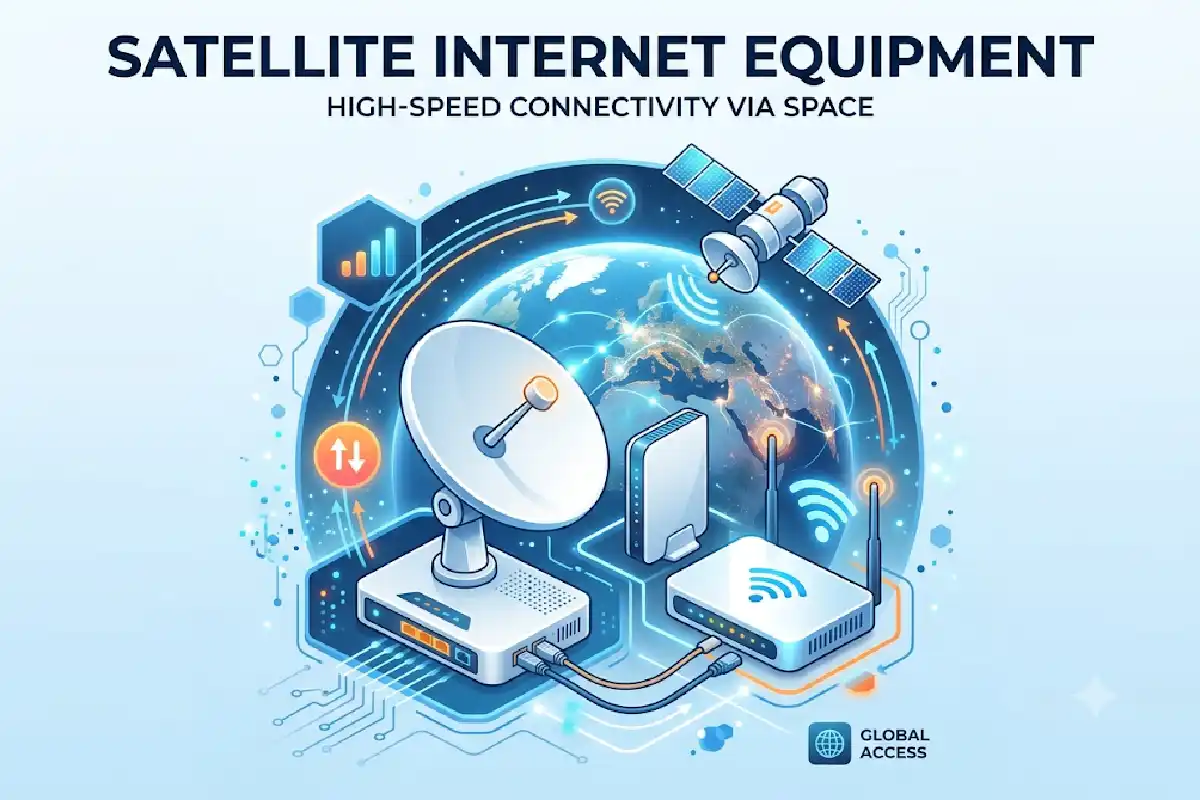
Satellite Internet Equipment is the foundation of every satellite broadband connection. Whether you choose Starlink, HughesNet, Viasat, or an enterprise satellite provider, the quality of your equipment directly affects speed, reliability, and overall internet performance.
Modern satellite internet systems rely on a combination of satellite dishes, user terminals, modems, routers, and ground infrastructure to connect homes and businesses in remote locations. As satellite broadband adoption grows in 2026, understanding the right equipment has become essential for making an informed purchasing decision.
If you’re new to satellite broadband, this guide explains every major component, installation requirement, maintenance practice, and cost consideration.
 This article is part of
Emerging Telecom Technology Resources
Table of Contents
What Equipment Is Needed for Satellite Internet?
A complete satellite internet setup typically includes:
| Equipment | Purpose |
| Satellite Dish | Receives signals from satellites |
| User Terminal | Communicates with satellite network |
| Satellite Modem | Converts signals into internet data |
| Wi-Fi Router | Distributes internet throughout the home |
| Mounting Hardware | Secures dish installation |
| Power Supply | Powers the system |
| Ground Infrastructure | Connects satellites to the internet backbone |
Most providers bundle these components into a single equipment package. Starlink, HughesNet, and Viasat all provide proprietary hardware optimized for their networks.
Internal Link Opportunity: Read our complete guide on Satellite Internet Services to understand how these components work together.
Satellite internet equipment forms the foundation of modern broadband connectivity, enabling users in remote and rural areas to access high-speed online services. From satellite dishes and modems to advanced user terminals, each component plays a critical role in delivering reliable connections. Understanding the broader ecosystem of satellite internet technology helps users make informed decisions when selecting equipment for home or business use.
Satellite Dishes and Antennas
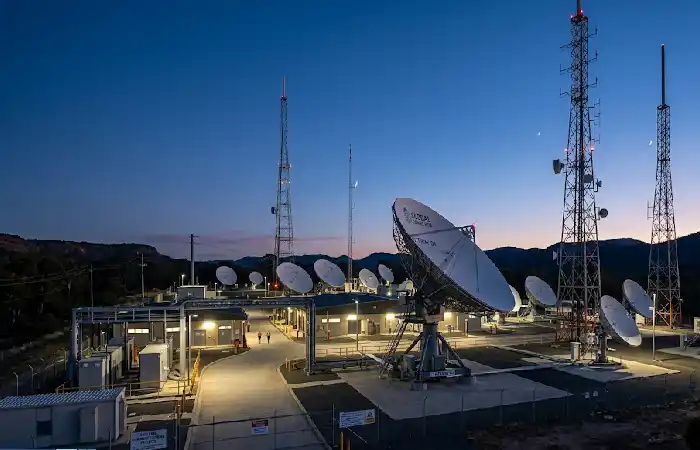
The satellite dish is the most recognizable component of a satellite internet system.
Its primary function is to send and receive signals between the user and orbiting satellites.
Types of Satellite Antennas
| Antenna Type | Best For |
| Fixed Dish | Residential installations |
| Portable Dish | RV and mobile users |
| Flat Panel Antenna | Modern LEO systems |
| VSAT Antenna | Enterprise applications |
GEO vs LEO Equipment
| Feature | GEO Systems | LEO Systems |
| Typical Providers | HughesNet, Viasat | Starlink |
| Dish Size | Larger | Smaller |
| Tracking Capability | Fixed | Electronically Steered |
| Latency | Higher | Lower |
Low Earth Orbit (LEO) systems use advanced phased-array antennas that automatically track moving satellites, improving performance and reducing latency.
Satellite dishes are designed to transmit and receive signals between user locations and orbiting satellites. Modern dish technology improves signal quality, helping users achieve better satellite internet speed performance even in challenging weather conditions.
User Terminals
The user terminal acts as the communication bridge between your property and the satellite constellation.
Modern user terminals include:
- Integrated antenna systems
- GPS receivers
- Signal processors
- Automatic satellite tracking
- Weather-resistant housing
Common User Terminal Features (2026)
| Feature | Benefit |
| Auto Alignment | Faster installation |
| Weather Resistance | Improved durability |
| Smart Diagnostics | Easier troubleshooting |
| Remote Monitoring | Better performance tracking |
User terminals have become increasingly compact while delivering significantly higher throughput than earlier generations.
Satellite Modems
The function of the satellite modem is to turn the radio signal received from the dish into internet data, which all computers can understand.
No modem and all internet traffic will not be processed and nowhere.
Key Modem Functions
- Signal modulation
- Error correction
- Network authentication
- Traffic management
- Data optimization
Most vendors offer their own-stand alone modems that will work on their network.
Popular Modem Options
| Provider | Equipment |
| HughesNet | HT2000W |
| Viasat | WiFi Gateway |
| Starlink | Integrated Network Hardware |
Equipment approved by the provider usually works most effectively and is generally the most fully supported.
User terminals act as the communication hub between the satellite network and your local devices. These systems are an essential part of how satellite internet works, ensuring data is transmitted efficiently between satellites and end users.
Wi-Fi Routers
Once the modem is connected to the internet, the Wi-Fi router ensures that the internet is available everywhere in the house or business.
What to Look For
| Feature | Recommendation |
| Wi-Fi Standard | Wi-Fi 6 or Wi-Fi 6E |
| Coverage | Whole-home mesh support |
| Security | WPA3 |
| Device Capacity | 50+ devices |
| Dual-Band Support | Required |
Can be heard by mega mansions installing a mesh network to eliminate blank spots.
Router Comparison
| Router Type | Best For |
| Standard Router | Small Homes |
| Mesh System | Large Homes |
| Enterprise Router | Businesses |
| Portable Router | RV Users |
Ground Stations
Ground stations serve as a vital part of the satellite internet infrastructure but are a part we tend not to think about.
These facilities:
- Connect satellites to the global internet
- Route user traffic
- Manage network operations
- Monitor satellite performance
Internet access via satellites would be impossible without ground stations.
Contemporary Satellite providers keep increasing frontier gateway system.
Modern satellite modems convert incoming satellite signals into internet connectivity for homes and businesses. Equipment specifications can vary depending on the leading satellite internet providers, making it important to compare available options before purchasing.
Installation Requirements
Good installation is key to proper function.
Site Requirements
| Requirement | Details |
| Clear Sky View | No trees or buildings blocking signal |
| Stable Mounting Surface | Roof, pole, or wall mount |
| Power Availability | Continuous power source |
| Cable Access | Indoor connection path |
Installation Options
| Installation Type | Cost |
| Self-Install | Low |
| Professional Installation | Moderate |
| Enterprise Deployment | High |
Self-installation for many contemporary LEOs significantly decreases the initial price.
Equipment Maintenance

Taking care of your equipment dates for the future. It minimizes machine malfunctions and allows the equipment to last longer.
Maintenance Checklist
- Clean the dish periodically
- Inspect cables for damage
- Check mounting stability
- Update firmware
- Monitor signal quality
Common Issues
| Problem | Solution |
| Weak Signal | Remove obstructions |
| Slow Speeds | Reboot equipment |
| Connectivity Drops | Check cables |
| Wi-Fi Issues | Update router firmware |
Most of the contemporary system also do have a built-in diagnostic device to make troubleshooting easier.
Selecting the right equipment depends on your internet usage, location, and service provider. Reviewing available satellite internet plans alongside hardware requirements can help you identify the most cost-effective solution.
Equipment Costs (2026 Comparison)
Satellite Internet Equipment Cost Comparison
| Provider | Equipment Cost | Installation | Resource |
| Starlink Standard | ~$349 | Self Install | https://www.starlink.com |
| Starlink Mini | ~$299 | Self Install | https://www.starlink.com |
| HughesNet | Lease or Purchase Options | Professional | https://www.hughesnet.com |
| Viasat | Lease or Purchase Options | Professional | https://www.viasat.com |
Pricing of equipment is dependent on provider, release hardware generation, and service package.
Typical Equipment Investment
| User Type | Estimated Cost |
| Residential | $250–$500 |
| Remote Worker | $350–$700 |
| RV User | $300–$800 |
| Business | $1,000+ |
Choosing Satellite Internet Equipment
Before purchasing equipment, evaluate:
- Coverage Availability
Details and availability of the service in your area.
- Speed Requirements
Different levels of performance are necessary for: To enjoy streaming, gaming, and work at home.
- Installation Preferences
Decide if you want self-install or professional installation.
- Mobility Needs
Portable references are best suited for RVs and travelers.
- Budget
Think both initial capital expenditure on equipment and recurring service fees.
Recommended Equipment by User Type
| User | Recommended Setup |
| Rural Home | Standard Residential Kit |
| Remote Worker | High-Performance Kit |
| RV Traveler | Portable Satellite Kit |
| Small Business | Enterprise Terminal |
| Farm Operations | Extended Coverage Setup |
The type of satellite equipment needed may vary based on geographical conditions and network availability. Before investing in hardware, users should verify satellite internet coverage to ensure compatible services are available in their area.
Frequently Asked Questions
What equipment is required for satellite internet?
You must have satellite dish/user terminal, modem, router, power supply, and mounting hardware.
Is it possible for me to setup the satellite internet equipment on my own?
Soak-Site. Several systems allow self-installation, but most enterprise installation need to be installed by professional.
What is the cost of satellite internet equipment?
The standard residential equipment package can usually be purchased from $250 to $500, varying from provider to provider and hardware choice.
Does weather affect satellite equipment?
Yes, weather conditions does have an impact on the satellite equipment.
Best Satellite Internet Equipment for 2026 What is?
Most optimal kit is the one that fits your needs, but most emerging LEO-based systems are much better than the old traditional GEO systems in term of latency and performance.
Conclusion
Advanced Satellite Internet Equipment has transformed satellite broadband in the past few years. Broadband access is now quicker, easier, and more reliable than ever before, even in remote areas. From user terminal to Wi-Fi routers, and from modems to phased-array antennas, today‘s equipment offers a broadband experience comparable to numerous terrestrial networks.
After knowing what each part does, trying to compare for the cost of the equipment and choosing the hardware to suit your needs, you can design a satellite internet setup that will keep you connected reliably for years to come and be ready for the next generation of satellite broadband services.
Kashifa Jafar is a technology writer and contributor at FutureTechExpert with 4+ years of experience in technology writing and content creation.
Read Full Bio of Author →Sameena reviews selected health, wellness, technology, and digital content for clarity, factual presentation, and reader usefulness.
Read Full Bio of Reviewer →