
 Kashifa Jafar
Technology Writer & Contributor
Kashifa Jafar is a technology writer and contributor at FutureTechExpert with 4+ years of experience in technology writing and content creation.
Read Full Bio of Author →
Kashifa Jafar
Technology Writer & Contributor
Kashifa Jafar is a technology writer and contributor at FutureTechExpert with 4+ years of experience in technology writing and content creation.
Read Full Bio of Author →
 Sameena Begum
Health, Technology & Digital Content Reviewer
Sameena reviews selected health, wellness, technology, and digital content for clarity, factual presentation, and reader usefulness.
Read Full Bio of Reviewer →
Sameena Begum
Health, Technology & Digital Content Reviewer
Sameena reviews selected health, wellness, technology, and digital content for clarity, factual presentation, and reader usefulness.
Read Full Bio of Reviewer →
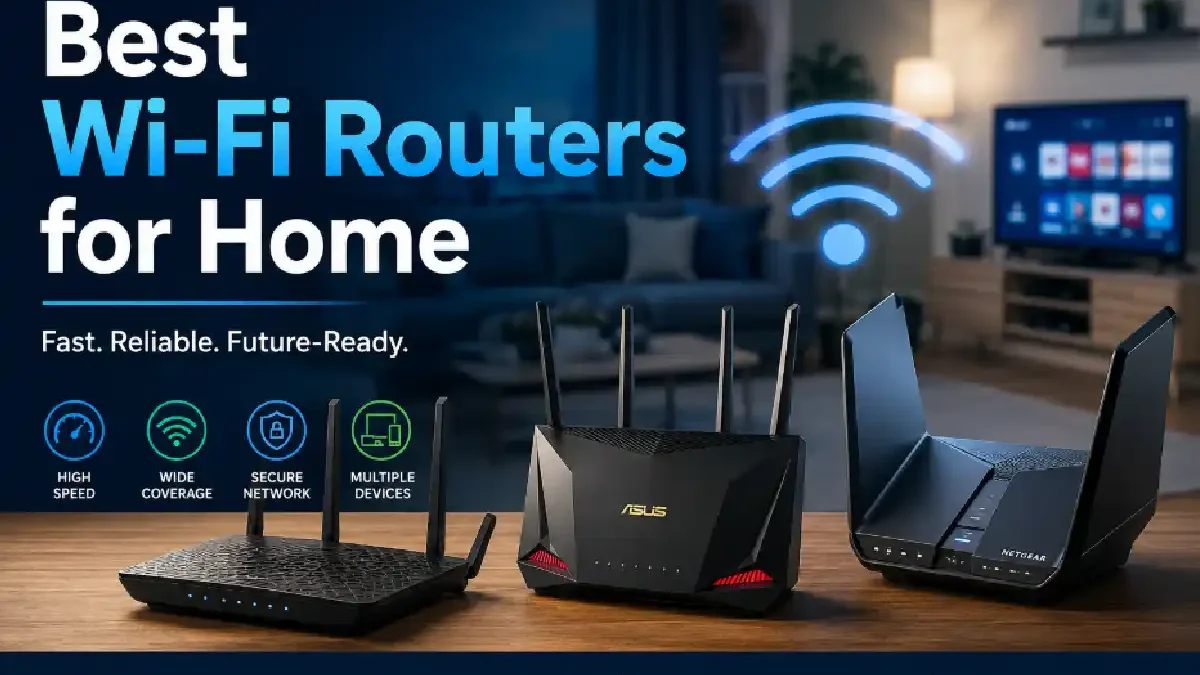
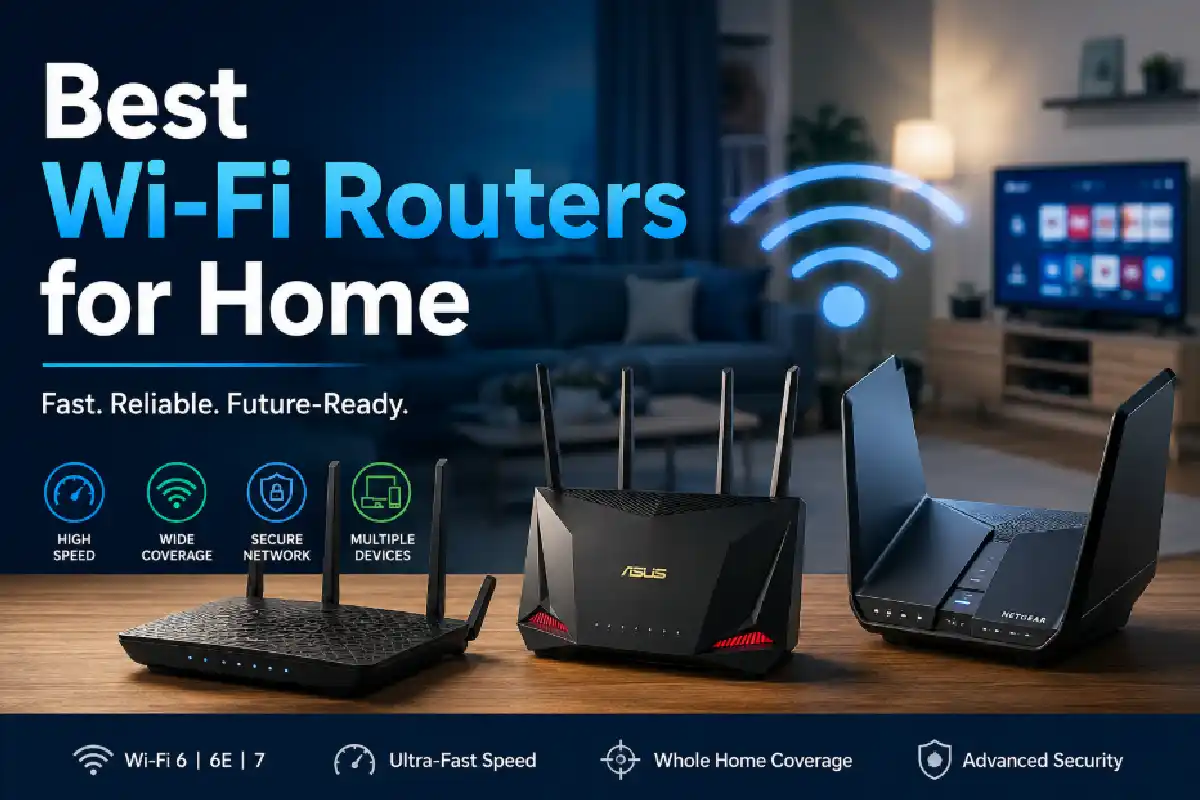
Selecting the Best Wi-Fi Routers for Home is not just about the speed of internet any more. Today‘s homes are filled with many connected devices such as Smartphones, Smart TVs, consoles, security cameras and other smart home devices. High quality router will provide high speeds, greater coverage, reduced latency and better security.
If you‘ve got an older router, or if you‘re just thinking of getting a new one for your home, we tell you all you need to know in straightforward languageand compare the newest Wi-Fi technologies in 2026.
If you’re setting up a new router, it helps to understand the broader home internet setup and connectivity options available for different households.
 This article is part of
Internet Resources
Table of Contents
Router Features to Consider
The best home internet routers of 2026 are not only the one claiming “the most speed,” but include new features that make your network faster, more secure, and cover your entire house. Review the below specifications, and compare them to what you need in a new home router.
| Feature | Why It Matters | Recommended For | Resource |
| Wi-Fi Standard (Wi-Fi 6/6E/7) | Determines maximum speed, efficiency, and compatibility with modern devices. | All users | https://www.wi-fi.org |
| Dual-Band or Tri-Band | Reduces network congestion by distributing devices across multiple frequency bands. | Families & gamers | https://www.tp-link.com |
| Gigabit or Multi-Gig Ethernet Ports | Provides stable, high-speed wired connections for PCs, gaming consoles, and NAS devices. | Gamers & professionals | https://www.netgear.com |
| MU-MIMO Technology | Allows the router to communicate with multiple devices simultaneously for smoother performance. | Busy households | https://www.asus.com |
| OFDMA Support | Improves network efficiency by serving several devices at once, reducing latency. | Smart homes | https://www.wi-fi.org |
| WPA3 Security | Offers stronger encryption and better protection against cyber threats. | Everyone | https://www.wi-fi.org |
| Quality of Service (QoS) | Prioritizes bandwidth for gaming, video calls, or streaming to reduce lag. | Remote workers & gamers | https://www.linksys.com |
| USB Ports | Enables network-attached storage, printer sharing, or media streaming. | Power users | https://www.synology.com |
The performance of any WiFi router also depends on whether your connection uses fiber, cable, or DSL internet technology, as each offers different bandwidth and latency characteristics.
Wi-Fi 6 vs Wi-Fi 7
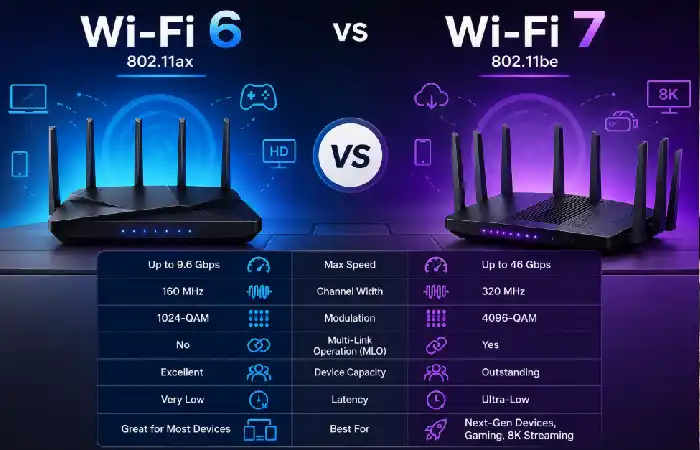
One of the most important decisions in buying a new home router in 2026 will be whether to go for Wi-Fi 6 or Wi-Fi 7. Although both standards promise some big improvements in performance and efficiencies over previous generations, Wi-Fi 7 introduces a range of next-generation features that will benefit the most power-hungry applications such as 8 K streaming, cloud gaming, virtual reality and multi-gigabit Internet services.
Except for a few high demanding households Wi-Fi 6 still provides a great value/performance ratio. If you‘re looking towards the future or have multiples of connected devices Wi-Fi 7 is actually the way to go.
For the best coverage, proper router placement should be combined with proven WiFi signal improvement techniques to reduce dead zones and interference.
Key Differences
- Faster Speeds
Generally, Wi-Fi 6 is the best value and speeds for the majority of households. If you‘re thinking about the future, or have a large number of connected devices, it is worthwhile investing in Wi-Fi 7.
- Multi-Link Operation (MLO)
Multi-Link Operation (MLO) will be one of the many key improvements in Wi-Fi 7. Instead of only utilizing a single wireless band at a time, supported devices can send data across a number of bands at once.
Benefits include:
- Lower latency
- Faster downloads
- More stable video calls
- Improved gaming performance
- Better reliability in crowded networks
- Wider 320 MHz Channels
Now, a standard household house may have tens of connected devices, such as smart phone, PC, TV, game console, security camera, and smart home devices. Wi-Fi 7 will be more powerful in these kind of scenarios by removing congestion and providing more device connections.
- 8K video streaming
- Large file transfers
- Cloud backups
- Virtual reality (VR)
- Augmented reality (AR)
- Improved Performance in Busy Homes
Wi-Fi 6 as well as Wi-Fi 7 utilize technologies such as OFDMA for optimizing network efficiency. It has further improved upon this with better scheduling and increased data throughput capability, providing a burst of seamless operation under maximum network loads.
- Better Efficiency
The moment you look for the best Wi-Fi routers for home, you will be bombarded with references to dual-band and tri-band Wi-Fi routers. The issue being, how are they different from each other? And does it make any difference? To get a clear picture, the answer is, of course, a resounding yes.
Performance Comparison
| Category | Wi-Fi 6 | Wi-Fi 7 |
| HD Streaming | Excellent | Excellent |
| 4K Streaming | Excellent | Excellent |
| 8K Streaming | Good | Excellent |
| Online Gaming | Excellent | Outstanding |
| Video Conferencing | Excellent | Outstanding |
| Smart Home Devices | Excellent | Outstanding |
| Large File Transfers | Very Good | Excellent |
| Multi-Gig Internet | Limited | Fully Optimized |
If a single router cannot cover your entire home, consider whether a mesh WiFi system or a range extender is the better choice for seamless coverage across multiple rooms.
Dual-Band vs Tri-Band
A dual band router sends and receives information through 2 bands of wireless (2.4GHz and 5GHz a tri band does this through an extra band. Usually a tri band will work with an extra 5 (or 6 depending on the router) band. This extra band can balance the network more evenly and tri band routers are ideal for busier households.
Dual-Band vs Tri-Band Comparison
| Feature | Dual-Band Router | Tri-Band Router |
| Frequency Bands | 2.4 GHz + 5 GHz | 2.4 GHz + 5 GHz + 5 GHz/6 GHz |
| Device Capacity | Up to 30 devices | 50+ devices |
| Network Congestion | Moderate | Very Low |
| Coverage | Small to medium homes | Medium to large homes |
| Gaming Performance | Good | Excellent |
| 4K/8K Streaming | Very Good | Outstanding |
| Smart Home Support | Good | Excellent |
| Typical Price | Lower | Higher |
| Best For | Everyday home use | Large families, gamers, smart homes |
| Resource | https://www.wi-fi.org | https://www.wi-fi.org |
How Dual-Band Routers Work
Dual-band routers operate on two frequencies:
- 2.4 GHz: Longer range but slower speeds. Ideal for smart home devices, web browsing, and devices farther from the router.
- 5 GHz: Faster speeds with lower latency, making it suitable for gaming, video conferencing, and HD or 4K streaming.
Most apartments and small homes will have more than enough from a dual band router.
Mesh Wi-Fi Systems
A Mesh Wi-Fi System may be a smarter solution than a traditional Wi-Fi solution with 1 router if you experience weak Wi-Fi signals, dead spots or slow connections at specific parts of your home. Instead of putting one router through your home hoping to cover it all at once mesh networks deploy multiple interconnected units (also called nodes or satellites) that together emit one Wi-Fi signal across your entire house.
It will be the standard by 2026 in big mansion and multi-storied building, and smart home with such dozen operating devices.
What Is a Mesh Wi-Fi System?
A mesh Wi-Fi system consists of:
- One main router connected to your modem.
- One or more satellite nodes placed throughout your home.
- All of the Wi-Fi networks (SSID); the fact that it will connect your devices to the strong signal i.e. transfer them from one point to another.
This is not your typical Wi-Fi extender. Mesh nodes coordinate with one another so you always have a fast, reliable connection. You never need to disconnect and reconnect to your network.
Gamers should also pay attention to latency, QoS settings, and bandwidth management, which are covered in our home internet gaming performance guide.
Mesh Wi-Fi vs Traditional Router
| Feature | Traditional Router | Mesh Wi-Fi System |
| Coverage | Limited to router location | Whole-home coverage |
| Dead Zones | Common in larger homes | Virtually eliminated |
| Roaming | Manual network switching | Automatic seamless roaming |
| Scalability | Limited | Easily expandable with additional nodes |
| Setup | Simple | Simple via mobile app |
| Performance | Can weaken with distance | Consistent throughout the home |
| Best For | Small homes and apartments | Medium to large homes |
| Resource | https://www.netgear.com |
Buying Guide
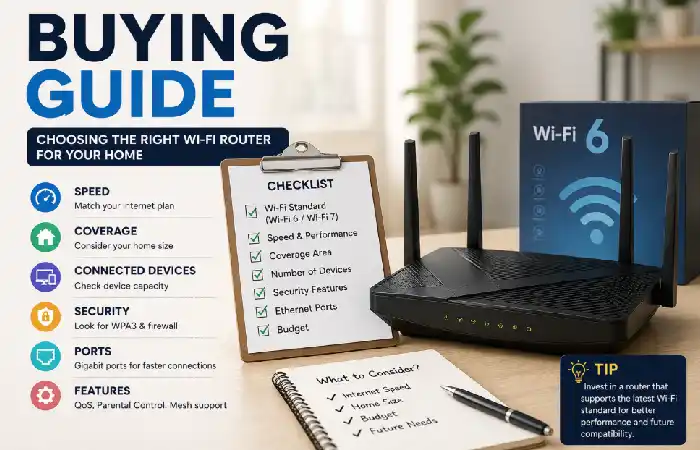
Selecting the best Wi-Fi router for your house is more than just selecting the fastest speed. In fact, your Internet package, house size, number of connected devices and daily Internet activities directly influence what the most appropriate Wi-Fi router is that you should buy. This Wi-Fi buying guide will take you through everything you need to know to purchase that perfect Wi-Fi router today and for years to come.
- Match the Router to Your Internet Speed
Your router can‘t increase the speed of your internet connection this depends entirely on your Internet Service Provider (ISP). However, it can help you get the most out of it:
| Internet Plan | Recommended Router | Best For |
| Up to 100 Mbps | Wi-Fi 6 Dual-Band | Web browsing, email, HD streaming |
| 100–500 Mbps | Wi-Fi 6 Dual-Band or Tri-Band | Families, remote work, 4K streaming |
| 500 Mbps–1 Gbps | Wi-Fi 6E or Entry-Level Wi-Fi 7 | Gaming, multiple users, smart homes |
| Above 1 Gbps | Premium Wi-Fi 7 | Multi-gig internet, 8K streaming, large file transfers |
| Resource | https://www.wi-fi.org | Router standards and performance |
- Consider Your Home Size
Coverage matters as much as speed. Bigger houses tend to require a more powerful router or mesh Wi-Fi.
- Count Your Connected Devices
Today‘s home can have dozens of connected devices smartphones, laptops, SmartTV‘s security cameras, gaming consoles, smart home.
- Choose the Right Wi-Fi Standard
A standard for wireless standard, because it determines the performance and used in the future.
- Prioritize Security Features
A secure router safeguards your personal data and all of the computers and devices that connect to it from all the dangers on the internet. Make sure it has these key security features.
After configuring your router, follow these home network security best practices to protect your devices, passwords, and personal data from unauthorized access.
FAQs
Which Wi-Fi router is the best for home use in 2026?
For the majority of dwellings, the best choice will be a Wi-Fi 6 or Wi-Fi 7 enabled device with WPA3 security, dual/tri-band 2.4/5 GHz (and 6GHz if range isn‘t an issue) or a wider coverage area. Larger dwellings may require a mesh Wi-Fi system.
Which is superior: Wi-Fi 7 or Wi-Fi 6?
Certainly. Wi-Fi 7 provides faster rates, has reduced latency, MLO, and a greater efficiency for connecting several devices.
Would I be better off with a dual-band or tri-band router?
A trio band would better suit a large family, gaming needs, or a smart home with several devices connected.
Home Net 101: When do I need to replace my Wi-Fi Router?
Typically, the whole router should be updated every 4–6 years, unless it is no longer receiving updates for the latest Wi-Fi standards and security, then it should be replaced earlier.
Will a faster router give me a faster internet connection?
The reason that a faster router can help you is that it won‘t be able to move your internet connection any faster than your ISP. It will however, be more efficient, put less load on the network (less cluttering), provide greater range and performance if you have many devices that connect to the Wi-Fi.
Conclusion
Here are the best home Wi-Fi routers available for 2026 which will offer fast wireless speeds, complete coverage, secure networks and manage the growing number of Wi-Fi enabled devices. Although Wi-Fi 6 is the current best all-round versatile approach, Wi-Fi 7 is the most future-proof choice for consumers with multi-gigabit internet, demanding gaming or streaming and smart home requirements. Take into account your coverage, internet speed, number of devices and safety needs when choosing a router to get the performance you desire today and going forward.
Kashifa Jafar is a technology writer and contributor at FutureTechExpert with 4+ years of experience in technology writing and content creation.
Read Full Bio of Author →Sameena reviews selected health, wellness, technology, and digital content for clarity, factual presentation, and reader usefulness.
Read Full Bio of Reviewer →