
 Kashifa Jafar
Technology Writer & Contributor
Kashifa Jafar is a technology writer and contributor at FutureTechExpert with 4+ years of experience in technology writing and content creation.
Read Full Bio of Author →
Kashifa Jafar
Technology Writer & Contributor
Kashifa Jafar is a technology writer and contributor at FutureTechExpert with 4+ years of experience in technology writing and content creation.
Read Full Bio of Author →
 Sameena Begum
Health, Technology & Digital Content Reviewer
Sameena reviews selected health, wellness, technology, and digital content for clarity, factual presentation, and reader usefulness.
Read Full Bio of Reviewer →
Sameena Begum
Health, Technology & Digital Content Reviewer
Sameena reviews selected health, wellness, technology, and digital content for clarity, factual presentation, and reader usefulness.
Read Full Bio of Reviewer →
DaaS is a form of cloud computing that provides end users with access to a virtual desktop image hosted on a remote cloud-based service provider. DaaS eliminates the need for organizations to deliver, upgrade and maintain physical workstations or on-premises virtual desktop infrastructure (VDI). The DaaS technology has become a fundamental component of remote workplaces, hybrid office models, Bring Your Own Device (BYOD), and dispersed global teams.
In 2026, DaaS will still be used as companies are modernizing their IT infrastructure. DaaS allows expansion, security and easy administration at the same time minimizing hardware dependency.
 This article is part of
Service Models Resources
Table of Contents
What Is Desktop as a Service?
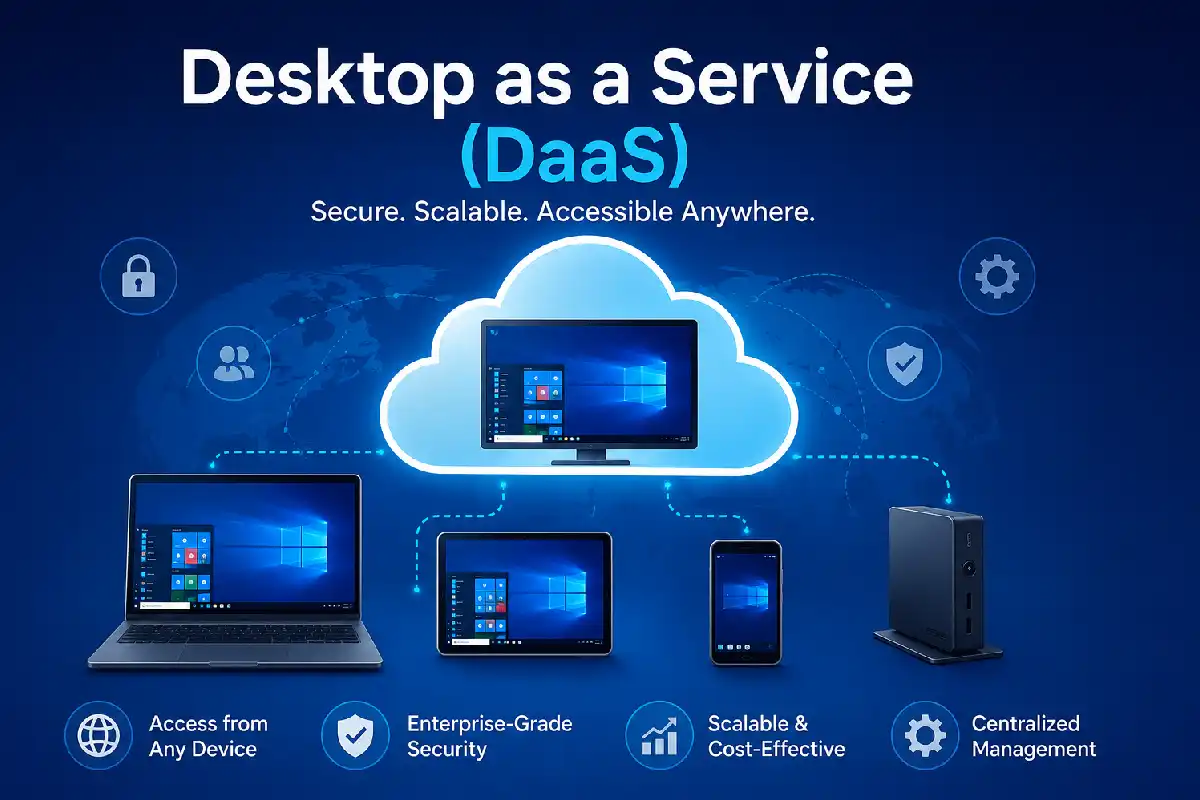
The cloud model Desktop as a Service (DaaS) makes virtual desktop environments available over the internet. Now organizations store and manage a virtual desktop environment rather than individual operating systems, applications, and data. These virtual desktop environments are then made available for users to access remotely from any computing device.
Users can securely access their desktop environment from:
- Laptops
- Thin clients
- Tablets
- Smartphones
- Personal computers
The service provider manages:
- Infrastructure
- Storage
- Networking
- Updates
- Backup systems
- Availability
This puts IT teams back onto focusing on business projects rather than just keeping desktops functioning.
Desktop as a Service (DaaS) is a modern cloud computing solution that falls under broader cloud service models. Unlike traditional desktop deployments, DaaS delivers virtual desktops through the cloud, enabling remote access and simplified IT management.
Popular DaaS Platforms (2026)
| Provider | Website |
| Azure Virtual Desktop | Microsoft Azure Virtual Desktop |
| Amazon WorkSpaces | Amazon WorkSpaces |
| Citrix DaaS | Citrix DaaS |
| Omnissa Horizon Cloud | Omnissa Horizon Cloud |
| Dizzion DaaS | Dizzion |
All of these platforms are ranked among the top DaaS solutions in industry reports and purchased by various customers.
How DaaS Works
Step 1: Cloud Infrastructure
The provider is hosting desktop environments in the cloud data center.
Step 2: User Authentication
Users sign in through:
- Single Sign-On (SSO)
- Multi-Factor Authentication (MFA)
- Identity Providers (Azure AD, Okta, Google Workspace)
Step 3: Desktop Delivery
A desktop session is delivered securely over the network to a user device.
Step 4: Centralized Management
IT administrators control desktops through a single admin console.
Most DaaS platforms are built on top of Infrastructure as a Service (IaaS), which provides the computing, networking, and storage resources needed to support virtual desktop environments.
Key Features of DaaS
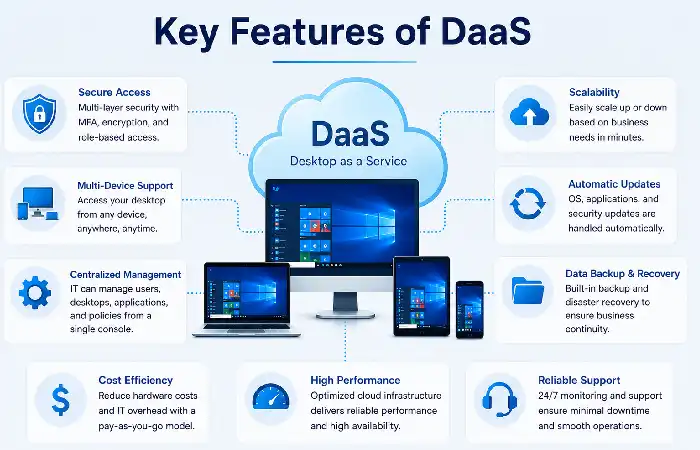
| Feature | Description |
| Centralized Desktop Management | Manage all desktops from one console |
| Automatic Updates | OS and application patching |
| Multi-Device Access | Access from any supported device |
| Elastic Scaling | Add or remove desktops instantly |
| Data Backup | Integrated recovery capabilities |
| Security Controls | MFA, encryption, conditional access |
| Usage-Based Pricing | Pay only for consumed resources |
In addition, many contemporary DaaS products build in automation, monitoring, integration with end point management and policy based access control.
Benefits of DaaS
Desktop as a Service (DaaS) provides organizations a way to subscribe and manage virtual desktops without having to worry about maintaining hardware devices. Delivering desktops using a cloud solution allows businesses to enhance agility, eliminate the hassle associated with capex, and create an optimized environment to support their modern mobile workforces.
Reduced Infrastructure Costs
Organizations remove the substantial upfront costs of servers and desktop hardware.
Faster Deployment
Fresh workers are configured their desktops in just a few minutes.
Improved Business Continuity
Allows the work to be done even if it is closing the office or the hardware failures.
Simplified IT Operations
You would have to have an example of the cloud providers, which will do some backend stuff.
Better User Experience
Consistent desktops accessible from anywhere.
Development teams often integrate DaaS with Platform as a Service (PaaS) solutions to accelerate application development and deployment while maintaining a consistent user experience.
Challenges of DaaS
DaaS has also disadvantages.
| Challenge | Impact |
| Internet Dependency | Performance depends on connectivity |
| Recurring Subscription Costs | Long-term operational expense |
| Compliance Requirements | Some industries require specific data residency |
| Application Compatibility | Legacy apps may require customization |
| Vendor Lock-In | Migration between providers can be complex |
Organizations should evaluate these factors during vendor selection.
DaaS for Remote and Hybrid Work
The Desktop as a Service (DaaS) platform has become the essential building block for remote and hybrid working. As the demand for home, office and global working continues to grow, DaaS delivers a secure desktop environment hosted in the cloud that allows users to work productively from anywhere.
DaaS does not negate the physical office computer that comes with a traditional desktop setup, and unlike it can offer a full-featured Desktop experience from anywhere through the cloud. Employees can run their applications, files and preferences from a Laptop, tablet, thin client or even a personal computer, and get the same user experience.
Why Companies Choose DaaS
- Secure work-from-home access
- Consistent employee experience
- Support for contractors and temporary staff
- Global workforce enablement
- Reduced hardware distribution costs
Remote accessibility and centrally managed services are still among the top cited advantages of DaaS operations, as found by industry DaaS reports.
DaaS Security and Access Management
Security is one of the most important factors which will determine the use of DaaS by corporations.
Common Security Features
- Multi-factor authentication
- Zero Trust access policies
- End-to-end encryption
- Identity management integration
- Role-based access control
- Threat monitoring
Best Practices
Enable MFA
Implement least-privilege access
Use conditional access policies
Monitor login behavior
Apply regular patching
Users accessing virtual desktops frequently rely on Software as a Service (SaaS) applications such as productivity suites, collaboration tools, and customer relationship management platforms.
DaaS and Device Management
The DaaS makes BYOD (bring your own device) approaches more convenient.
Supported Endpoints
- Windows PCs
- Mac devices
- Chromebooks
- Linux systems
- Mobile devices
Centralized control maintained by the IT teams with the user being free.
Device Management Benefits
| Benefit | Result |
| Centralized Policies | Consistent security |
| Remote Configuration | Faster onboarding |
| Reduced Hardware Costs | Lower CAPEX |
| Improved Compliance | Better governance |
DaaS vs. Traditional Desktop Infrastructure
Comparison Table
| Feature | DaaS | Traditional VDI |
| Infrastructure Ownership | Provider | Organization |
| Initial Investment | Low | High |
| Scalability | Excellent | Limited |
| Deployment Speed | Fast | Moderate |
| Maintenance | Provider Managed | Internal IT |
| Remote Access | Native | Additional setup |
| Updates | Automated | Manual |
When to Choose DaaS
Choose DaaS if your organization needs:
- Rapid deployment
- Remote workforce support
- Predictable scaling
- Reduced infrastructure management
VDI in a traditional setting may be appropriate for some enterprises which have rigid regulatory or on-premise obligations.
Organizations adopting cloud-native architectures may also combine DaaS with Function as a Service (FaaS) to automate backend processes and reduce infrastructure management requirements.
How to Choose a DaaS Solution
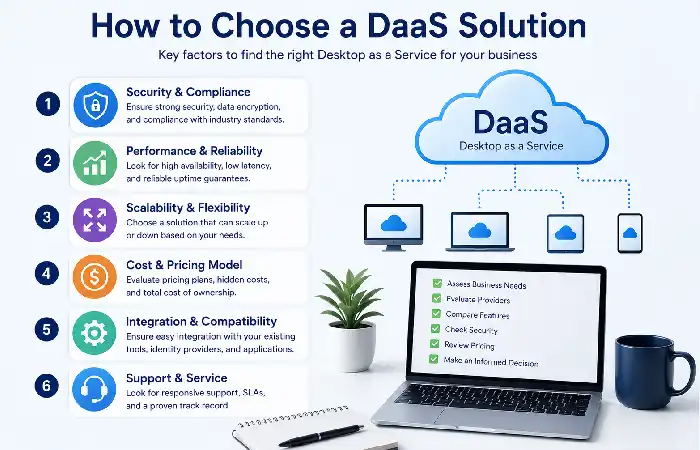
- Evaluate Security Requirements
Look for:
- MFA
- SSO
- Compliance certifications
- Data residency options
- Assess Performance
Consider:
- GPU support
- Latency optimization
- Regional availability
- Compare Pricing Models
Some providers offer:
- Hourly billing
- Monthly subscriptions
- Consumption-based pricing
- Review Integration Capabilities
Ensure compatibility with:
- Identity providers
- Endpoint management tools
- Security platforms
- Existing cloud infrastructure
- Check Vendor Reliability
Review:
- SLAs
- Uptime guarantees
- Customer reviews
- Support quality
Similarly, developers can leverage Backend as a Service (BaaS) platforms alongside DaaS to simplify backend development, authentication, and database management.
Frequently Asked Questions
Is DaaS the same as VDI?
No. VDI is an organizations hosted and maintained environment, DaaS by a cloud provider.
Is DaaS secure?
Yes, all the enterprise DaaS platforms incorporate encryption, MFA, Zero Trust controls and central policy enforcement & management.
Who are the users of DaaS?
DaaS is widely adopted across the organizations in the Healthcare, Financial, Educational, Government, and technological sector.
So, does DaaS cut IT costs?
Practically, yes. DaaS cuts down on infrastructure investments, simplifies management and enhances scalability.
For whom is DaaS designed? Would it be appropriate for small companies?
Yes. Small business is easier to run, with predictable prices and enterprise-grade security.
Conclusion
Desktop as a Service (DaaS) has grown into a strategic technology for modern enterprises that want a secure, scalable and cloud-native desktop delivery. From remote workers to cutting down infrastructure complexity or security stance, DaaS offers a flexible alternative to classical desktop management.
Kashifa Jafar is a technology writer and contributor at FutureTechExpert with 4+ years of experience in technology writing and content creation.
Read Full Bio of Author →Sameena reviews selected health, wellness, technology, and digital content for clarity, factual presentation, and reader usefulness.
Read Full Bio of Reviewer →