
 Kashifa Jafar
Technology Writer & Contributor
Kashifa Jafar is a technology writer and contributor at FutureTechExpert with 4+ years of experience in technology writing and content creation.
Read Full Bio of Author →
Kashifa Jafar
Technology Writer & Contributor
Kashifa Jafar is a technology writer and contributor at FutureTechExpert with 4+ years of experience in technology writing and content creation.
Read Full Bio of Author →
 Sameena Begum
Health, Technology & Digital Content Reviewer
Sameena reviews selected health, wellness, technology, and digital content for clarity, factual presentation, and reader usefulness.
Read Full Bio of Reviewer →
Sameena Begum
Health, Technology & Digital Content Reviewer
Sameena reviews selected health, wellness, technology, and digital content for clarity, factual presentation, and reader usefulness.
Read Full Bio of Reviewer →
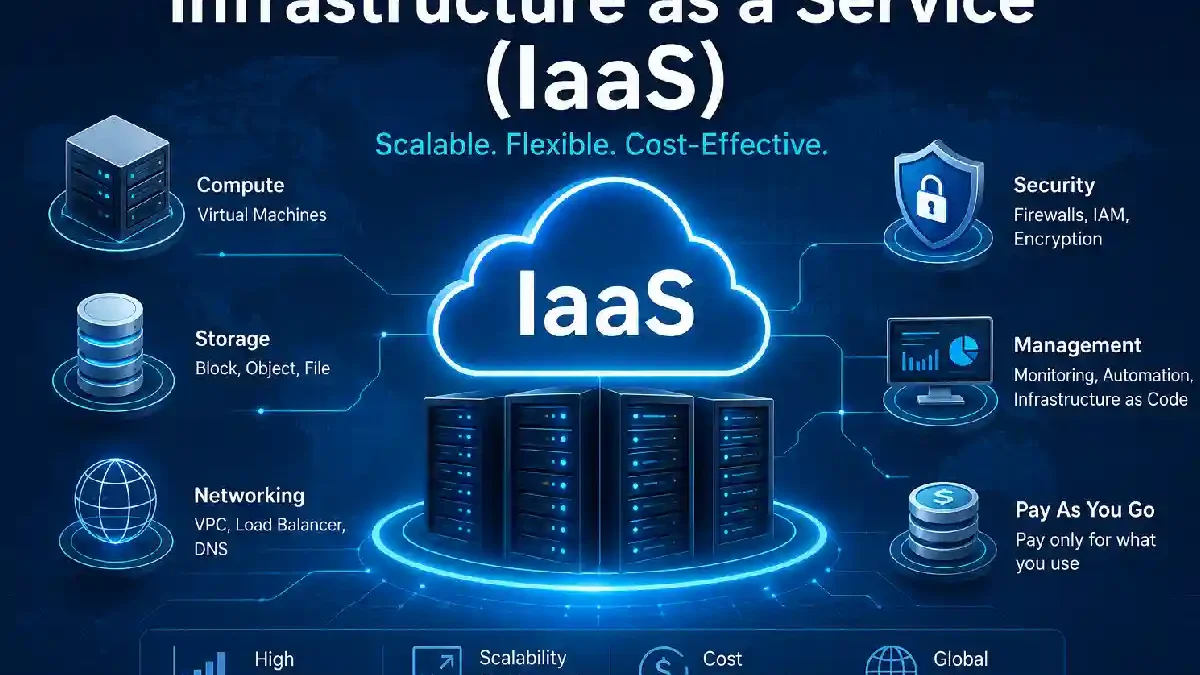
IaaS, or Infrastructure as a Service, is one of the most important cloud computing model in today‘s world of modern Information Technology (IT). Instead of buying costly servers, organization can simply rent virtual hardware instances, storage and network configurations.
In 2026, IaaS is still expanding at an impressive rate as enterprises embrace a cloud-first approach to compute, place AI workloads on IaaS, run disaster recovery on it, and host applications on IaaS infrastructures with the ability to scale. The worldwide market for IaaS was valued at over US$171 billion according to Gartner. Continues to be the case.
If you are an enterprise, startup, or IT person, you need to know about IaaS – it is a must for constructing scalable, affordable infrastructure.
 This article is part of
Service Models Resources
Table of Contents
What Is Infrastructure as a Service?
IaaS is a popular form of cloud computing that provides virtual servers or infrastructure remotely.
Instead of owning physical hardware, users rent:
- Virtual servers
- Storage systems
- Networking infrastructure
- Load balancers
- Firewalls
- Operating systems
Cloud provider is responsible for the hardware. End customer is responsible of application, OS and parameters.
Simple Example
Instead of buying a $20,000 server:
- Sign up with AWS, Azure, or Google Cloud
- Launch a virtual machine in minutes
- Pay only for what you use
This eliminates large upfront investments and increases flexibility.
Infrastructure as a Service (IaaS) is one of the core cloud service models that enables organizations to access scalable computing resources without investing in physical infrastructure.
How IaaS Works
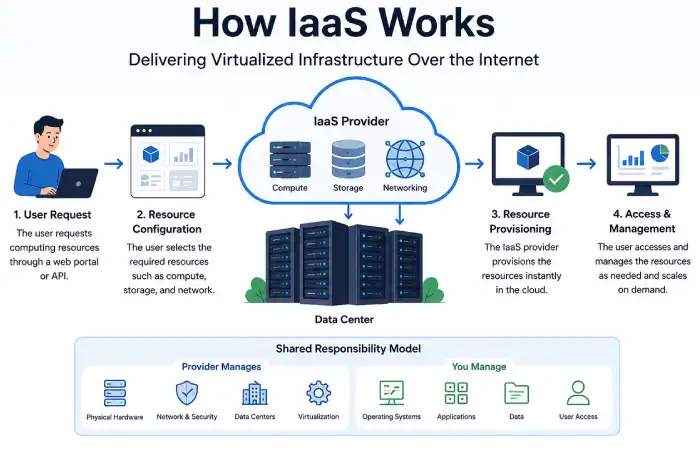
The Computing Infrastructure IaaS provides will involve many thousands of physical servers, all housed within sprawling data centers.
The servers are split into several virtual machines (VMs) by utilizing virtualization technology.
Typical Workflow
- User requests computing resources
- Provider allocates virtual infrastructure
- Resources are accessed via dashboard or API
- Usage is monitored and billed monthly
Shared Responsibility Model
| Provider Manages | Customer Manages |
| Physical servers | Applications |
| Networking hardware | Data |
| Data centers | Operating systems |
| Cooling & power | Security configurations |
| Hypervisors | User access |
Key Components of IaaS
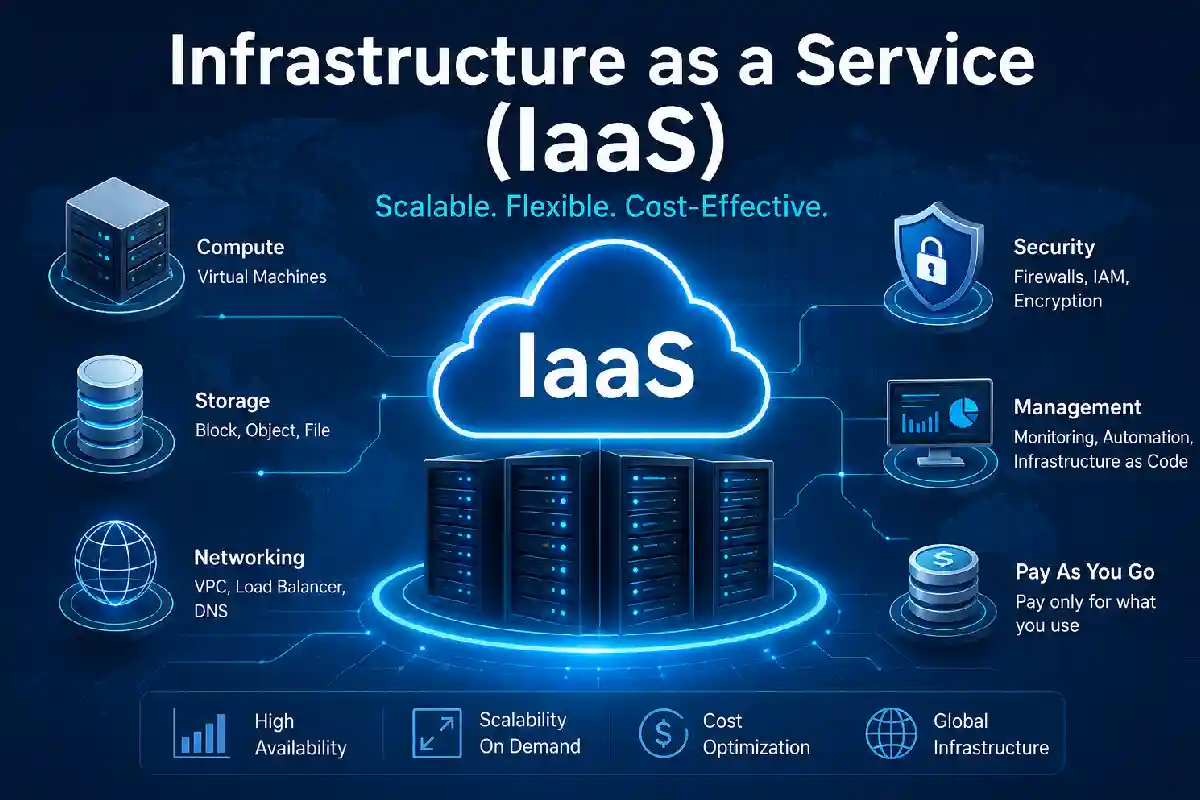
- Compute Resources
Hardware dedicated to running applications, such as virtual machines, GPU‘s and containers.
Examples:
- Amazon EC2
- Azure Virtual Machines
- Google Compute Engine
- Storage
Cloud Storage (for files, databases, backups, etc.).
Types:
- Block Storage
- Object Storage
- File Storage
- Networking
Offers secure communication between cloud resources.
Includes:
- Virtual Private Clouds (VPCs)
- VPNs
- Load Balancers
- DNS Services
- Security Services
Identity management, encryption, firewalls, and monitoring tools.
While IaaS focuses on providing virtualized computing resources, Platform as a Service (PaaS) offers a complete development environment for building, testing, and deploying applications.
Benefits of IaaS
Scalability
Buyers: Accessibility to resources, whether in abundance or Scarce, and easy to access. Resources can be added or removed immediately as required.
Cost Savings
No need to buy costly equipment.
Faster Deployment
Servers can be deployed within minutes.
Global Reach
Applications can be hosted close to customers around the globe.
Business Continuity
Built-in backup and disaster recovery enhances resilience.
Key Benefits Comparison
| Feature | Traditional IT | IaaS |
| Upfront Cost | High | Low |
| Scalability | Limited | Elastic |
| Deployment Time | Weeks | Minutes |
| Maintenance | Internal Team | Provider |
| Global Expansion | Complex | Easy |
Challenges of IaaS
While IaaS is beneficial it is wise to consider possible problems.
Security Risks
Misconfigured resources are still a dominant source of cloud breach.
Vendor Lock-In
Migration between cloud providers is often painful.
Cost Management
Otherwise, cloud costs could grow expotentially.
Compliance Requirements
These industries are regulated that certain standards are maintained.
Businesses often combine IaaS with Software as a Service (SaaS) solutions to create a flexible and cost-effective cloud ecosystem.
IaaS Infrastructure and Resource Management
Cloud deployment is an ongoing activity, which needs many effective management.
Best practices include:
- Resource tagging
- Automated scaling
- Infrastructure as Code (IaC)
- Cost optimization tools
- Monitoring and logging
Popular tools:
- Terraform
- Kubernetes
- Ansible
- AWS CloudFormation
Automation is that it can eliminate human mistake and it can improve efficiency.
IaaS Security Considerations
Security continues to be of primary concern to organizations adopting cloud workloads.
Recommended Security Practices
Enable Multi-Factor Authentication (MFA)
Encrypt data at rest and in transit
Use role-based access control (RBAC)
Regularly audit permissions
Monitor suspicious activity
Implement Zero Trust architecture
Providers offer strong security, but still there is always a shared responsibility for securing your workload.
Organizations adopting modern cloud architectures may also benefit from Function as a Service (FaaS), which allows developers to run code without managing servers.
Common IaaS Use Cases
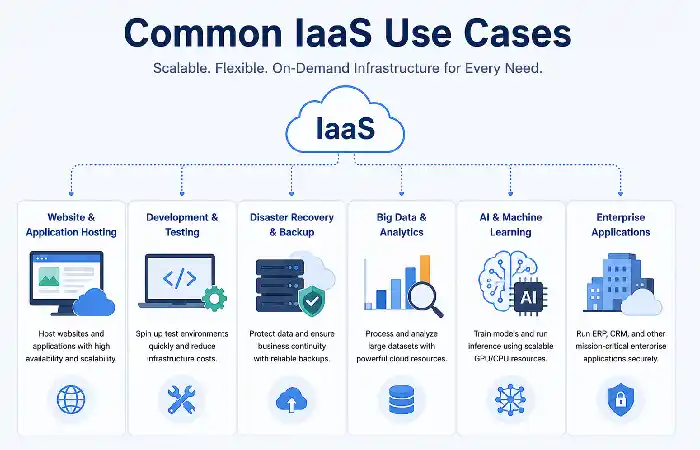
Website Hosting
Build scalable web applications.
Development and Testing
Obtain short-term environments without hardware investments.
Disaster Recovery
Your backups and failover systems are always maintained.
Big Data Analytics
Demonstrate the effective handling of large quantities of data.
AI and Machine Learning
Run GPU intensive training & inference workloads.
Enterprise Applications
Host ERP, CRM, and Sys4 decision Critical Line of Business Systems.
For remote and hybrid work environments, Desktop as a Service (DaaS) provides secure access to virtual desktops hosted in the cloud.
IaaS vs. Traditional IT Infrastructure
| Category | Traditional Infrastructure | IaaS |
| Hardware Ownership | Customer | Provider |
| Maintenance | Customer | Provider |
| Capital Expense | High | Low |
| Scalability | Limited | Unlimited |
| Deployment Speed | Slow | Fast |
| Flexibility | Moderate | High |
| Geographic Reach | Limited | Global |
Most organizations today will find IaaS to be more agile and cheaper to run.
How to Choose an IaaS Provider
Choose which provider would be best for your business needs.
Evaluation Checklist
| Factor | Importance |
| Security & Compliance | High |
| Pricing Transparency | High |
| Performance | High |
| Global Data Centers | Medium |
| AI Capabilities | Medium |
| Support Quality | High |
| Integration Options | High |
Leading IaaS Providers in 2026
| Provider | Best For | Official Website |
| Amazon Web Services (AWS) | Enterprise workloads | AWS |
| Microsoft Azure | Microsoft ecosystems | Azure |
| Google Cloud | AI and analytics | Google Cloud |
| Oracle Cloud Infrastructure | Databases & enterprise apps | Oracle |
| IBM Cloud | Hybrid cloud | IBM |
Based on industry reports, the following four IaaS clouds are ranked among top players in 2026.
IaaS Market Snapshot (2026)
| Provider | Estimated Market Share |
| AWS | 28% |
| Microsoft Azure | 21% |
| Google Cloud | 14% |
| Others | 37% |
ETZL MGTROLL Shubham Aggarwal The leading three vendors command a combined 61% of worldwide cloud infrastructure expenditure, underscoring their market leadership in the IaaS space.
Startups frequently combine scalable IaaS infrastructure with Backend as a Service (BaaS) solutions to accelerate application development.
Frequently Asked Questions
Definition of IaaS?
IaaS Infrastructures as a Service is one of the three main categories of cloud computing namely IaaS, PaaS and SaaS.
Is the AWS a set of IaaS platforms?
Yes. AWS provided IaaS services like EC2, EBS, VPC, network solutions and so on.
What is the distinction between IaaS and PaaS?
IaaS offers infrastructure resources. PaaS offers managed development platforms and application environments.
Is IaaS a good choice for small firms?
Yes, small companies can also be helped by the relatively small initial costs that are required and scalable facility.
What IaaS provider is best in 2026?
As far as providers go, AWS, Microsoft Azure and Google Cloud are still the majors by market share, ability to scale, and variety of services.
Conclusion
IaaS has been the backbone of the Cloud era. The way IaaS provides instantaneous virtualized resources to increase computing, storage, and network power and flexibility generally simplifies scaling, cuts costs, and speeds up innovation.
With continued growth in 2026 around AI adoption, cloud migration and digital transformation, selecting the ideal IaaS provider can make or break performance, security, or even business growth. Businesses that have excellent governance, security behavior and cost management strategies will be able to leverage value of the cloud infrastructure.
Kashifa Jafar is a technology writer and contributor at FutureTechExpert with 4+ years of experience in technology writing and content creation.
Read Full Bio of Author →Sameena reviews selected health, wellness, technology, and digital content for clarity, factual presentation, and reader usefulness.
Read Full Bio of Reviewer →