
 Kashifa Jafar
Technology Writer & Contributor
Kashifa Jafar is a technology writer and contributor at FutureTechExpert with 4+ years of experience in technology writing and content creation.
Read Full Bio of Author →
Kashifa Jafar
Technology Writer & Contributor
Kashifa Jafar is a technology writer and contributor at FutureTechExpert with 4+ years of experience in technology writing and content creation.
Read Full Bio of Author →
 Sameena Begum
Health, Technology & Digital Content Reviewer
Sameena reviews selected health, wellness, technology, and digital content for clarity, factual presentation, and reader usefulness.
Read Full Bio of Reviewer →
Sameena Begum
Health, Technology & Digital Content Reviewer
Sameena reviews selected health, wellness, technology, and digital content for clarity, factual presentation, and reader usefulness.
Read Full Bio of Reviewer →
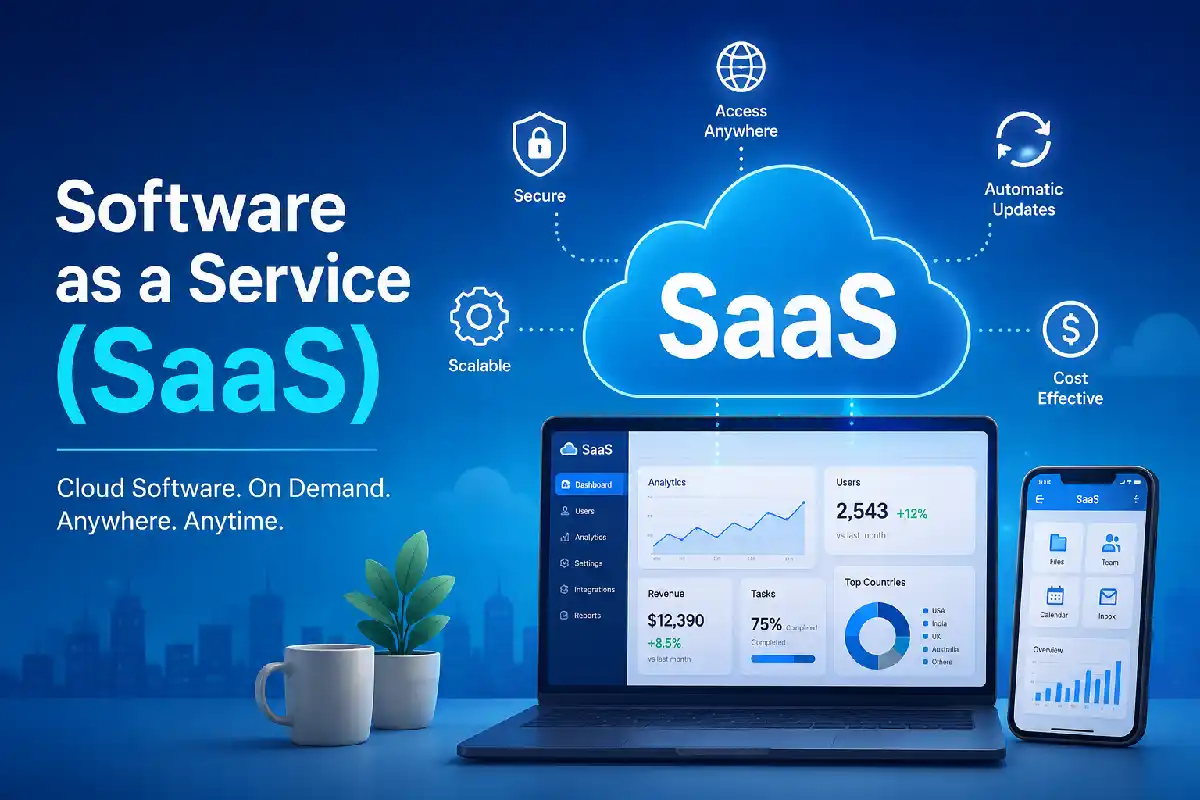
Those shifts led to software as a service (SaaS) as the de facto method of purchasing business software by 2026. SaaS business models replace box installations and bulky infrastructure requirements with an internet connection and license. SaaS models are used to support numerous digital workplace offerings including Microsoft 365, Google Workspace, Salesforce, and Zoom. According to industry estimates, 2026 will see the worldwide SaaS market reach over 375 billion U.S. dollars, driving robust growth until at least 2034.
Coming from a business owner, IT management or from a newbie perspective cloud computing and SaaS provides a comprehensive introduction and understanding of all you need to know about SaaS.
 This article is part of
Service Models Resources
Table of Contents
What Is Software as a Service?
Software as a service (SaaS): Cloud computing service model in which a provider hosts the application service and makes it available to the consumers over the Internet. Consumerviewe.g., personalEnd Usersthrough a web browser or a client applicationwithout owning any of the infrastructure including servers, storage, etc.
Popular SaaS Examples
| Category | SaaS Example |
| Productivity | Microsoft 365 |
| Collaboration | Slack |
| Video Meetings | Zoom |
| CRM | Salesforce |
| Marketing | HubSpot |
| Accounting | QuickBooks Online |
No installation and upgrade. This is one of the major benefits of SaaS compare to traditional software. All functionalities are accessible through the web interface.
SaaS is one of the most popular cloud service models, enabling users to access software applications over the internet without managing underlying infrastructure.
How SaaS Works
The service is a SaaS. The SaaS vendors give access to an application running in a cloud via a secure connection, to users over internet and users subscribe to the service via a browser or mobile application.
SaaS Architecture Flow
User Device
↓
Internet Connection
↓
SaaS Provider Platform
↓
Cloud Infrastructure
↓
Data Storage & Services
Most SaaS applications need a multi-tenancy architecture where many customers can share the infrastructure having isolated, secure data.
Key Features of SaaS
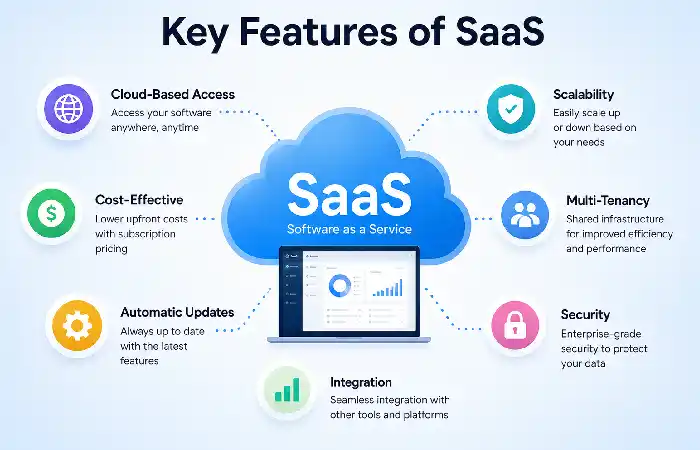
Cloud-Based Access
Availability of the service for uses anywhere with internet access.
Subscription Pricing
Prepaid plans monthly or yearly lower software costs.
Automatic Updates
The provider handles upgrading, security patches and maintenance.
Scalability
Can add or deactivate users et. al.
Cross-Device Compatibility
The applications are usable on desktops, tablets and smartphones.
While SaaS delivers fully managed applications, Platform as a Service (PaaS) provides developers with the tools and environments needed to build, test, and deploy applications efficiently.
Benefits of SaaS
Enterprises still choose to invest in SaaS for its advantages such as flexibility.
Main Advantages
| Benefit | Business Impact |
| Lower Costs | No hardware investment |
| Fast Deployment | Setup in hours instead of weeks |
| Remote Access | Supports hybrid work |
| Automatic Updates | Reduced IT workload |
| Scalability | Easy growth management |
| High Availability | Enterprise-grade uptime |
According to industry research, adoption of SaaS continues to be one of the main triggers for digital transformation for most companies worldwide.
Businesses requiring greater control over servers, storage, and networking often prefer Infrastructure as a Service (IaaS) instead of relying solely on SaaS solutions.
Challenges of SaaS
Although the benefits of using SaaS are numerous, there are some limitations businesses should be aware of.
Common Challenges
| Challenge | Solution |
| Internet Dependency | Use reliable connectivity |
| Vendor Lock-In | Review migration options |
| Subscription Costs | Monitor usage regularly |
| Integration Issues | Use APIs and connectors |
| Compliance Requirements | Verify certifications |
Proper planning minimizes these risks.
SaaS Security and Data Protection
Security is still one of the most important factors when selecting a SaaS platform.
Essential Security Features
- Multi-factor authentication (MFA)
- End-to-end encryption
- Single Sign-On (SSO)
- Data backups
- Role-based access control
- Compliance certifications
Security Checklist
| Security Area | What to Verify |
| Encryption | Data at rest and in transit |
| Compliance | GDPR, ISO 27001, SOC 2 |
| Access Control | User permissions |
| Monitoring | Activity logging |
| Disaster Recovery | Backup procedures |
Top SaaS companies know how to spend big on cybersecurity.
Organizations building event-driven applications can combine SaaS platforms with Function as a Service (FaaS) to execute code automatically in response to specific triggers.
SaaS Integration and Accessibility
Today‘s enterprises use various software packages at the same time. So, integration features are important.
Common Integrations
- CRM systems
- Marketing platforms
- Accounting software
- Customer support tools
- Payment gateways
- ERP systems
Powerful integration capabilities enhance workflow automation and manual work depletion.
Common SaaS Use Cases
Thanks to the advantages of SaaS such as flexible, scalable and inexpensive, SaaS has been integrated into the business process of modern business.
SaaS services application are used by various range of organizations based on the requirement of the various individual organizations. Itapplications are used by all kinds of organizations to make their workflows more efficient, facilitates better collaboration, automate their various internal and external operations and delivers exceptional customer experience. SaaS applications can be used by any range of organization say smallest of business to largest of business.
Business Applications
| Use Case | Examples |
| Customer Management | Salesforce |
| Team Collaboration | Slack |
| Video Conferencing | Zoom |
| Project Management | Asana |
| Human Resources | Workday |
| Accounting | QuickBooks Online |
Industry Applications
- Healthcare management
- Financial services
- Retail operations
- Education platforms
- Manufacturing workflows
Remote and hybrid workforces frequently benefit from integrating SaaS applications with Desktop as a Service (DaaS) solutions that provide secure virtual desktop access.
SaaS vs. PaaS vs. IaaS
Knowing the models of cloud service enables businesses to make the most suitable choices.
| Feature | SaaS | PaaS | IaaS |
| Infrastructure Managed By | Vendor | Vendor | Customer |
| Application Managed By | Vendor | Customer | Customer |
| Ease of Use | Highest | Medium | Lowest |
| Technical Expertise Needed | Low | Medium | High |
| Examples | Microsoft 365 | Google App Engine | AWS EC2 |
How to Choose a SaaS Solution
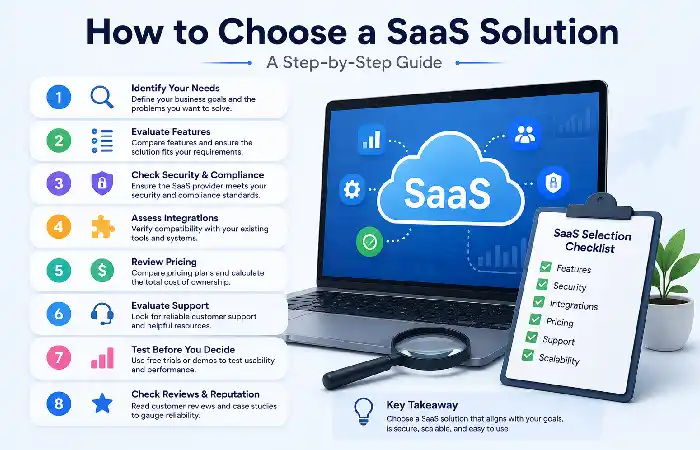
Choosing the most suitable SaaS application for your organization can have a direct effect on the productivity, security and growth for both the present and future. By 2026 there will have been 7685 applications available in the cloud so business should consider their options very carefully prior to any purchase.
Evaluation Framework
| Criteria | Questions to Ask |
| Security | Are certifications available? |
| Pricing | Does the plan fit your budget? |
| Integrations | Does it connect to existing tools? |
| Scalability | Can it grow with your business? |
| Support | Is 24/7 assistance available? |
| Reliability | What uptime SLA is offered? |
Best Practice
Always try a free demo before subscribing to a great long-term contract.
To accelerate application development, many teams pair SaaS products with Backend as a Service (BaaS), which simplifies backend infrastructure management.
SaaS Market Trends in 2026
The SaaS industry continues evolving rapidly.
| Trend | Impact |
| AI-Powered SaaS | Automation and productivity gains |
| Vertical SaaS | Industry-specific solutions |
| Low-Code Platforms | Faster application development |
| Enhanced Security | Zero-trust architectures |
| Hyper-Automation | Reduced manual workflows |
Expected to grow strongly in double digits over the next ten years, the global SaaS market is expected to be a fast growing industry on the back of cloud consumption and AI evolution.
FAQ
What does SaaS mean?
SaaS is a abbreviation for software as a service it is cloud delivering software that are delivered via internet.
Is SaaS superior to conventional software?
SaaS provides a better value-for-money for most organizations:lower cost,easily manageable andable to scale.
What cases is SaaS?
Common examples of SaaS applications are Microsoft 365, Salesforce, Zoom, Slack, Google Workspace, and HubSpot.
Is SaaS secure?
Yes, in cases where provider us such secure means as Encryption, MFA, Compliance controls, Continuous monitoring.
What is the contrast between SaaS and cloud computing?
SaaS is a category of service offered through the cloud. There are other types of service solutions such as PaaS and IaaS.
Conclusion
SaaS has led a transformational change in the way application software is purchased, deployed and administered. SaaS has reduced infrastructure management burden, lowered costs and offers fast time-to-market to meet the dynamic needs of customers. Today an Application software‘s delivery mode is dominated by SaaS for Small and Large Enterprise customers. In 2026, the next wave of advancements of AI, automation and cloud computing will ensure SaaS solutions to be the basis of any digital transformation.
Kashifa Jafar is a technology writer and contributor at FutureTechExpert with 4+ years of experience in technology writing and content creation.
Read Full Bio of Author →Sameena reviews selected health, wellness, technology, and digital content for clarity, factual presentation, and reader usefulness.
Read Full Bio of Reviewer →