
 Kashifa Jafar
Technology Writer & Contributor
Kashifa Jafar is a technology writer and contributor at FutureTechExpert with 4+ years of experience in technology writing and content creation.
Read Full Bio of Author →
Kashifa Jafar
Technology Writer & Contributor
Kashifa Jafar is a technology writer and contributor at FutureTechExpert with 4+ years of experience in technology writing and content creation.
Read Full Bio of Author →
 Sameena Begum
Health, Technology & Digital Content Reviewer
Sameena reviews selected health, wellness, technology, and digital content for clarity, factual presentation, and reader usefulness.
Read Full Bio of Reviewer →
Sameena Begum
Health, Technology & Digital Content Reviewer
Sameena reviews selected health, wellness, technology, and digital content for clarity, factual presentation, and reader usefulness.
Read Full Bio of Reviewer →
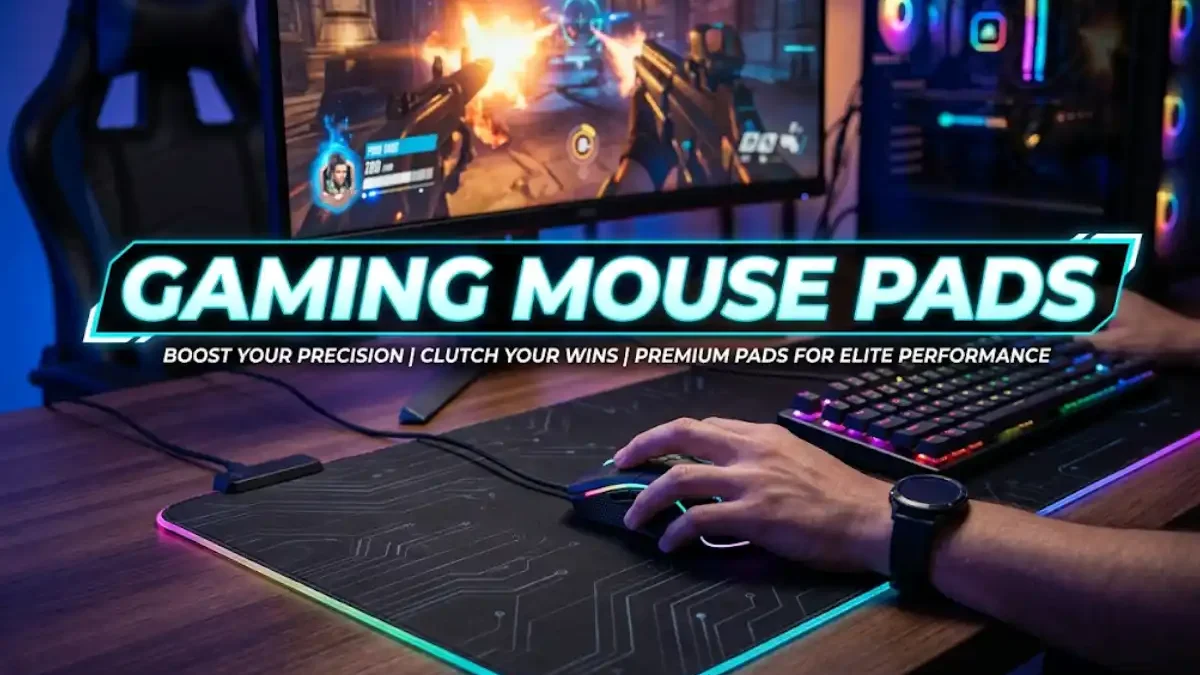
Gaming mouse pads offer consistent surfaces, ensuring accurate mouse tracking and providing a smoother and more controllable experience. Almost any modern gaming mouse is able to track on a desk; however, using the right gaming mouse pad may make your mouse movements more predictable and more comfortable particularly during long FPS, MOBA, MMO, or competitive gaming sessions.
But not the most expensive mouse pad. Factors of what a great choice of mouse pad are surface type, dimension, thickness, glide and stop, desk space and even the sensitivity of your mouse. Let us take a look in this guide.
 This article is part of
Gaming Gadgets Resources
Table of Contents
What Are Gaming Mouse Pads?
A gaming mouse pad is a surface the computer mouse rests upon. Gaming mouse pads often differ from office mouse pads in that they are often designed to provide improved tracking, smoother glide, higher durability, and more stability.
Materials are typically: woven material, rubber, plastics, silicon, glass, and hybrid surfaces.
By 2026, we have everything from basic cloth budget pads to gigantic desk mats, RGB gaming surfaces and even glass/wireless charging surfaces. Big testing guides, such as PC Gamer and Tom‘s Hardware, cater for the entire range rather than just one surface type.
A mouse pad is only one part of a complete setup. Explore these gaming accessories to build a more comfortable and responsive gaming station.
Why a Gaming Mouse Pad Matters
It allows the mouse sensor to track across a reliable surface. This is particularly important when doing the same movements or when micro-adjusting in a low-sensitivity setup.
When playing competitive FPS games a stable pad may be able to assist with the consistency of your muscle memory. When casually gaming it may even assist with less friction between your mouse and desk and a more comfortable surface to place your forearm on.
The biggest benefits include:
- Consistent mouse tracking
- Predictable glide and stopping
- Better control during low-sensitivity gaming
- Reduced desk friction
- Improved comfort during long sessions
- Protection for both desk and mouse feet
Still, a premium pad won‘t fix inadequate sensitivity settings or an improper mouse. They should be treated as one component of the entire input system and not a stage magic performance enhancer.
For competitive gaming, pair a smooth mouse surface with responsive gaming keyboards that provide fast and consistent input.
Hard vs. Soft Mouse Pads
Soft cloth and hard-surface mouse pads are the two major alternatives.
| Feature | Soft/Cloth | Hard |
| Feel | Cushioned | Firm |
| Glide | Usually controlled | Usually faster |
| Portability | Easy to roll | Less flexible |
| Cleaning | Requires more care | Generally easier |
| Noise | Usually quieter | Can produce more sound |
| Comfort | Better for many users | Depends on preference |
| Best for | General gaming, FPS | Fast movements and speed-focused users |
The safest option to start with is a soft pad, as it provides a good medium of speed and control, that is not as unforgiving as a hard pad. Some people may be drawn to a hard pad if it provides very fast, smooth movement.
Take the example that PC Gamer is showing the different materials, (cloth, hard plastic, glass), separately now as the feel of the surface is different for each individual.
The right combination of gaming mice and mouse pads can improve tracking consistency, glide, and overall mouse control.
Large and Extended Gaming Mouse Pads
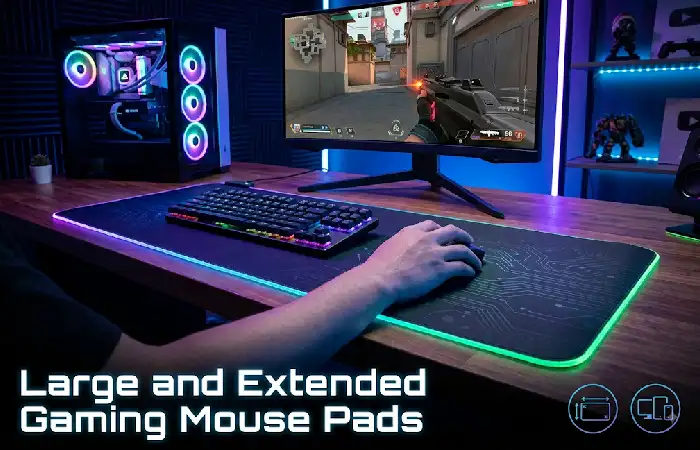
A long mouse pad would provide space for both the keyboard and mouse. Models like this would cover a large majority of the desktop space of a gaming desk.
This is especially useful for low DPI or low sensitivity FPS gamers using arm movements to flick across their pad.
Tom‘s Hardware mentions that gaming pads are often more extensive than a typical mouse-only model, where a bigger setup would include space for keyboard and mouse.
Common size categories
| Size | Approximate use | Best for |
| Medium | Mouse only | Small desks |
| Large | Mouse + extra movement area | Most gamers |
| XL | Keyboard + mouse | FPS and desktop setups |
| XXL/Desk Mat | Large desk coverage | Low sensitivity and aesthetic setups |
Always measure your desk prior to purchasing an oversized mousepad. It‘s pointless to get a big mousepad that cannot lie totally flat.
A good gaming setup also needs clear audio, so consider gaming headsets for immersive sound and reliable voice communication.
Speed vs. Control Mouse Pads
This is one of the most critical choices for serious gamers.
Speed pads incorporate a slicker material that lets your mouse glide around rapidly. These are great for fast flicks, and people who really don‘t like having any friction.
A control pad offers more resistance making it much simpler to slow down the mouse and stop it very accurately.
No one method is best.
If you often aim beyond the targets then a control surface might feel more comfortable. Conversely if your mouse feels slow during rapid flicks a speed surface might be a better choice.
TechGearLab‘s test criteria also takes into accounttracking, speed and stopping power.This goes hand in hand with what was previously mentioned as being more helpful than simply determining a mouse pad by its aesthetics alone.
While mouse and keyboard are ideal for many PC games, gaming controllers can be more comfortable for racing, sports, platform, and controller-friendly titles.
RGB Gaming Mouse Pads
RGB mouse pads will include lighting around the surface of the mouse pad in the form of illuminated edges or lighting zones. They‘re more for looks rather than increasing performance in games.
Make sense, if keyboard, mouse and PC already work with synchronized light.
When choosing RGB, check:
- Number of lighting zones
- Lighting controls
- Cable placement
- Software compatibility
- Edge construction
- Whether the lighting controller adds desk clutter
The points singled out by Tom‘s Hardware for RGB implementation is lighting zones, edges and how durable they were, plus the software to run RGB.
Your mouse pad and mouse work best alongside responsive gaming monitors with suitable refresh rates and response times.
Mouse Pads for FPS Gaming
Generally, FPS players prefer a pad with consistent tracking and enough space for wide movements.
The best option is usually a large cloth/hybrid pad, particularly if you play with very low mouse sensitivity.
Pro player data can be equally insightful. According to ProSettings thousands of pro players were surveyed on their mouse pad use and common models listed are the Artisan Ninja FX Zero, Razer Gigantus V2, SteelSeries QcK Heavy and Logitech G640.
Keep in mind, though, that professional-player preferences should be taken as information, not as gospel to dictate purchases.
Choosing the Right Mouse Pad Size
The size will be based upon your mouse sensitivity and available space on your desk
If you use a high sensitivity setting and your wrist is where all the movement comes from then a medium pad could work well enough. If you use a low sensitivity setting and rely on full arm movement then an XL/extended pad will afford a much more ample playing area.
Before buying, measure:
- Available desk width
- Available desk depth
- Keyboard footprint
- Mouse movement area
- Cable and monitor placement
If a pad is too large and extends over the edge of the desk it may be uncomfortable and not lie flat.
How to Choose a Gaming Mouse Pad
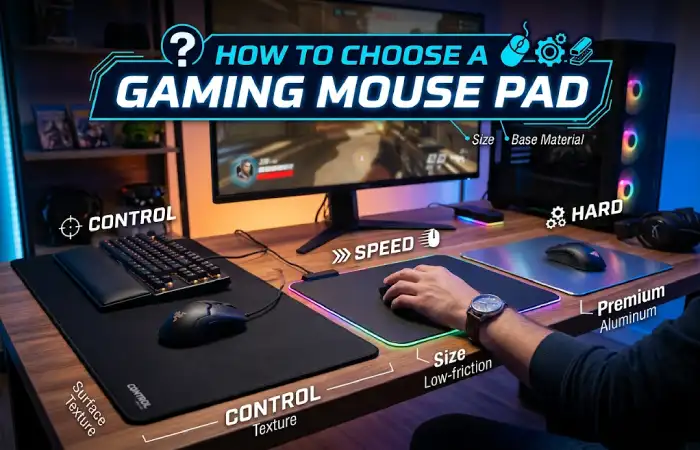
Use this simple decision process:
| Your priority | Recommended direction | Example category |
| Affordable all-rounder | Soft cloth | SteelSeries QcK-type pad |
| FPS precision | Control/balanced cloth | Large or XL control pad |
| Fast movement | Speed/hard | Hard or speed surface |
| Maximum desk coverage | Extended | XL/XXL desk mat |
| RGB setup | RGB soft/hard | RGB gaming mat |
| Easy cleaning | Hard surface | Plastic or glass |
| Competitive esports | Proven cloth/control | Large performance pad |
A comparison of buying guides from the year 2026 show that SteelSeries QcK is still favored as the general all-purpose choice in current buying guides. Higher-end categories consist of the glass, hard and RGB QcK models.
There is also a huge range of prices available at the moment, with a price of between a few hundred and several thousand rupees for budget pads and high performance pads respectively for Indian buyers.
Gaming Mouse Pad Care and Cleaning
Regular cleaning should also maintain surface consistency, possibly prolonging life span of pad.
For a cloth pad:
- Remove loose dust first.
- Use mild soap and lukewarm water when necessary.
- Gently clean rather than aggressively scrubbing.
- Rinse thoroughly.
- Allow it to air-dry completely before gaming.
Do not replace a wet cloth pad back on your desk as the trapped moisture can ruin the backing or produce an unpleasant smell.
Hard surfaces tend to wipe clean readily, however, care instructions from manufacturer should be followed at all times.
2026 Gaming Mouse Pad Buying Snapshot
| Category | Best suited to | Key consideration | Resource |
| Cloth | Most gamers | Balanced glide and comfort | PC Gamer 2026 guide |
| Hard | Speed-focused players | Fast glide and firm surface | PCGamesN gaming mouse pad guide |
| XL/Extended | Low-sensitivity FPS | Desk dimensions | Tom’s Hardware mouse pad guide |
| RGB | Aesthetic-focused setups | Lighting quality/software | Tom’s Hardware RGB mouse pad guide |
| Esports-focused | Competitive players | Surface consistency | ProSettings gaming mousepad data |
FAQs About Gaming Mouse Pads
Are gaming mouse pads good value?
Definitely, especially if the gamer wants predictable movement, a smooth surface and precise, constant tracking. You don‘t have to buy an expensive model in order to gain from these points.
Hard or soft mouse pad?
Both are neither good nor bad. The performance and feel of a soft pad are typically consistent and comfortable; that of a hard pad is quicker.
Which size of gaming mousepad should I get?
Go with whatever fits your desk size and comfort level best. A more passive FPS gamer would do best with larger sizes and an active player could do well with medium sizes
Are RGB mouse pads better for gaming?
RGB illumination itself does not help with the tracking of a mouse. The only reason to get RGB is for aesthetic looks, and possibly because it is a part of a peripheral ecossytem, not performance.
Which are the best gaming mousepads for FPS?
The choice of a large, reliable cloth or hybrid with good speed/control ratio is the place to start. Competitors will find it useful to experiment with surface friction and size as they will offer an edge for different aim styles.
How frequently must I clean a gaming mousepad?
The more you play, the more often you may need to clean, if you begin to notice dust, oils or visible dirt affecting the playing surface.
Final Verdict
The best gaming mouse pads aren‘t necessarily the most expensive though. You need to base it on your gaming style, mouse DPI sensitivity, size of desk space and the desired glide.
For beginners, it‘s generally safest to start with a large-sized pad with an even, all-around surface. An FPS player that uses very low sensitivity will benefit more from surface area, while a faster mouse user could lean towards harder/smoother surfaces. The RGB is for show and for desktop lighting.
The best trick is consistency. It will mean having the right pad which allows your mouse to move along smoothly, but without a lack of friction, lack of space, or excessive friction.
Kashifa Jafar is a technology writer and contributor at FutureTechExpert with 4+ years of experience in technology writing and content creation.
Read Full Bio of Author →Sameena reviews selected health, wellness, technology, and digital content for clarity, factual presentation, and reader usefulness.
Read Full Bio of Reviewer →