
 Kashifa Jafar
Technology Writer & Contributor
Kashifa Jafar is a technology writer and contributor at FutureTechExpert with 4+ years of experience in technology writing and content creation.
Read Full Bio of Author →
Kashifa Jafar
Technology Writer & Contributor
Kashifa Jafar is a technology writer and contributor at FutureTechExpert with 4+ years of experience in technology writing and content creation.
Read Full Bio of Author →
 Sameena Begum
Health, Technology & Digital Content Reviewer
Sameena reviews selected health, wellness, technology, and digital content for clarity, factual presentation, and reader usefulness.
Read Full Bio of Reviewer →
Sameena Begum
Health, Technology & Digital Content Reviewer
Sameena reviews selected health, wellness, technology, and digital content for clarity, factual presentation, and reader usefulness.
Read Full Bio of Reviewer →
Home Internet Services are so ingrained in our life today for work, streaming, online learning, gaming, and other smart home uses, that it‘s difficult to imagine life without them. However, if you are considering upgrading your current service or getting an internet provider for the first time, the following information may be useful.
Consumers today have multiple connected devices operating concurrently. Whether it‘s streaming in stunning 4K, engaging in video conference calls, relying on security cameras or accessing cloud gaming, the selection of an internet service has a profound effect on the experience.
What this guide covers, in terms of home internet service, the required speed, optimizing a home Wi-Fi network, and selecting the most suitable provider for one‘s household.
 This article is part of
Internet & Connectivity Resources
Table of Contents
What Are Home Internet Services?
Home internet services provide residential users with internet connectivity through various technologies, including:
- Fiber-optic networks
- Cable broadband
- DSL connections
- Fixed wireless internet
- 5G home internet
- Satellite internet
Internet providers: enable access through the hard-wired network or by using the wirelessnetworksuch that devices within the home can connect to the internet, use cloud services and communicate.
Home internet users rely on modern internet services to stay connected for work, streaming, gaming, and communication.
Types of Home Internet Connections
Comparison of Internet Technologies (2026)
| Connection Type | Typical Speed | Latency | Reliability | Best For |
| Fiber | 300 Mbps – 10 Gbps | Very Low | Excellent | Heavy users, gaming, streaming |
| Cable Broadband | 100 Mbps – 1 Gbps | Low | Very Good | Families |
| DSL | 10–100 Mbps | Medium | Moderate | Light internet usage |
| Fixed Wireless | 50–300 Mbps | Medium | Good | Rural areas |
| 5G Home Internet | 100–1000 Mbps | Low | Good | Urban and suburban users |
| Satellite | 25–250 Mbps | High | Moderate | Remote locations |
Official Resources
| Resource | Link |
| FCC Broadband Guide | FCC Broadband Consumer Guide |
| Internet Society | Internet Society |
| Broadband Facts | FCC Broadband Labels |
Fiber Internet for Home
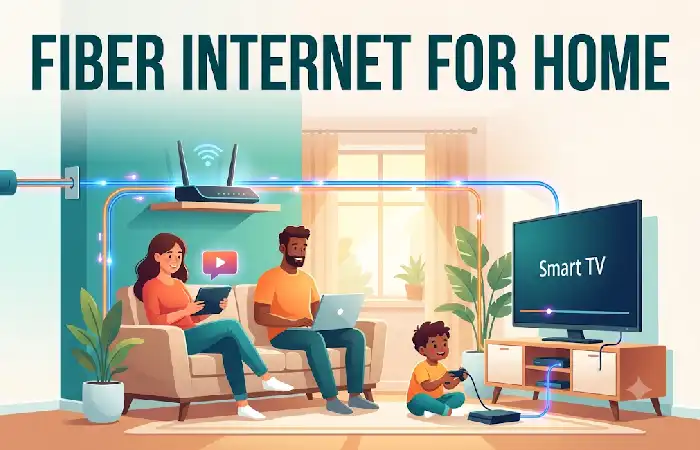
The fiber internet means that the internet is connection through fiber-optic cables.
Benefits of Fiber Internet
- Symmetrical upload and download speeds
- Extremely low latency
- Supports smart homes
- Excellent for remote work
- Future-proof infrastructure
Ideal Uses
- 4K and 8K streaming
- Cloud gaming
- Video conferencing
- Content creation
- Large file transfers
For a vast majority of household products requiring peak performance, fiber is still king.
For the fastest and most reliable experience, many households are switching to fiber internet connections that deliver higher speeds and lower latency.
Broadband Internet for Home
It is the common term for a high-speed, always-on connection to the internet.
Broadband technologies include:
- Fiber
- Cable
- DSL
- Fixed Wireless
Advantages
- Wide availability
- Affordable plans
- Suitable for most households
- Multiple speed options
Some providers still position cable broadband as their main residential internet service.
Comparing different internet service providers can help homeowners find the best combination of speed, coverage, and affordability.
Wireless Home Internet
The use of internet services wirelessly has increased dramatically in 2026 with more 5G networks emerging.
Types of Wireless Internet
Fixed Wireless
Uses local towers to send internet info to a receiver in your house.
5G Home Internet
Utilizes the cellular 5G network infrastructure to offer a broadband-like connection not requiring the investment associated with running cable.
Pros
- Easy installation
- No extensive wiring
- Flexible plans
- Fast deployment
Cons
- Signal strength may vary
- Performance depends on tower congestion
Choosing the Right Internet Speed
Most houses buy too much speed.
Recommended Speeds by Household Size
| Household Type | Recommended Speed |
| Single User | 100 Mbps |
| Couple | 200 Mbps |
| Small Family | 300–500 Mbps |
| Large Family | 500 Mbps–1 Gbps |
| Smart Home + Gamers | 1 Gbps+ |
Activity-Based Speed Recommendations
| Activity | Recommended Speed |
| Web Browsing | 25 Mbps |
| HD Streaming | 25–50 Mbps |
| 4K Streaming | 50–100 Mbps |
| Online Gaming | 100+ Mbps |
| Video Calls | 50 Mbps |
| Multiple Users | 300+ Mbps |
Home Wi-Fi Setup
A well-structured Wi-Fi network is essential for a good and fast internet connection.
Best Practices
- Place the router centrally.
- Avoid walls and metal obstructions.
- Use Wi-Fi 6 or Wi-Fi 7 equipment.
- Secure the network with WPA3 encryption.
- Update firmware regularly.
- Use mesh Wi-Fi systems for large homes.
Recommended Home Network Layout
| Home Size | Recommended Setup |
| Apartment | Single Router |
| Small House | Wi-Fi 6 Router |
| Large House | Mesh Wi-Fi System |
| Multi-Floor Home | Tri-Band Mesh Network |
Internet Plans for Families
The demands for bandwidth can be maximum at homes because of multiple users and a number of connected devices.
Typical Connected Devices in 2026
| Device Type | Average Devices |
| Smartphones | 4–6 |
| Smart TVs | 2–4 |
| Laptops | 2–5 |
| Tablets | 2–4 |
| Smart Home Devices | 10–50+ |
Family-Friendly Features
- Unlimited data
- Gigabit speeds
- Mesh Wi-Fi support
- Parental controls
- Security software
Evaluating available broadband internet plans is an important step when choosing a home internet solution that fits your needs and budget.
Improving Home Internet Performance
Even with a high speed connection there can be sluggishness.
Common Problems
| Problem | Solution |
| Slow Wi-Fi | Reposition router |
| Dead Zones | Install mesh Wi-Fi |
| Frequent Disconnects | Update firmware |
| Buffering | Upgrade speed plan |
| High Latency | Use Ethernet connection |
Quick Troubleshooting Checklist
- Restart router
- Check cable connections
- Run a speed test
- Update router firmware
- Reduce device congestion
- Contact provider support
Understanding internet speed and performance factors can help improve video streaming, online gaming, and remote work productivity.
Choosing a Home Internet Provider
Before you sign up, compare the various providers on each of the following
Provider Evaluation Checklist
| Factor | Importance |
| Speed Availability | High |
| Reliability | High |
| Pricing | High |
| Customer Support | Medium |
| Data Caps | Medium |
| Contract Terms | Medium |
Questions to Ask
- Is fiber available at my address?
- Are there data limits?
- What equipment fees apply?
- Are promotional rates temporary?
- What upload speeds are offered?
Investing in reliability and quality of service is frequently more economical in the long run than minimizing the price.
Reliable internet connectivity solutions ensure uninterrupted access to online services across all your devices and smart home systems.
Home Internet Service Comparison (2026)
| Feature | Fiber | Cable | 5G Home Internet |
| Speed | Excellent | Very Good | Good |
| Reliability | Excellent | Very Good | Good |
| Upload Speed | Excellent | Moderate | Good |
| Gaming | Excellent | Good | Good |
| Streaming | Excellent | Excellent | Good |
| Remote Work | Excellent | Good | Good |
FAQ
Which home internet service is right for you?
Fiber internet typically delivers the fastest speeds, lowest latency, and most reliability.
What is the required amount of internet bandwidth for a family?
Most households will manage with 300–500 Mbps, while larger families might need the gigabit options.
Is 5G home internet superior to cable?
It depends on coverage and congestion in network. Fiber is the best option, if accessible.
What leads to sluggish home internet?
Typical reasons may be Wi-Fi interference, tired hardware, network congestion, too few resources.
Are there ways to enhance my Wi-Fi without having to upgrade my plan?
Yes. Better placement of routers, new hardware and mesh systems can all enhance performance.
Conclusion
Home Internet still is changing at a rapid pace. Fiber, broadband, and wireless are enabling faster and more reliable services than in the past. Learn what the difference is from place to place, determine your speed needs, optimize your home wireless, and compare providers before jumping in, and your home network can be ready to support everything you do for years to come.
Kashifa Jafar is a technology writer and contributor at FutureTechExpert with 4+ years of experience in technology writing and content creation.
Read Full Bio of Author →Sameena reviews selected health, wellness, technology, and digital content for clarity, factual presentation, and reader usefulness.
Read Full Bio of Reviewer →