
 Kashifa Jafar
Technology Writer & Contributor
Kashifa Jafar is a technology writer and contributor at FutureTechExpert with 4+ years of experience in technology writing and content creation.
Read Full Bio of Author →
Kashifa Jafar
Technology Writer & Contributor
Kashifa Jafar is a technology writer and contributor at FutureTechExpert with 4+ years of experience in technology writing and content creation.
Read Full Bio of Author →
 Sameena Begum
Health, Technology & Digital Content Reviewer
Sameena reviews selected health, wellness, technology, and digital content for clarity, factual presentation, and reader usefulness.
Read Full Bio of Reviewer →
Sameena Begum
Health, Technology & Digital Content Reviewer
Sameena reviews selected health, wellness, technology, and digital content for clarity, factual presentation, and reader usefulness.
Read Full Bio of Reviewer →
Internet Speed and Performance effect everything you do online whether it is watching video, attending video conference, playing online game or doing working on the cloud. Find out more about Internet Speed and Performance to choose the right internet service plan, troubleshoot connectivity issues or enhance your home network setup.
By 2026, as people access the Internet more and more; consumers will expect speed and high quality connection to the Internet but not only that, they will need reliability between users and less packet-loss, low latency, low network saturation and high quality Wi-Fi conditions.
 This article is part of
Internet & Connectivity Resources
Table of Contents
What Is Internet Speed?
Internet speed is how fast data travels from your device to the internet and back again. It affects how fast you can load pages, stream videos, download files, play online games and use cloud-based applications. Usually Internet speed is measured in terms of megabits per second (Mbps) or gigabits per second (Gbps).
It is commonly measured in:
- Megabits per second (Mbps)
- Gigabits per second (Gbps)
Higher speeds allow users to:
- Load websites faster
- Stream videos smoothly
- Download files quickly
- Support multiple connected devices
Common Speed Categories
| Speed Tier | Download Speed | Best For |
| Basic | 25 Mbps | Browsing, email |
| Standard | 100 Mbps | Small households |
| Fast | 300 Mbps | Streaming, gaming |
| Very Fast | 500 Mbps | Smart homes |
| Gigabit | 1000+ Mbps | Heavy users and remote work |
Helpful Resources
| Resource | Purpose |
| FCC Broadband Guide | Official broadband recommendations |
| Cloudflare Speed Test | Speed and latency testing |
Understanding internet speed starts with learning how modern internet services deliver data across residential and business networks.
Download Speed vs Upload Speed
There are many other factors but the most common one quoted is download speed and this is quite important but at the same time upload speed is equally important.
| Feature | Download Speed | Upload Speed |
| Streaming | ✓ | |
| Browsing | ✓ | |
| Video Calls | ✓ | ✓ |
| Cloud Backups | ✓ | |
| Livestreaming | ✓ | |
| Remote Work | ✓ | ✓ |
Typical Requirements
| Activity | Download | Upload |
| HD Streaming | 5 Mbps | 1 Mbps |
| 4K Streaming | 25 Mbps | 3 Mbps |
| Zoom Calls | 10 Mbps | 5 Mbps |
| Online Gaming | 10 Mbps | 3 Mbps |
| Livestreaming | 25 Mbps | 10 Mbps |
What Is a Good Internet Speed?
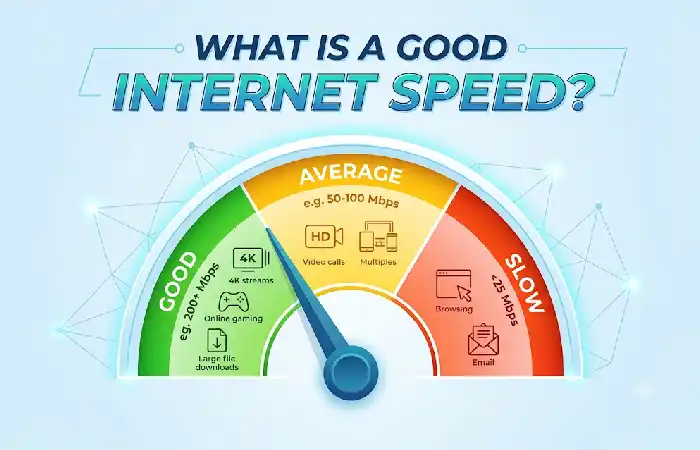
Good internet speed does vary by the number of users on your internet connection, the amount of connected devices, and the nature of the online activities you engage in regularly. For basic browsing and email use, you can expect an internet connection to require a somewhat modest bandwidth. Conversely, for it to be suitable for 4k streaming, online gaming, visual conferencing and cloud computing, you would need an internet connection of much greater speed and reliability.
Recommended Speeds for 2026
| Household Type | Recommended Speed |
| 1–2 Users | 100 Mbps |
| 3–4 Users | 300 Mbps |
| 5+ Users | 500 Mbps+ |
| Remote Workers | 300 Mbps+ |
| Gamers | 300–1000 Mbps |
| Smart Homes | 500 Mbps+ |
Pro Tip
A gigabit plan is not for tech types anymore. Households with many devices can still take advantage of 1 Gbps service.
A fiber internet connection typically provides faster speeds, lower latency, and greater reliability than older network technologies.
How Internet Speed Is Measured
Internet performance involves several metrics:
| Metric | Meaning |
| Download Speed | Receiving data |
| Upload Speed | Sending data |
| Latency (Ping) | Response time |
| Jitter | Consistency of connection |
| Packet Loss | Lost data packets |
Performance Benchmarks
| Metric | Excellent | Good | Poor |
| Ping | <20 ms | 20-50 ms | >100 ms |
| Jitter | <10 ms | 10-20 ms | >30 ms |
| Packet Loss | 0% | <1% | >2% |
Factors That Affect Internet Speed
A fast internet connection may not be as fast as you think for many reasons, such as:
Network Factors
- ISP congestion
- Peak usage hours
- Server distance
- Network routing
Home Factors
- Old routers
- Wi-Fi interference
- Too many connected devices
- Poor router placement
Device Factors
- Outdated hardware
- Background downloads
- Malware infections
- Software updates
Optimizing your home internet setup can significantly improve streaming, gaming, and remote work performance.
How to Test Internet Speed
Regularly testing your connection can help diagnose faults.
Recommended Speed Test Tools
| Tool | Features |
| Ookla Speedtest | Industry-standard testing |
| Cloudflare Speed Test | Latency and responsiveness |
| Google Internet Speed Test | Quick testing |
| Fast.com | Netflix-powered test |
Testing Best Practices
- Disconnect unused devices.
- Test using Ethernet.
- Run multiple tests.
- Test at different times of day.
- Compare results with your subscribed plan.
How to Improve Internet Speed
Here are a few solutions to your sluggish internet.
Quick Improvements
| Solution | Potential Impact |
| Restart router | Medium |
| Upgrade router | High |
| Move router centrally | Medium |
| Use Ethernet | Very High |
| Upgrade ISP plan | Very High |
| Enable Wi-Fi 6/7 | High |
Router Placement Tips
- Place router in a central location.
- Avoid walls and metal objects.
- Keep away from microwaves and cordless phones.
- Elevate router for better coverage.
Different internet service providers offer varying speed tiers, data allowances, and network performance guarantees.
Internet Speed for Streaming
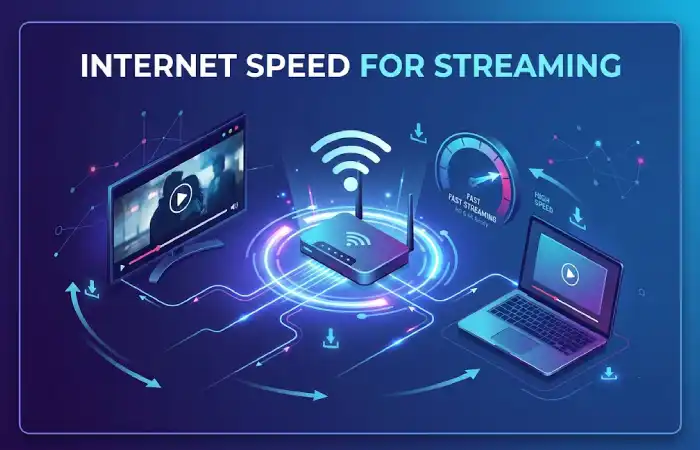
The general term “streaming” is used for transmitting video data in real time, and the quality of streaming service depends mainly on the bandwidth.
Streaming Requirements
| Streaming Quality | Recommended Speed |
| SD | 3 Mbps |
| HD | 5 Mbps |
| Full HD | 10 Mbps |
| 4K UHD | 25 Mbps |
| Multiple 4K Streams | 100 Mbps+ |
Internet Speed for Gaming
Speed is important, but often latency is more important.
Gaming Performance Priorities
| Metric | Importance |
| Ping | Critical |
| Jitter | High |
| Packet Loss | High |
| Download Speed | Moderate |
| Upload Speed | Moderate |
Recommended Gaming Speeds
| Gamer Type | Speed Recommendation |
| Casual | 100 Mbps |
| Competitive | 300 Mbps |
| Streamer | 500 Mbps+ |
| Esports Professional | Gigabit |
Strong internet connectivity is essential for maintaining consistent speeds across multiple connected devices.
Internet Speed for Remote Work
An example of the internet being a major argument for upgraded internet is the fact that;
Typical Work Activities
| Activity | Recommended Speed |
| 10 Mbps | |
| Cloud Applications | 50 Mbps |
| Video Meetings | 100 Mbps |
| Large File Transfers | 300 Mbps+ |
| Multiple Remote Workers | 500 Mbps+ |
Remote Work Checklist
Strong Wi-Fi coverage
Backup internet option
Modern router
VPN compatibility
Low-latency connection
The quality of broadband internet services plays a major role in determining download speeds and connection stability.
Internet Speed Comparison: Fiber vs Cable vs 5G Home Internet
| Technology | Speed Range | Latency | Reliability |
| Fiber | 300 Mbps–10 Gbps | Excellent | Excellent |
| Cable | 100 Mbps–2 Gbps | Good | Good |
| 5G Home Internet | 100 Mbps–1 Gbps | Moderate | Variable |
| DSL | 10–100 Mbps | Moderate | Fair |
Best Overall Choice (2026)
Fiber still provides the highest overall level of speed, reliability, scalability, low latency.
FAQ
Is speed internet necessarily better?
None. Performance can be affected by latency, packet loss, the quality of the routers and Wi-Fi coverage.
How much internet speed is usually needed for most homes?
If you have a typical home, you are probably fine with a connection of 300–500 Mbps.
Is it worth opting for the fiber internet?
Yes, Fiber provides more symmetrical speeds, lower latency and more reliability in comparison to most other options.
With (not so) many options, it is hard to know. How do you choose what is best for you?
On average at least once per month and in the event of any performance problems.
What should the most important statistic be?
Low latency (ping) is generally considered to be more relevant than high throughput (raw download speed).
Conclusion
If you want to make the right decision when selecting an Internet service or want the most out of the world‘s most powerful workplace tool, it is crucial to understand Internet Speed and Performance. With an emphasis on speed, latency, reliability, and network quality; users will be equipped to achieve high-quality streaming, lag-free gaming, unlimited remote work solutions, and become ready for 2026 fiber and Next Generation networking technologies.
Kashifa Jafar is a technology writer and contributor at FutureTechExpert with 4+ years of experience in technology writing and content creation.
Read Full Bio of Author →Sameena reviews selected health, wellness, technology, and digital content for clarity, factual presentation, and reader usefulness.
Read Full Bio of Reviewer →