
 Kashifa Jafar
Technology Writer & Contributor
Kashifa Jafar is a technology writer and contributor at FutureTechExpert with 4+ years of experience in technology writing and content creation.
Read Full Bio of Author →
Kashifa Jafar
Technology Writer & Contributor
Kashifa Jafar is a technology writer and contributor at FutureTechExpert with 4+ years of experience in technology writing and content creation.
Read Full Bio of Author →
 Sameena Begum
Health, Technology & Digital Content Reviewer
Sameena reviews selected health, wellness, technology, and digital content for clarity, factual presentation, and reader usefulness.
Read Full Bio of Reviewer →
Sameena Begum
Health, Technology & Digital Content Reviewer
Sameena reviews selected health, wellness, technology, and digital content for clarity, factual presentation, and reader usefulness.
Read Full Bio of Reviewer →
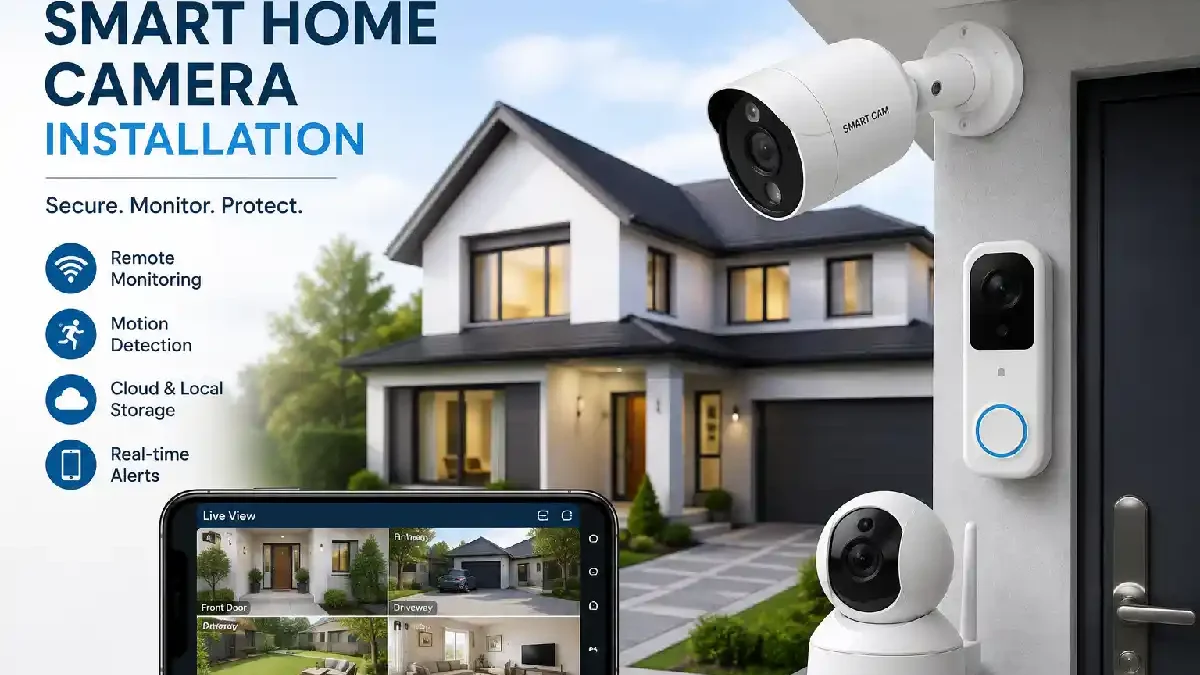
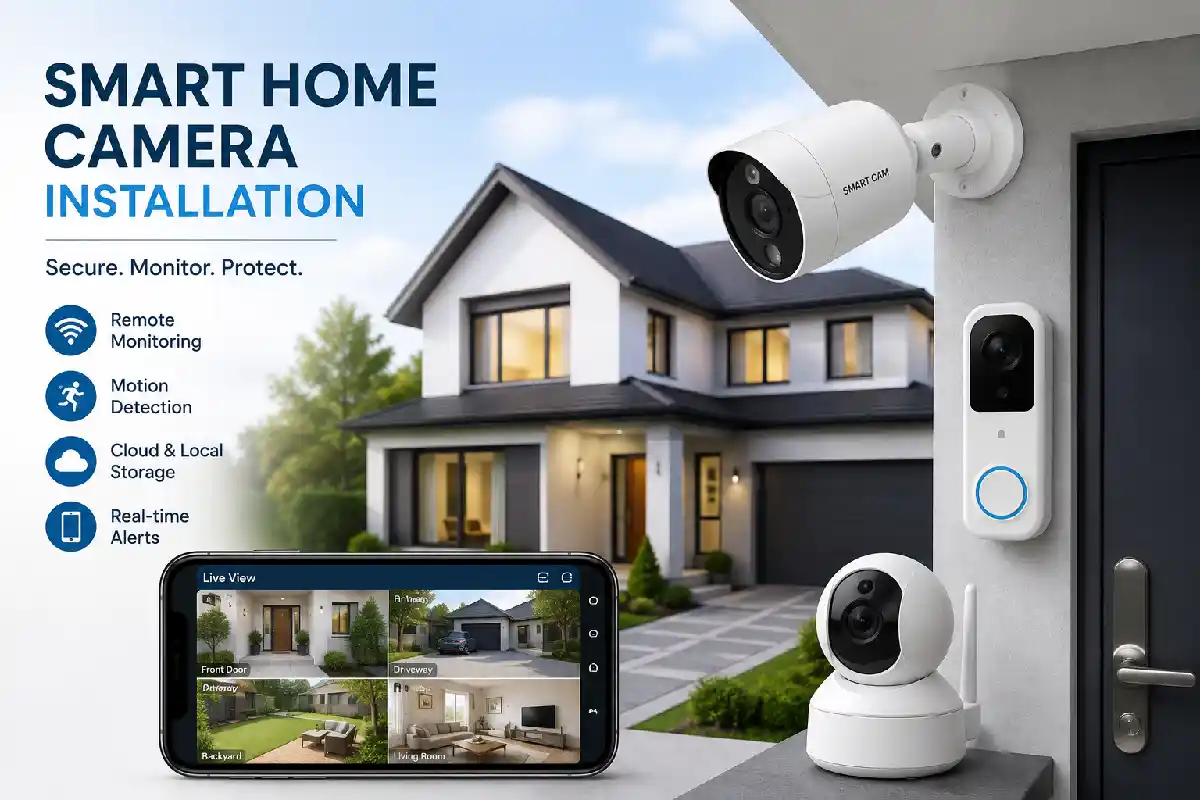
Smart Home Camera Installation has emerged as one of the quickest and most efficient methods to enhance home security, remotely watch your property and also have watched the premises as part of a smart internet-connected smart homes. Today, the best smart cameras have AI-based motion detection capabilities, cloud backup, alerts to your mobile, night mode and compatibility with AI-based voice assistants like Alexa, Google Home and Apple Homekit.
Indoor camera, outdoor security camera, video door bells… whatever you put in, make the right choice to improve your home safety and have a full knowledge of it everywhere.
 This article is part of
Smart Home Gadgets Resources
Table of Contents
What Is Smart Home Camera Installation?
Smart Home Camera Set-Up: This involves setting up a security camera with internet connectivity and enabling it to show live video feed and recordings on a mobile device or smart home hub.
Key benefits include:
- Remote monitoring
- Motion-triggered alerts
- Two-way communication
- AI-based object detection
- Integration with smart home automation
- Cloud and local storage options
Depending on the size of the Property and the Security required modern installations can either be DIY friendly or professionally installed.
Modern cameras work best when they are part of a complete smart home installation guide, allowing all connected devices to communicate and operate efficiently.
Indoor vs. Outdoor Smart Cameras
The decision of which camera to buy indoor or outdoor is probably the most fundamental one for a smart home camera strategy. Both types offer remote access and recording, but they are built to work in different circumstances.
| Feature | Indoor Smart Cameras | Outdoor Smart Cameras | Resource |
| Primary Purpose | Monitor indoor spaces such as living rooms, hallways, and nurseries | Secure entrances, driveways, garages, and property perimeters | Indoor vs Outdoor Camera Guide (Tanish Electronics) |
| Weather Resistance | Not designed for rain, dust, or extreme temperatures | IP65, IP66, or higher weatherproof ratings for outdoor exposure | Weatherproofing & IP Ratings Guide (Vivint) |
| Installation Location | Bedrooms, living rooms, home offices, nurseries | Front doors, backyards, driveways, gates, and garages | Camera Placement Guide (4Wires) |
| Night Vision | Standard infrared night vision for shorter distances | Enhanced night vision with longer detection ranges and color night vision options | Outdoor Camera Buying Guide (Vivint) |
| Power Options | Plug-in power adapters or rechargeable batteries | Wired, PoE, battery-powered, or solar-powered options | Indoor vs Outdoor Security Cameras (Reolink) |
| Durability | Lightweight and designed for climate-controlled environments | Rugged construction to withstand heat, rain, dust, and tampering | Security Camera Differences (Seneca Security) |
Wireless vs. Wired Security Cameras
| Feature | Wireless Security Cameras | Wired Security Cameras |
| Installation Difficulty | Easy DIY installation with minimal drilling | More complex installation requiring cables |
| Connectivity | Wi-Fi network connection | Ethernet or dedicated cable connection |
| Reliability | Depends on Wi-Fi strength and stability | Highly reliable with consistent connectivity |
| Video Quality Stability | May vary with network congestion | Consistent video streaming and recording |
| Power Source | Battery-powered, rechargeable, or plug-in | Continuous power supply |
| Maintenance | Battery charging or replacement required | Minimal ongoing maintenance |
| Scalability | Easy to add cameras to existing network | Expansion may require additional cabling |
| Internet Dependency | Required for most remote features | Can operate locally with NVR systems |
Which Should You Choose?
Wireless cameras are perfect for renters and DIY enthusiasts.
Wired systems are recommended for the larger house where constant recording and top reliability are necessary.
Security cameras are a key component of effective smart home security systems, helping homeowners monitor their property in real time.
Video Doorbell and Camera Integration
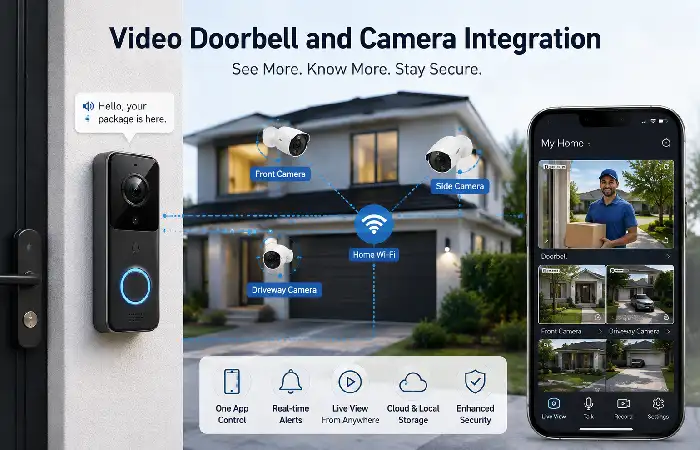
A video doorbell is a good addition to security cameras, as it provides coverage of the most critical entry point.
Benefits include:
- Visitor identification
- Package monitoring
- Remote communication
- Motion-triggered recordings
Recommended Camera Ecosystem Layout
| Area | Device |
| Front Door | Video Doorbell |
| Driveway | Outdoor Camera |
| Backyard | Outdoor Camera |
| Hallway | Indoor Camera |
| Garage | Smart Camera |
However this makes your security coverage a little unbalanced and exposes more areas to the threat. This layered approach minimizes those blind spots.
Many homeowners connect cameras with smart lighting solutions that automatically illuminate driveways, entrances, and pathways when motion is detected.
Motion Detection and Alerts
Modern cameras use AI-driven detection to distinguish between:
- Humans
- Pets
- Vehicles
- Packages
Smart Alert Comparison
| Detection Type | Basic Cameras | AI Cameras |
| Motion Detection | Yes | Yes |
| Human Recognition | No | Yes |
| Vehicle Detection | Limited | Yes |
| Package Detection | No | Yes |
Using a camera with a built-in AI places the advantage of fewer false alarms while making the monitoring quicker and more effective.
A connected home ecosystem often combines camera monitoring with smart thermostat installation to improve comfort, efficiency, and home management.
Cloud vs. Local Video Storage
The choice of storage method has a bearing on the privacy, ease of access and potential costs involved in the long run.
| Feature | Cloud Storage | Local Storage |
| Monthly Cost | Yes | No |
| Remote Access | Excellent | Good |
| Privacy | Provider dependent | Higher |
| Data Ownership | Shared | Full control |
| Backup Protection | High | Moderate |
Recommendation
If accessing your data from every part of the world is your priority, select cloud instead.
Opt for local storage if keeping your information private and saving on subscription charges are your top priorities.
Smart cameras become significantly more powerful when integrated with smart home automation systems that can trigger actions based on motion or security events.
Smart Camera Placement
We have already seen how a good camera can help, but if you position it well it can save you money.
Recommended Locations
- Main entrance
- Driveway
- Back door
- Garage
- Side pathways
Installation Guidelines
| Placement Factor | Recommendation |
| Height | 8–10 feet |
| Viewing Angle | 15–30 degrees downward |
| Lighting | Avoid direct sunlight |
| Coverage | Eliminate blind spots |
| Wi-Fi Signal | Strong connection required |
Pre-planning camera positions considerably enhances security results.
Privacy and Smart Camera Security
Smart cameras have access to sensitive video footage and security is critical.
Best Practices
- Enable two-factor authentication
- Change default passwords
- Use encrypted Wi-Fi
- Regularly update firmware
- Limit camera access permissions
Privacy Checklist
| Security Measure | Importance |
| Strong Passwords | High |
| MFA Authentication | High |
| Firmware Updates | High |
| Encryption | High |
| User Permissions | Medium |
How to Choose Smart Home Cameras
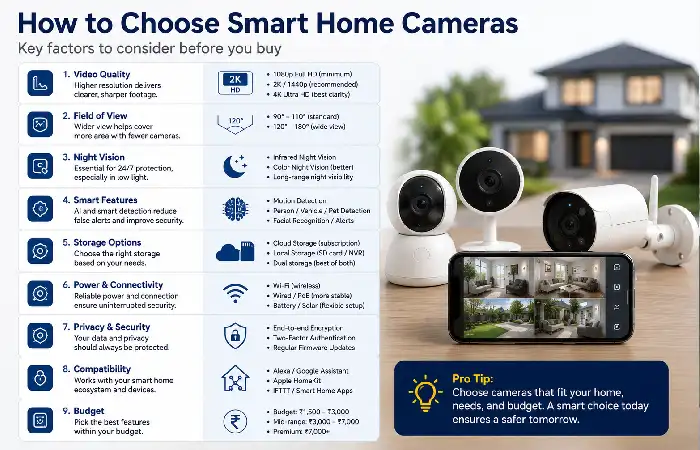
Consider these factors before purchasing:
Resolution
| Resolution | Best For |
| 1080p | Basic monitoring |
| 2K | Home security |
| 4K | Large properties |
Additional Features
- Color night vision
- AI recognition
- Two-way audio
- Smart assistant compatibility
- Local storage support
- Weather resistance
Popular Camera Categories (2026)
| Category | Typical Price Range |
| Indoor Cameras | ₹1,500–₹5,000 |
| Outdoor Cameras | ₹3,000–₹12,000 |
| Video Doorbells | ₹5,000–₹20,000 |
| Premium AI Cameras | ₹10,000–₹30,000+ |
Pricing trends are formed on the basis of top recommended smart cameras and market comparisons (2026).
Reliable video streaming, cloud storage, and remote access require a strong smart home Wi-Fi network capable of supporting multiple connected devices.
Smart Camera Installation Best Practices
Follow this installation process:
Step 1: Assess Security Needs
Determine entry points and weaknesses.
Step 2: Map Camera Locations
CDN- Develop a minimal coverage plan.
Step 3: Verify Wi-Fi Coverage
Verify the strength of the test signal prior to camera installation.
Step 4: Install Cameras
Mount securely and adjust viewing angles.
Step 5: Configure Mobile App
Connect the camera(s) to the network.
Step 6: Test Alerts and Recording
Check notifications and storage functions.
Step 7: Automate Security Actions
Connect the cameras to the lighting, locks, alarms.
FAQ
How many smart cameras do I require for a home?
Many homes have 3-5 cameras on the outside, covering doorways, the drive way and most of the major common areas of the home.
Can we trust wireless cameras?
Yes. modern Wi-Fi cameras, when attached to a good network, are very dependable
Which do I go for, cloud or local?
Remotely, cloud storage is accessed more easily, but locally the privacy is higher.
Can smart cameras be used with Alexa and Google home?
Most of the top smart camera brands are compatible with both systems.
Are professional installations really worth it?
We recommend installing on your own on a smaller home, such as apartment and on larger users we suggest to have a professional installation.
Conclusion
Installing cameras into a smart home is another reliable technique to improve the security of a house. They help to monitor the daily life of the house and make the house more intelligent in a secure environment. What you should do is to find the suitable indoor security camera, wireless or wired outdoor cameras for the house and position them properly, then take the correct security measures.
Kashifa Jafar is a technology writer and contributor at FutureTechExpert with 4+ years of experience in technology writing and content creation.
Read Full Bio of Author →Sameena reviews selected health, wellness, technology, and digital content for clarity, factual presentation, and reader usefulness.
Read Full Bio of Reviewer →