
 Kashifa Jafar
Technology Writer & Contributor
Kashifa Jafar is a technology writer and contributor at FutureTechExpert with 4+ years of experience in technology writing and content creation.
Read Full Bio of Author →
Kashifa Jafar
Technology Writer & Contributor
Kashifa Jafar is a technology writer and contributor at FutureTechExpert with 4+ years of experience in technology writing and content creation.
Read Full Bio of Author →
 Sameena Begum
Health, Technology & Digital Content Reviewer
Sameena reviews selected health, wellness, technology, and digital content for clarity, factual presentation, and reader usefulness.
Read Full Bio of Reviewer →
Sameena Begum
Health, Technology & Digital Content Reviewer
Sameena reviews selected health, wellness, technology, and digital content for clarity, factual presentation, and reader usefulness.
Read Full Bio of Reviewer →
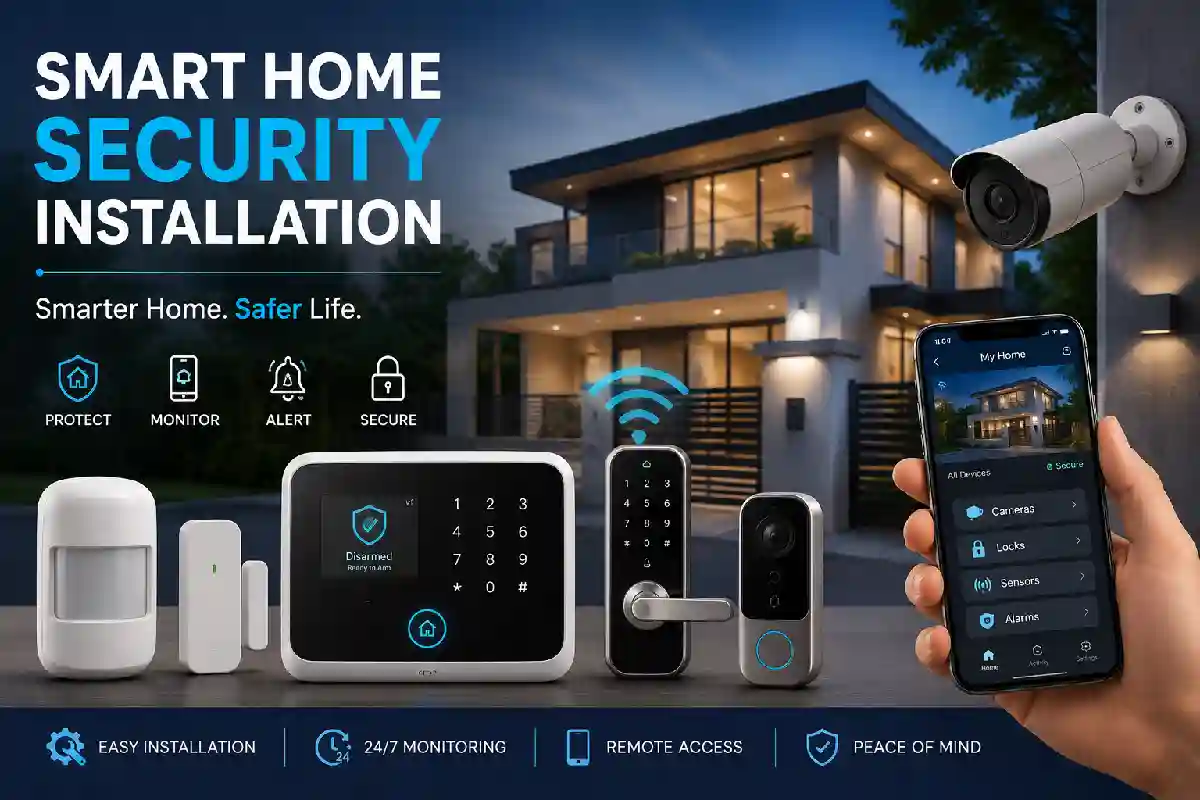
Smart Home Security Installationis one of the most successful energy saving home upgrades of 2026. Cutting-edge smart security features combine smart lock, video door bell, surveillance camera, alarms, sensors, IOS/Android applications into a grid of interconnected systems that enable an owner to remotely know what is happening in the house. Technology started to be affordable, says industry reports of the final consumers rise in usage.
Planning a DIY system or deciding on a professional installer this guide will take you through every step of the smart home security installation process.
 This article is part of
Smart Home Gadgets Resources
Table of Contents
What Is Smart Home Security Installation?
Smart home security installation is the installation of connected security devices into different dwellings and connecting them to a centralized platform.
A typical installation may include:
- Smart security cameras
- Video doorbells
- Smart locks
- Motion sensors
- Window sensors
- Alarm systems
- Mobile monitoring apps
- Voice assistant integration
However, intelligent systems does not have typical security systems, thus user can not alarm out or control devices remotely by smart phones.
A complete smart home installation guide helps homeowners integrate security systems, automation tools, and connected devices into a single ecosystem.
Benefits of Smart Home Security Systems
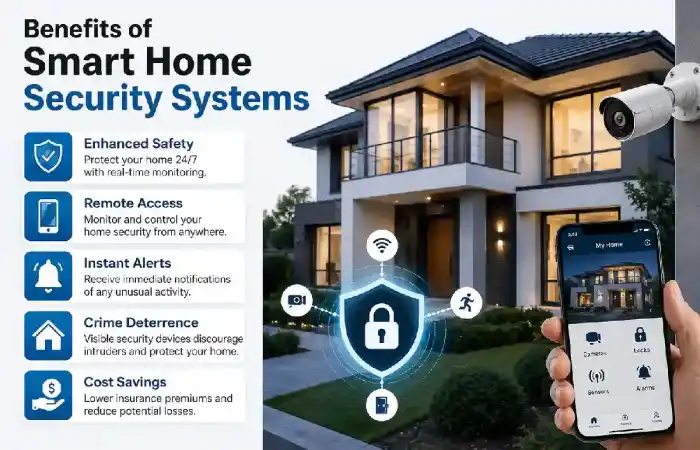
- Remote Access
Keep an eye on your property from anywhere with a Smartphone application.
- Real-Time Alerts
Receive instant notifications when:
- Motion is detected
- Doors open unexpectedly
- Cameras identify people
- Crime Deterrence
CCTV cameras and smart doorbells are issues that also decrease the chances of a break-in.
- Automation
Create routines such as:
- Auto-lock doors at night
- Turn on lights when motion is detected
- Arm the alarm when leaving home
- Insurance Benefits
Many self-monitored security alarms are eligible for a discounted rate.
Security systems become more effective when combined with smart lighting installation that automatically illuminates entry points and outdoor areas when motion is detected.
Smart Security Cameras
Security cameras are the central part of any smart home security system.
Types of Security Cameras
| Camera Type | Best For | Average Cost |
| Indoor Camera | Living rooms, hallways | ₹2,000–₹8,000 |
| Outdoor Camera | Entrances and yards | ₹4,000–₹15,000 |
| PTZ Camera | Large property coverage | ₹8,000–₹25,000 |
| AI Camera | Human detection | ₹5,000–₹20,000 |
Key Features to Look For
- 2K or 4K resolution
- Night vision
- AI person detection
- Local storage
- Cloud backup
- Weatherproof design
Professional smart security camera installation ensures optimal placement, coverage, and remote viewing capabilities for enhanced home protection.
Smart Doorbells
This are one of the most common items used in smart home security systems. Smart video doorbells are a high-tech upgrade to your standard doorbell combining a camera, microphone, speaker, motion detector and internet into one unit so homeowners can view the front of their house from any location.
It l is responsible for protecting your home by tracking activity at your front door at all times. Now whether you are at work, running errands around town, or just sitting in your living room, you will always have information immediately delivered to you when anyone is on your porch
Advantages
- See visitors remotely
- Package monitoring
- Motion-triggered recordings
- Visitor history
Popular Features
| Feature | Benefit |
| HD Video | Clear identification |
| Two-Way Audio | Speak remotely |
| AI Detection | Fewer false alerts |
| Cloud Storage | Save recordings |
Smart Locks and Entry Systems
Smart locks: Replace the use of keys and provide better access control.
Common Unlock Methods
- Fingerprint
- PIN code
- Smartphone app
- NFC card
- Voice assistant
Smart Lock Comparison
| Lock Type | Security Level | Convenience |
| Keypad Lock | High | Excellent |
| Fingerprint Lock | Very High | Excellent |
| Wi-Fi Smart Lock | High | Outstanding |
| Bluetooth Lock | Medium | Good |
Motion Sensors and Window Sensors
Sensors detect intrusion in the shortest possible time before the intruder has even entered the premises or to the living area.
Recommended Sensor Placement
| Location | Sensor Type |
| Main Door | Contact Sensor |
| Windows | Window Sensor |
| Hallways | Motion Sensor |
| Garage | Motion Sensor |
| Balcony Door | Contact Sensor |
Security experts recommend that sensors should be fitted to all open areas for maximum coverage.
Smart Alarm Systems
The smart alarm systems serve as the core response policy.
Components
- Control hub
- Siren
- Motion sensors
- Door sensors
- Mobile alerts
Smart Alarm vs Traditional Alarm
| Feature | Traditional Alarm | Smart Alarm |
| Remote Control | No | Yes |
| Mobile Alerts | No | Yes |
| Automation | No | Yes |
| Cloud Backup | No | Yes |
| AI Detection | No | Yes |
Remote Security Monitoring
With remote monitoring, the user can control the alarm system and video cameras through the Internet.
Monitoring Options
| Monitoring Type | Cost | Best For |
| Self Monitoring | Low | Budget-conscious users |
| Professional Monitoring | Medium | Families |
| Hybrid Monitoring | Medium | Maximum flexibility |
Many current systems have 24/7 monitoring capabilities via a mobile application and cloud services.
Many homeowners pair their security upgrades with smart thermostat installation to improve energy efficiency and remote home management.
How to Plan a Smart Home Security System
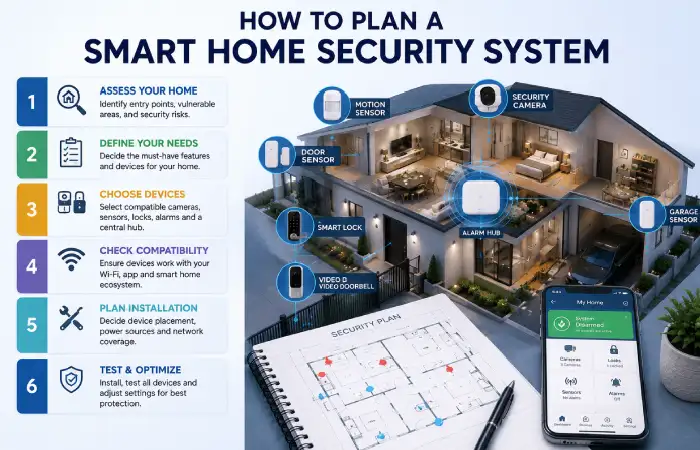
Under taking a security assessment prior to installation.
Step 1: Identify Entry Points
Check:
- Front door
- Back door
- Ground-floor windows
- Garage
Step 2: Create Device Map
Determine:
- Camera positions
- Sensor locations
- Wi-Fi coverage
Step 3: Select Ecosystem
Popular ecosystems include:
- Google Home
- Amazon Alexa
- Apple HomeKit
- Matter-compatible platforms
Step 4: Consider Backup Power
Power outages will impact security systems Batteries and UPS systems increase the system‘s dependability.
A centralized smart home automation setup allows cameras, smart locks, sensors, and lighting systems to work together automatically.
Smart Home Security Installation Best Practices
Use Layered Security
Combine:
- Cameras
- Sensors
- Smart locks
- Alarm systems
Secure Your Wi-Fi Network
- Enable WPA3
- Use strong passwords
- Activate two-factor authentication
Test Devices Monthly
Verify:
- Camera recordings
- Sensor functionality
- Battery health
- Mobile notifications
Keep Firmware Updated
Security updates are often rolled out by vendors and can provide additional levels of security.
Reliable monitoring depends on a strong smart home Wi‑Fi network setup that keeps all connected security devices online and responsive.
FAQ
What is the cost of smart home security installation in 2026?
A DIY system is normally designed to costs between ₹15,000–₹50,000, although professionally installed systems can start from above 1.5 lakh depending on the size of the property and features used with potential to go much higher.
Why should anyone prefer it? Is it better than Do It Yourself?
Professional installation can provide an added benefit of better placement and integration of the system and DIY installation can save money.
Will smart security systems still work if I lose my internet connection?
Numerous devices maintain local recording and sensor operation, but remote access may not be feasible. Battery backups greatly enhance reliability.
Which smart home ecosystem is the most optimal?
Best smart home devices (2026) Google Home, Alexa, Apple HomeKit.
Conclusion
The most comprehensive Smart Home Security Installation would be a system that utilizes cameras, doorbells, door locks, sensors, alarms, and remote monitoring all within a single network. Planning out devices locations prior to installation, selecting compatible devices, and installing properly will help make homes a much more secure, intelligent, and adaptable network. With the development of new AI detection, automation, and Matter interoperability smart home security looks to only get better.
Kashifa Jafar is a technology writer and contributor at FutureTechExpert with 4+ years of experience in technology writing and content creation.
Read Full Bio of Author →Sameena reviews selected health, wellness, technology, and digital content for clarity, factual presentation, and reader usefulness.
Read Full Bio of Reviewer →