
 Kashifa Jafar
Technology Writer & Contributor
Kashifa Jafar is a technology writer and contributor at FutureTechExpert with 4+ years of experience in technology writing and content creation.
Read Full Bio of Author →
Kashifa Jafar
Technology Writer & Contributor
Kashifa Jafar is a technology writer and contributor at FutureTechExpert with 4+ years of experience in technology writing and content creation.
Read Full Bio of Author →
 Sameena Begum
Health, Technology & Digital Content Reviewer
Sameena reviews selected health, wellness, technology, and digital content for clarity, factual presentation, and reader usefulness.
Read Full Bio of Reviewer →
Sameena Begum
Health, Technology & Digital Content Reviewer
Sameena reviews selected health, wellness, technology, and digital content for clarity, factual presentation, and reader usefulness.
Read Full Bio of Reviewer →
The demand for productivity apps is huge among students, working professionals, freelancers, entrepreneurs, business owners, remote teams, etc. No matter whether you want to manage your tasks, documents, notes, meetings, schedule, time-tracking, or collaborate with teams, there is a productivity app to do it effectively.
By 2026, the concept of productivity software is quite different from a basic to-do list. Today‘s productivity applications incorporate machine intelligence, automation, collaboration elements, cloud synchronizations and sophisticated analyses to optimize work flows and automate mundane tasks.
From individual task management to corporate project planning, productivity applications are revolutionising the way we work and stay organized. The ultimate guide about productivity apps to inform you all aspects of the design, types, advantages, comparisons, best practices and how to build a productivity system.
 This article is part of
Productivity Apps Resources
Table of Contents
What Are Productivity Apps?
Productivity apps are types of software applications aimed at enhancing an individual or team‘s efficiency in business tasks. They can aid in time-management, collaboration, task organization, task execution, and so on. They are intended to streamline complicated processes in everyday life through tools for tasks to be efficiently tracked, recorded in the form of notes, scheduled, directed towards the completion of certain projects, as well as by preventing delays in the workflow.
Productivity applications have now been integrated into the modern digital workplace for students, working professionals, freelancers, entrepreneurs and remote teams. Users can forgo the traditional paper tools or miscast programs and hold all their demands in one place, accessible from their smartphones, tablets and computers.
These apps support various aspects of work and personal organization, including:
- Task management
- Note-taking
- Scheduling
- Time tracking
- Project management
- Team collaboration
- Goal tracking
- Focus enhancement
The main purpose is to block distractions, organize and keep on top of tasks.
Task management tools are only one part of a broader productivity strategy. Explore our comprehensive productivity apps guide to discover solutions for organization, collaboration, scheduling, and focus improvement.
Common Productivity Activities Supported
| Activity | Example Apps |
| Task Management | Todoist, TickTick |
| Notes | Notion, OneNote |
| Calendar | Google Calendar |
| Project Management | ClickUp, Asana |
| Time Tracking | Toggl Track |
| Team Collaboration | Slack, Microsoft Teams |
| Focus Management | Forest, Freedom |
How Productivity Apps Can Help You Stay Organized
It can be difficult to keep everything organized when juggling numerous assignments, deadlines, meetings, and personal issues. Productivity applications ease this burden by offering a one-stop resource where all scheduling, organization, tracking, and completion can be easily handled. No matter if you are a student, a business owner, a freelancer, or a team in need, productivity applications help kill the mess.
Benefits include:
Better Task Visibility
Users can see:
- Upcoming deadlines
- Pending tasks
- Project status
- Team responsibilities
Improved Time Management
Apps help allocate time efficiently through:
- Calendar scheduling
- Time blocking
- Automated reminders
- Priority tracking
Reduced Mental Load
Users can store information digitally and go back to recall whatever they want onto screen.
Increased Accountability
Many apps include:
- Progress tracking
- Performance reports
- Goal monitoring
- Team visibility
Productivity App Market Overview (2026)
Modern productivity tools are starting to add AI features, workflow automation, cloud sync, and multi-device support. The existing established leaders in professional productivity tasks Notion, Todoist, ClickUp, Motion, and Google Workspace remain prominent in the field.
Productivity App Feature Comparison
| Feature | Basic Apps | Modern AI Productivity Apps |
| Task Lists | Yes | Yes |
| Reminders | Yes | Yes |
| AI Assistance | No | Yes |
| Workflow Automation | Limited | Advanced |
| Team Collaboration | Basic | Extensive |
| Smart Scheduling | No | Yes |
| Analytics | Minimal | Advanced |
| Integrations | Few | Hundreds |
Types of Productivity Apps
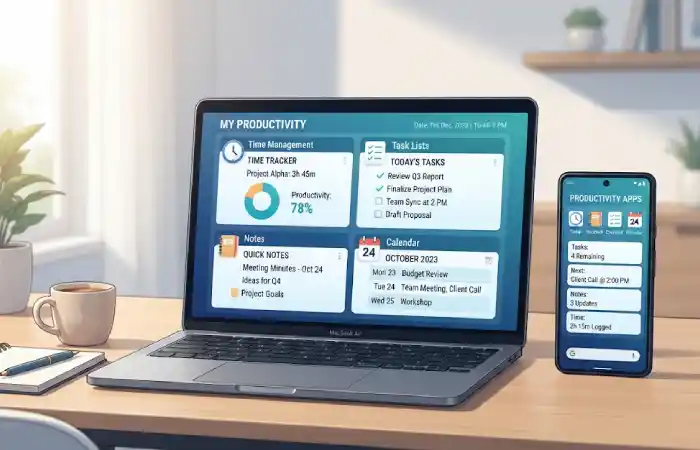
There are many different types of productivity apps. They are available in many forms and for the purpose that they are used for. For example, some will be used to complete your day to day tasks, while some are used for scheduling or taking notes. There is a collective purpose for each of them.
Main Categories
- Task Management Apps
- To-Do List Apps
- Note-Taking Apps
- Calendar Apps
- Time Management Apps
- Project Management Apps
- Focus Apps
- Collaboration Apps
Overview of Productivity App Categories
| Productivity App Type | Primary Purpose | Common Users |
| Task Management Apps | Organize and track tasks | Professionals, students |
| To-Do List Apps | Manage daily activities | Individuals, freelancers |
| Note-Taking Apps | Capture and organize information | Students, researchers |
| Calendar and Scheduling Apps | Plan events and appointments | Professionals, teams |
| Time Management Apps | Track and optimize time usage | Freelancers, businesses |
| Project Management Apps | Manage projects and workflows | Teams, organizations |
| Focus and Concentration Apps | Minimize distractions | Remote workers, students |
| Collaboration Apps | Improve teamwork and communication | Businesses, remote teams |
Task Management Apps
Task management applications are productivity utilities that allow an individual or groups of individuals to plan, organize, and complete tasks and responsibilities efficiently. They offer a framework for managing routines, project tasks, milestones and deadlines, and long-term objectives so that nothing gets missed in the chaos.
With more complicated schedules in 2026, task management applications are now key elements to organizing one‘s life. Students, professionals, freelancers and even businesses are now relying on these gadgets to keep life more organized and productive than using usual paper-based planners and spreadsheets.
Key Features
- Task creation
- Due dates
- Labels and categories
- Recurring tasks
- Priority levels
Popular Examples
| App | Best For |
| Todoist | Personal productivity |
| TickTick | Tasks + calendar |
| Microsoft To Do | Microsoft users |
| Things 3 | Apple ecosystem |
Benefits
- Clear priorities
- Reduced missed deadlines
- Better workload management
Modern note-taking tools work best when combined with other productivity apps that support task management, scheduling, project planning, and team communication.
To-Do List Apps
A to-do list application is an easy-to-use, useful application for keeping users responsible for their everyday schedule and providing a reminder of personal orbusiness outcomes. They serve as a new form of paper checklist, allowing users to manage and track their responsibilities and goals on any electronic device.
If you want to prepare your day, do some errands, remember your assignment deadlines, or organize your work, to-do apps help you keep track of everything important. Because they are so user friendly, to-do list applications are among the most popular productivity apps.
How To-Do List Apps Work
Most to-do list application let users make tasks, sort lists, set deadlines and mark completed tasks. Some of them offer reminders, recurrentus tasks, listing priority, categorization; enable synchronization between devices.
The basic workflow involves:
- Adding tasks to a list.
- Setting due dates or reminders.
- Prioritizing important items.
- Completing and checking off tasks.
- Reviewing progress regularly.
Common Features
- Checklists
- Daily task planning
- Quick task capture
- Reminders
Best Use Cases
- Students
- Freelancers
- Busy professionals
- Household management
Comparison
| Feature | To-Do Apps | Project Management Apps |
| Simplicity | High | Medium |
| Learning Curve | Low | Higher |
| Team Features | Limited | Extensive |
| Project Tracking | Basic | Advanced |
To-do list applications help users stay organized, but many professionals also rely on other productivity apps for personal and professional organization to streamline daily workflows.
Note-Taking Apps
Note-taking applications is a type of application which is used for the efficiency, and productivity, related to the user‘s life. Using this application user can save, sort, search, and access information in a digital manner. It is the application in which user can store ideas, notes of meetings, research, documents, study matter, and valuable information, in a organized and convenient search-ready manner. With more and more information flood in 2026, note-taking applications are very widely used by students, employees, researchers, and even organizations.
A modern note taking app offers more than a traditional notebook, for example cloud sync, support for multimedia, collaboration support, tags and AI enhanced search. This allows you to access your information on any platform at any time.
How Note-Taking Apps Work
Note-taking applications enable the user to make handwritten notes and to file / module those notes into folders, notebooks, databases or workspaces. All but a few applications support the use of a variety of media (images, files, links, voice, symbols, embedded content).
A typical workflow includes:
- Creating a note.
- Organizing it into categories or folders.
- Adding text, images, or attachments.
- Tagging important information.
- Searching and retrieving notes when needed.
Leading Note Apps
| App | Key Strength |
| Notion | All-in-one workspace |
| Obsidian | Personal knowledge management |
| OneNote | Microsoft integration |
| Evernote | Document organization |
Benefits
- Information centralization
- Easy searchability
- Knowledge retention
- Documentation
Note-taking tools work best when combined with task, calendar, and focus solutions. Read our complete guide to productivity apps to learn how these tools work together.
Calendar and Scheduling Apps
Calendar and scheduling apps are tools of productivity that can assist users in managing their schedules. They can be used to schedule meetings, appointments, deadlines, events and daily activities.
By 2026, calendar and scheduling applications have advanced far past managing the date itself. They are now equipped with features like AI scheduling, auto reminders, time blocking, team time availability, and integrations with project management tools and collaboration applications. The most likely users for these applications are professionals, students, and freelancing or corporate companies.
Important Features
- Event scheduling
- Shared calendars
- Meeting coordination
- Time blocking
- Reminders
Popular Calendar Apps
| App | Best For |
| Google Calendar | General use |
| Outlook Calendar | Business users |
| Fantastical | Apple ecosystem |
| Motion | AI scheduling |
Scheduling Tips
- Use time blocking
- Schedule focused work sessions
- Add buffer time between meetings
- Set reminders
Time Management Apps
Time management tools are software applications that are used to monitor one‘s productivity in order to develop better usage of one‘s time and more effective time management. It allows the user to have a clear overview of their daily lifestyles and priority tasks by the importance that they have to the user in order to optimize the maximum productivity and efficiency from them. More and more time is spent working and being online in the busy digitalized working world. Time management has now became a must have.
Today‘s time management apps are more than timers. They provide advanced features such as time tracking, reporting, goal setting, scheduling, deep work, workload management, and AI based suggestions to improve your time utilization.
Common Functions
- Time tracking
- Activity monitoring
- Productivity reporting
- Work-hour analysis
Popular Tools
| Tool | Function |
| Toggl Track | Time tracking |
| RescueTime | Productivity analytics |
| Clockify | Team tracking |
| Harvest | Billing + tracking |
Benefits
- Better productivity insights
- Improved project estimation
- Reduced time waste
Time-tracking and scheduling tools are important, but modern users often combine them with other productivity apps for better time management and efficiency.
Project Management Apps
Project management applications are tools of productivity intended to assist individuals and teams with the planning, the organization, the implementation and the controlling of projects. Such apps offer a digital environment in which all tasks, schedules, resources, documents and team communication can be integrated. In today‘s business environment, the use of remote and hybrid work models, project management apps are more and more critical to productivity and timeliness.
Regardless the size of the project whether for managing a small team or a big enterprise project, the use of project management software enables the team to automate, control, communicate and monitor the workflow within the project.
Features
- Task dependencies
- Milestones
- Gantt charts
- Resource planning
- Reporting
Comparison Table
| App | Best For |
| Asana | Team coordination |
| ClickUp | All-in-one project management |
| Monday.com | Workflow visualization |
| Trello | Kanban boards |
Advantages
- Project visibility
- Collaboration
- Deadline management
- Progress tracking
Project management platforms are a key category within the broader ecosystem of productivity apps that improve team collaboration, communication, and workflow optimization.
Focus and Concentration Apps
Focus and concentration applications are one of the many productivity tools which aim to keep users away from distractions, enhance their attention, and sustain deep concentration while doing work, study, and other important activities.
With the growing number of interruptions coming from notifications, social media, or mere information overload, they are now essential tools for students, employed individuals, telecommuters, and productivity-focused people.
Most focus applications employ techniques that are well known for improving productivity such as Pomodoro Technique, distraction blocking, mindfulness practices, focus timers, and productivity tracking. Optimization algorithms that dynamically help you concentrate are a recent addition to the genre. They use deep learning to learn how you get distracted and make suggestions to prevent this.
Focus apps help users:
- Reduce interruptions
- Build concentration habits
- Track focused work sessions
Popular Focus Apps
| App | Purpose |
| Forest | Gamified focus |
| Freedom | Block distractions |
| Focus To-Do | Pomodoro technique |
| Brain.fm | Focus-enhancing audio |
Focus Techniques
- Pomodoro Method
- Deep Work Sessions
- Time Blocking
- Digital Minimalism
Focus applications help reduce distractions, but the best results often come from using complementary productivity apps for focus and workplace performance.
Collaboration and Team Productivity Apps
Collaboration and team productivity apps are programs created to support teams in sharing information, chatting and coordinating the work for increased efficiency. Such apps are becoming crucial for today‘s work environment, as 2026 is noted for the increase in remote work, hybrid teams and worldwide collaboration.
As an alternative to the clutter of email trails and disparate applications, collaboration applications offer one integrated environment for teams to chat, task, share files, hold meetings, and see the status of their project tasks in a central location.
How Collaboration and Team Productivity Apps Work
These tools combine messaging,Project Management,document sharing andworkflow coordinationinto one application. Team members can view project details, contributing to discussion, from around the world on either a computer or a mobile device.
A typical workflow includes:
- Creating a team workspace.
- Assigning tasks and responsibilities.
- Sharing files and documents.
- Communicating through chats or video meetings.
- Tracking project progress and deadlines.
- Reviewing performance and outcomes.
Core Features
- Messaging
- File sharing
- Video meetings
- Task collaboration
- Workflow management
Team Productivity Comparison
| Platform | Main Purpose |
| Slack | Communication |
| Microsoft Teams | Collaboration |
| Google Workspace | Productivity suite |
| Zoom | Meetings |
Benefits
- Faster communication
- Improved transparency
- Centralized information
- Better teamwork
Best Productivity Apps Comparison (2026)
| App | Category | Free Plan | AI Features | Team Support |
| Notion | Notes + Workspace | Yes | Yes | Yes |
| Todoist | Tasks | Yes | Limited | Yes |
| ClickUp | Project Management | Yes | Yes | Yes |
| TickTick | Tasks + Calendar | Yes | Limited | Yes |
| Motion | AI Scheduling | No | Advanced | Yes |
| Google Calendar | Scheduling | Yes | Limited | Yes |
| Toggl Track | Time Tracking | Yes | No | Yes |
Based on the most recent studies and review sites, it seems that Notion, Todoist, ClickUp, Motion and Obsidian are some of the best recommended solutions for productivity, whatever the use case in 2026.
How to Choose the Best Productivity App

By 2026, the market is saturated with hundreds of different productivity apps. How do you choose one? The ideal productivity app considers your goals, workflow, workplace personality, and most needed features.
Some users want just a basic to-do list. Others need complex project planning. Still others need integrations with team collaboration, or automation with AI. Knowing what‘s important to you before choosing an app will save you time and hassle.
For Students
Best tools:
- Notion
- Google Calendar
- Todoist
For Freelancers
Best tools:
- ClickUp
- Toggl Track
- Notion
For Small Businesses
Best tools:
- Asana
- Slack
- Google Workspace
For Large Teams
Best tools:
- Microsoft Teams
- Monday.com
- ClickUp
Evaluation Checklist
Easy to use
Cross-platform support
Mobile app available
Integrations
Security features
Collaboration tools
Affordable pricing
How to Build a Productivity System Using Apps
A task management app will not make you a productive human, by itself. What you really want is to develop a productivity system, that incorporates a number of tools into a unified workflow. A good productivity system is a way for you to easily |capture| information, categorize things, control time, stay on top of your goals, and measure your results:
In 2026, many individuals build their digital productivity experience in general, around a mix of task manager, note taking tool, calendar, collaboration and focus applications. The goal is to create a frictionless environment that starts your work on the right foot and help you concentrate on vital work.
Step 1: Capture Information
Use:
- Notion
- OneNote
- Obsidian
Step 2: Manage Tasks
Use:
- Todoist
- TickTick
Step 3: Schedule Work
Use:
- Google Calendar
Step 4: Track Time
Use:
- Toggl Track
Step 5: Collaborate
Use:
- Slack
- Microsoft Teams
Example Productivity Stack
| Function | Tool |
| Notes | Notion |
| Tasks | Todoist |
| Calendar | Google Calendar |
| Time Tracking | Toggl |
| Communication | Slack |
Building a Sustainable Productivity System
An ideal productivity system is one that it is easy for you to maintain. Start with just a handful of applications if necessary, design workflows around them, and gradually build up your set as your requirements grow.
You might find that a combination of task management, note-taking, scheduling, time-tracking, focus-means and collaboration tools offered an optimal productivity system that helped you manage your work without feeling stressed out.
Common Productivity App Mistakes to Avoid
Apps can be a great way to boost organization, time management and efficiency but, how can you be sure that one of the latest apps is actually going to make you more productive? One thing you do definitely not want to do is actually impact your productivity negatively by using the wrong app the wrong way, over-complicating your system or by using technology too much in general.
Using Too Many Productivity Apps
The most common mistake is using a number of different applications to do similar things. Keeping track of tasks in one program, notes in another, reminders in a third and projects in various others can lead to disorder and duplication.
Solution: Narrow down your workflow to only a handful of apps that work harmoniously and do different things.
Overcomplicating Your System
The most important thing for a productivity app to be useful is consistent updating. If you don‘t go back into lists to update your progress things can become outdated to-do lists, miss deadlines and lose priorities.
Solution: Treat every day and every week as a time to take stock and re-evaluate anything that you are doing, working on, or trying to acheive.
Failing to Review Tasks Regularly
The only way a productivity app will be effective is if it is continually maintained. Failure to go back into lists and update tasks can lead to out-dated to-do lists, missed deadlines, and lost priorities.
Solution: Make each day and each week a time to review and revise tasks, projects, and goals.
Ignoring Prioritization
It can also be damaging if taken too far, such as when the importance of each task is considered the same.
Solution: Utilize course of action (COA) classifications (preferably priority levels, labels, or categories) to guide the cognitive process towards high-impact COAs before the low impact COAs.
Relying Too Much on Notifications
Reminders are convenient but too many messages can prove a distraction and can hinder concentration.
Solution: Personalize tips and only set notifications for critical tasks and dates.
Not Taking Advantage of Integrations
Most of productivity apps provide the possibility to connect with calendar, email, management tools, communication software and the universe. Not using these can be some kind of tedious copying, then more copies.
Solution: Merge your apps to automate workflows and keep data in sync.
Creating Unrealistic Task Lists
Adding dozens of tasks to a daily schedule can be stressful and hinderseffective work.
Solution: Establish daily goals that are realistic. Prioritize by achieving the high priority task before moving to the next.
Using Productivity Apps Without Clear Goals
Some people short-circuit themselves by installing objects that provide no defined outcome productivity apps. So the thing becomes one more enabled feature that is never used.
Solution: Be specific about what you want to achieve. Is it for the organization, project, your time or your concentration?
Frequently Asked Questions About Productivity Apps
What is a productivity app?
It is a program that helps users plan, manage their time, stay focused and be more effective in doing work.
Which Top Productivity App will be available in 2026?
The most commonly used productivity apps include (not listed in order of popularity) The following, Notion, Todoist, ClickUp, Motion, and TickTick.
Are these productivity applications free?
Most productivity aps are free to use with optional premium upgrades.
Is it possible for productivity apps to actually help you concentrate?
Yes. Applications like Forest and Freedom are great for limiting distraction and facilitating deep work.
Top productivity app for teams?
In most cases, team engages with following tools and software to work together: 08collaborate using 09ClickUP, 10Asanais, 11slideshared 12Skype 13MS teams 14Owlspace
Do productivity tools utilize AI?
Yes. Today, many productivity apps are integrating AI features for scheduling, summarization, task prioritization, automation of workflow, etc.
Conclusion
In the context of the modern digital world, productivity applications are more essential than ever for the administration of professional and personal work and team projects. These range from generic to-do list applications and note-taking applications, to sophisticated project management software and scheduling tools driven by artificial intelligence.
The most effective productivity app isn‘t always the one packed with features; it‘s the one that works perfectly with your workflow, objectives, and daily routine. As a student, note-taking or task organizers might be the key, but teams and companies thrive with collaboration and project management tools. When you take the time to unite the best tools for tasks, calendar, notes, communication, and time tracking, you get your own personal productivity system.
Kashifa Jafar is a technology writer and contributor at FutureTechExpert with 4+ years of experience in technology writing and content creation.
Read Full Bio of Author →Sameena reviews selected health, wellness, technology, and digital content for clarity, factual presentation, and reader usefulness.
Read Full Bio of Reviewer →